Basics of Mixing – 6.3 Types of Compressors

Hello, this is Jooyoung Kim, an engineer and music producer.

Today, we will discuss the different types of compressors based on their operating principles.

Before we begin, it’s important to note that most compressors we talk about today are named after the specific components used as attenuators in each type. These components give each type its unique characteristics, so understanding these classifications is essential.

Shall we get started?

1) Variable-Mu (Vari-Mu)
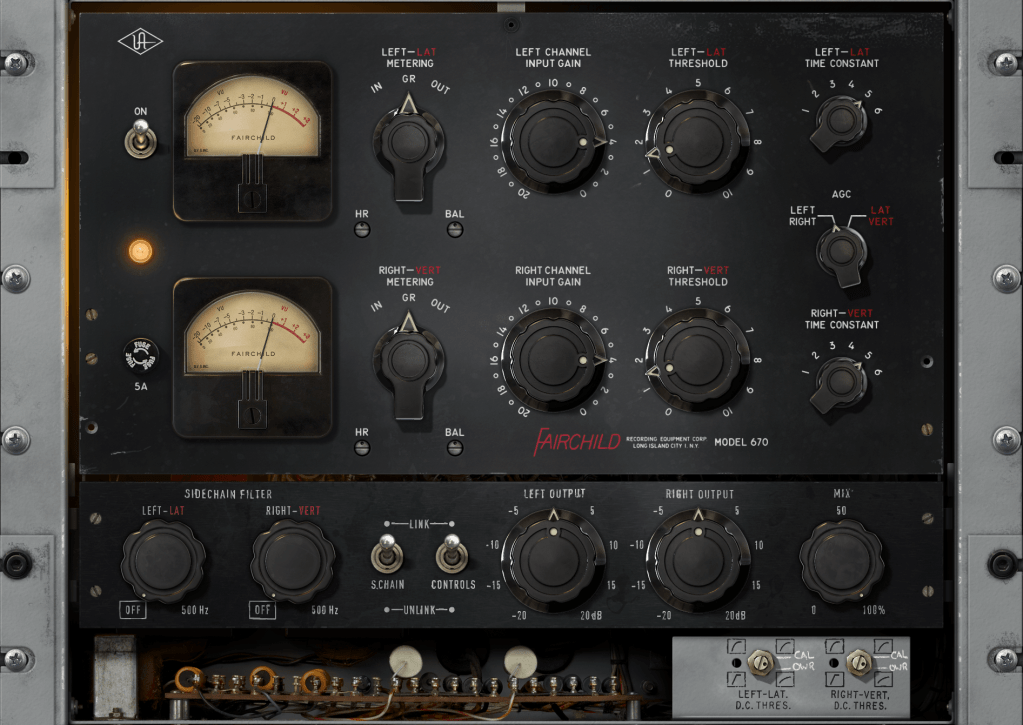
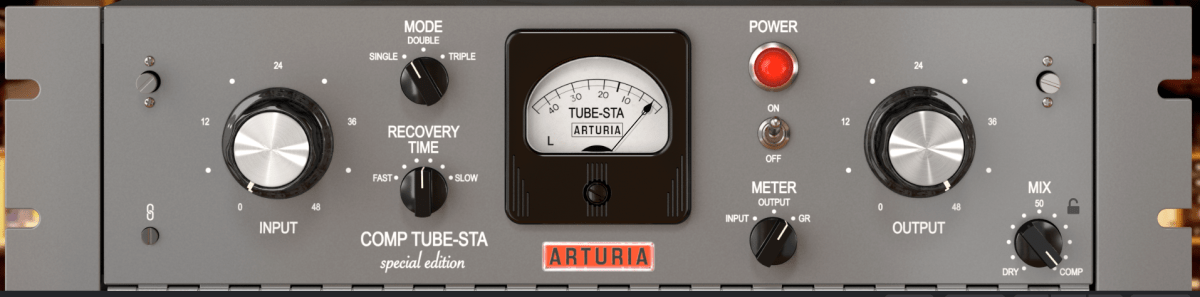
Vari-Mu compressors use vacuum tubes as attenuators. (Note that just because a compressor has vacuum tubes doesn’t automatically make it a Vari-Mu compressor.)

“Variable” means adjustable, and “Mu” (μ) stands for gain. So, Variable-Mu essentially means variable gain.

This might sound confusing, but essentially, as the input signal increases, the current to the vacuum tube’s grid decreases, thus varying the output level and creating adjustable gain.

Vari-Mu compressors have a non-fixed ratio and typically feature a soft knee. They also impart significant coloration to the sound due to the nature of vacuum tubes.

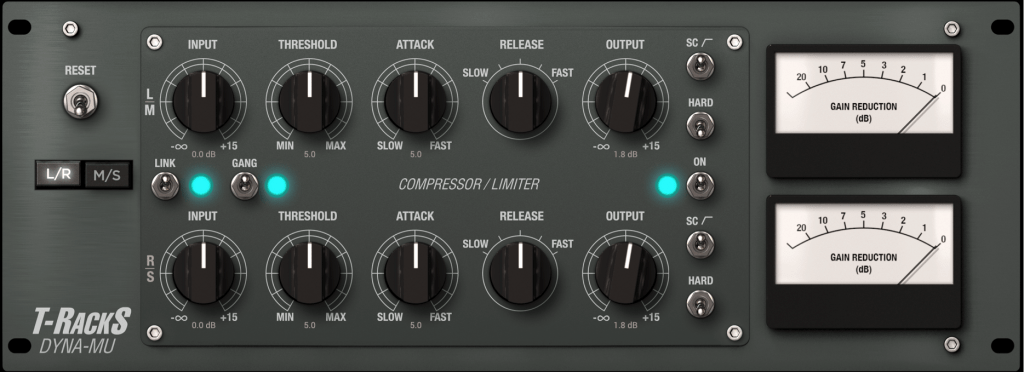
Famous examples include the Fairchild 670, Manley Variable Mu, and Chandler Limited RS124. These were predominantly used in the early days of compressors.

2) Optical (Opto)
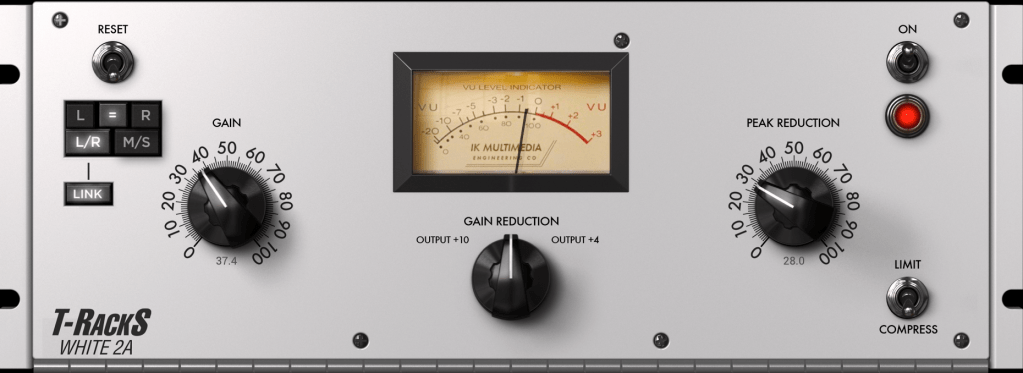
Opto compressors use an optical isolator (photo transistor) as the attenuator. The intensity of the light changes according to the input signal, which in turn adjusts the compression. The release time varies significantly depending on the amount of compression.

A well-known Opto compressor is the LA-2A, which was also called a 2-step compressor due to the significant difference in reduction levels around -3dB. This characteristic makes it popular for vocal sources.

Both vacuum tubes and transistors can be used for gain control in Opto compressors. For instance, the LA-2A uses vacuum tubes, while the LA-3A replaced these with transistors.

The Tube-Tech CL1B is another common Opto compressor found in studios.

3) Solid State

Solid State compressors use transistors or diodes as the attenuators. When transistors first became available, they replaced vacuum tubes due to their lower power consumption and smaller size.

The UA 1176 is a prime example and remains one of the most famous Solid State compressors. It is known for its very fast attack and release times. The Blue Stripe version of the 1176 is especially noted for its strong coloration, making it a favorite for drum sources.

4) Diode Bridge
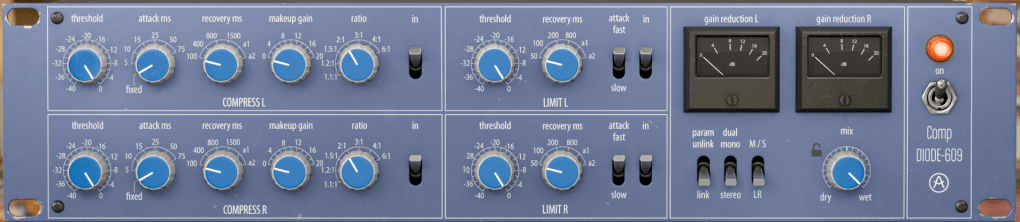
Diode Bridge compressors use a diode bridge circuit for signal attenuation. These became popular in the 1960s for their faster response compared to typical Opto compressors and lower distortion compared to many FET designs.

Notable examples include the Neve 33609, 2254, Chandler Limited Germanium, and EMI TG12345.

5) VCA (Voltage Controlled Amplifier)

VCA compressors use a Voltage Controlled Amplifier as the attenuator. A VCA adjusts the amplification based on the input signal’s voltage, allowing precise control over the input signal level. VCA designs typically have low distortion and less coloration compared to Vari-Mu, Opto, and Solid State compressors.

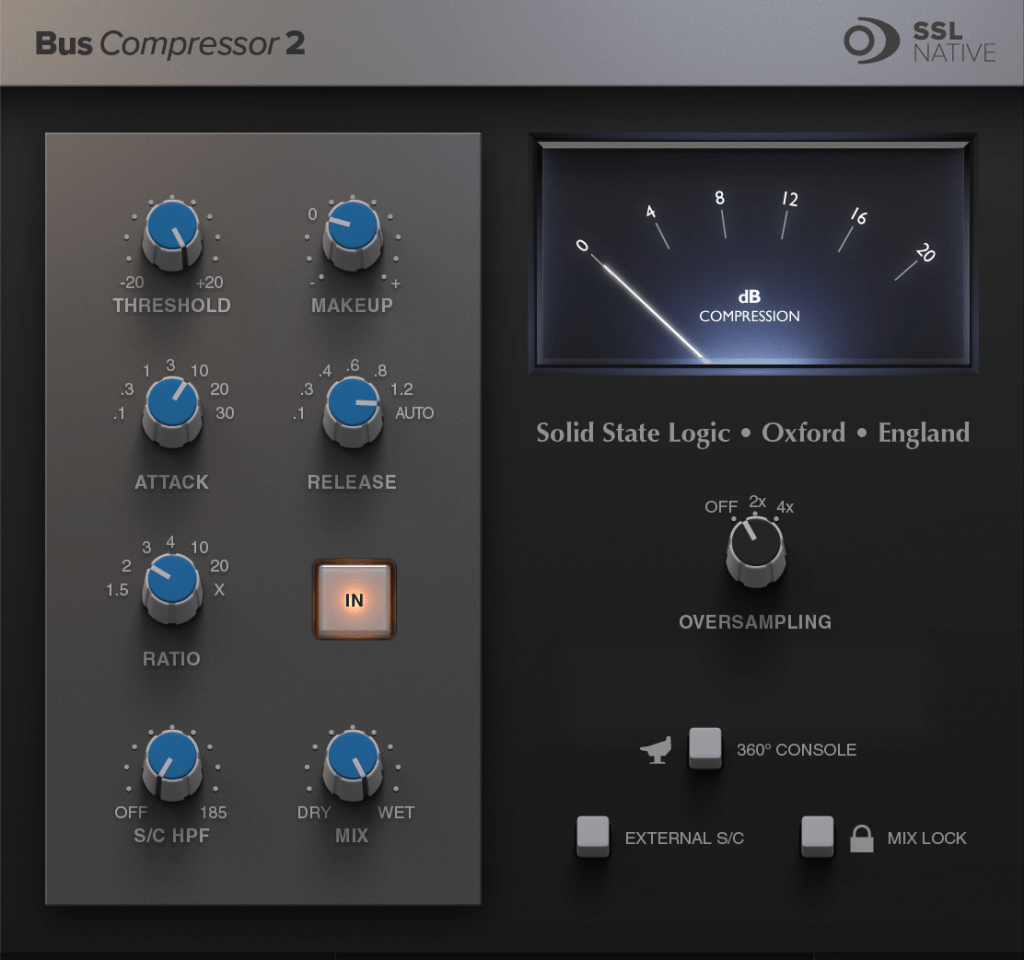
The dbx 160 is a representative VCA compressor, along with the Amek 9098 Compressor Limiter, SSL G Compressor, API 2500, Vertigo VSC-3, and Shadow Hills Mastering Compressor (excluding the Opto section).

6) PWM (Pulse Width Modulation)
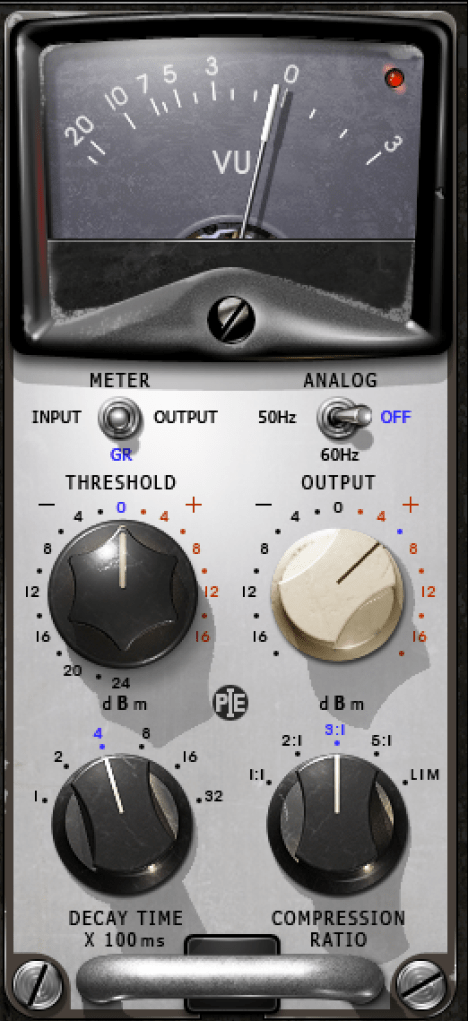
PWM compressors use pulse width modulation to control signal strength. They can turn on and off in less than 1 nanosecond, making them extremely responsive with even less distortion than VCA compressors.

Famous PWM compressors include the Crane Song STC-8 and the Pye 4060 and 5060.

7) Digital
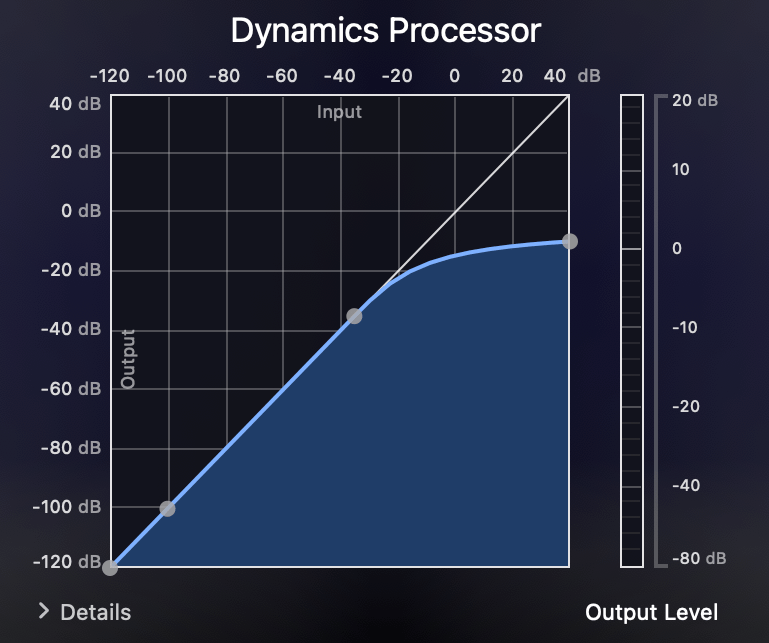
Digital compressors are not replicas of analog compressors but are designed to detect the signal level in real-time and apply compression based on the set threshold and ratio.

Digital compressors may introduce harmonic distortion due to nonlinear responses and aliasing, although many modern plugins mitigate aliasing with oversampling.

Despite potential distortion, digital compressors typically have less coloration and are cleaner than analog counterparts. Most basic DAW compressor plugins fall into this category.

Conclusion
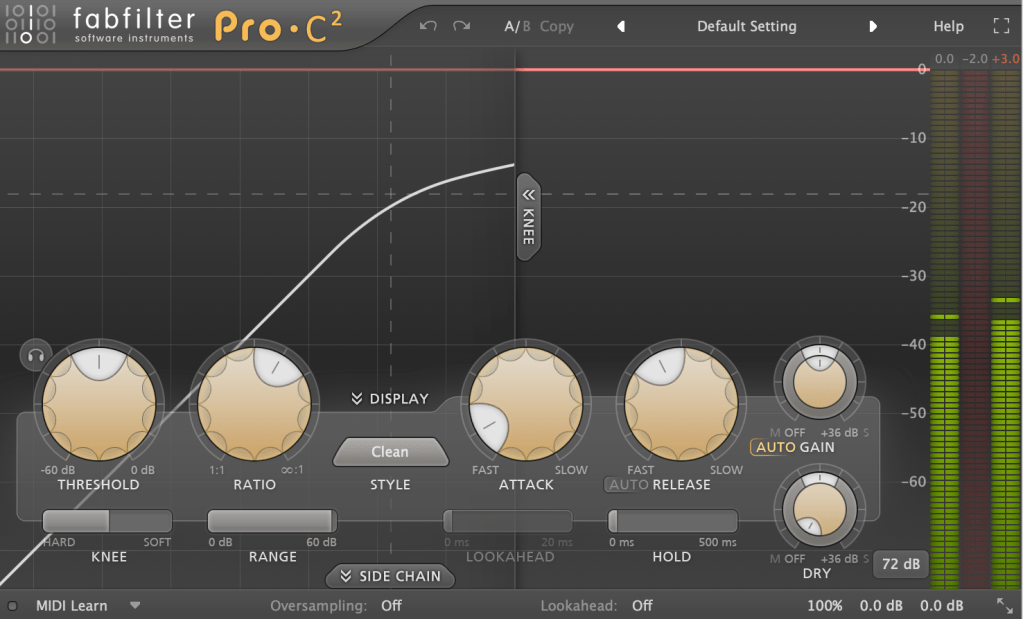
Nowadays, most compressors used are plugins. Even if they replicate the same vintage hardware, their characteristics can differ, making memorizing all these details unnecessary.

When purchasing or using a compressor for the first time, it’s helpful to understand its operating principle to get a rough idea of its characteristics.

Also, remember that digital replicas may still suffer from aliasing issues. The only way to completely avoid this is by using the actual hardware.

That’s it for today. See you in the next post!
Basics of Mixing – 6.1 Compressor

Hello, this is Jooyoung Kim, an engineer and music producer.

Today, I’d like to talk about compressors.

Why do we use compressors in mixing?

First, the most fundamental role of a compressor is to level the dynamics.

When the dynamic range (the difference between the loudest and softest sounds of an instrument) is large, it can cause issues where vocals or individual instruments are not clearly heard. It can also result in instruments sounding like they are moving forward and backward in the mix when listening through speakers. By controlling dynamics well, it becomes easier to increase the overall loudness during mastering.

Second, compressors can change the groove of the music.

Depending on when the compressor kicks in and out, and how it compresses, it can alter the groove of the instrument source.

Third, compressors can change the tone of the source through saturation.

Based on the harmonic distortion and frequency response characteristics of the compressor, it can add different textures to the original source.

Fourth, compressors can provide a sense of unity.

A compressor applied to a bus can impart its unique saturation and groove to the entire group of instruments, helping them blend well together.

For these various complex reasons, we use compressors.

In this sixth chapter of Mixing Basics, we will cover:

  1. How to use a compressor
  2. Types of compressors based on their operating principles
  3. Noteworthy compressors
  4. Various other dynamic processors (decompressors, expanders, gates, de-essers, multiband compressors, etc.)

In the next post, we’ll start by discussing how to use a compressor.

Zynaptiq Pitchmap Sale (until July 28)

Hello, I’m Jooyoung Kim, an engineer and music producer.

Today, I want to introduce Pitchmap, a plugin by Zynaptiq that’s frequently used in color bass music.

For this review, I requested an NFR (Not for Resale) code for Pitchmap from Plugin Boutique. Thankfully, Zynaptiq provided me with the ZAP IV bundle code. I’d like to express my gratitude to them. Besides Pitchmap, I’ll be reviewing other Zynaptiq plugins during their sale periods.

Let’s get started!

Pitchmap is a pitch correction plugin created by Zynaptiq in 2013.

While pitch correction is commonly associated with vocal tuning, Pitchmap is more often used in remixing and sound design.

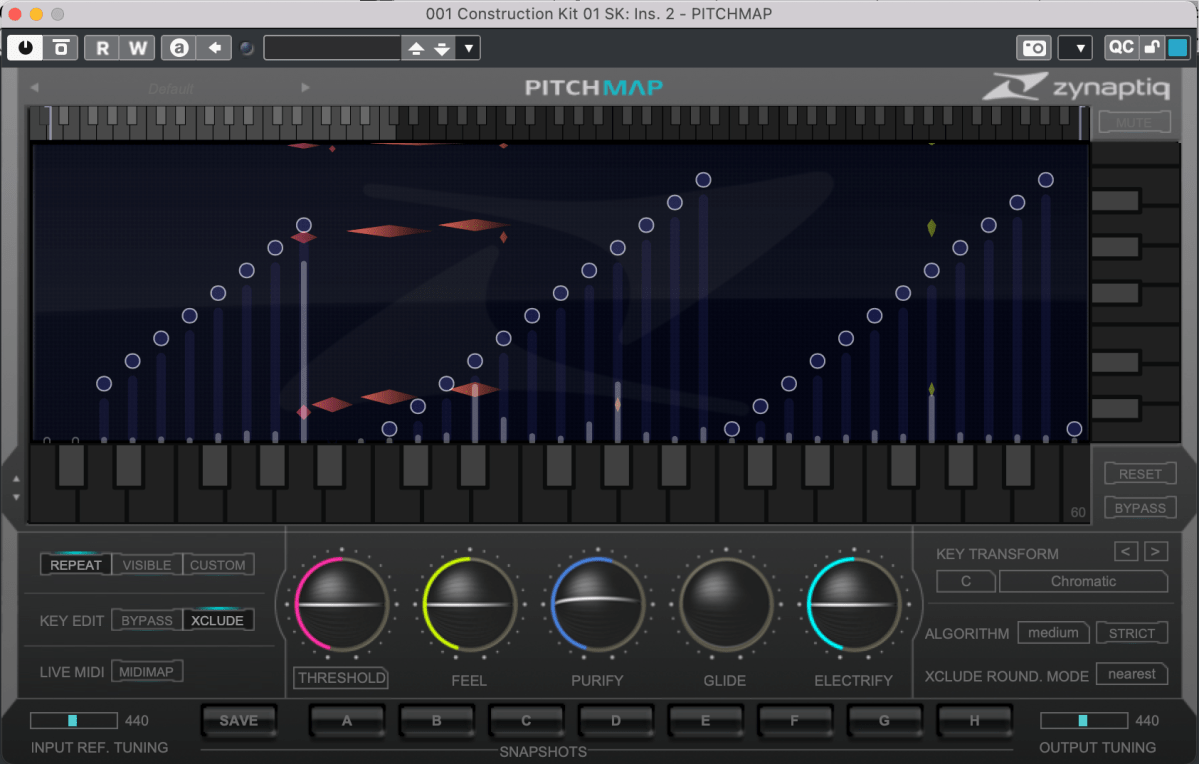
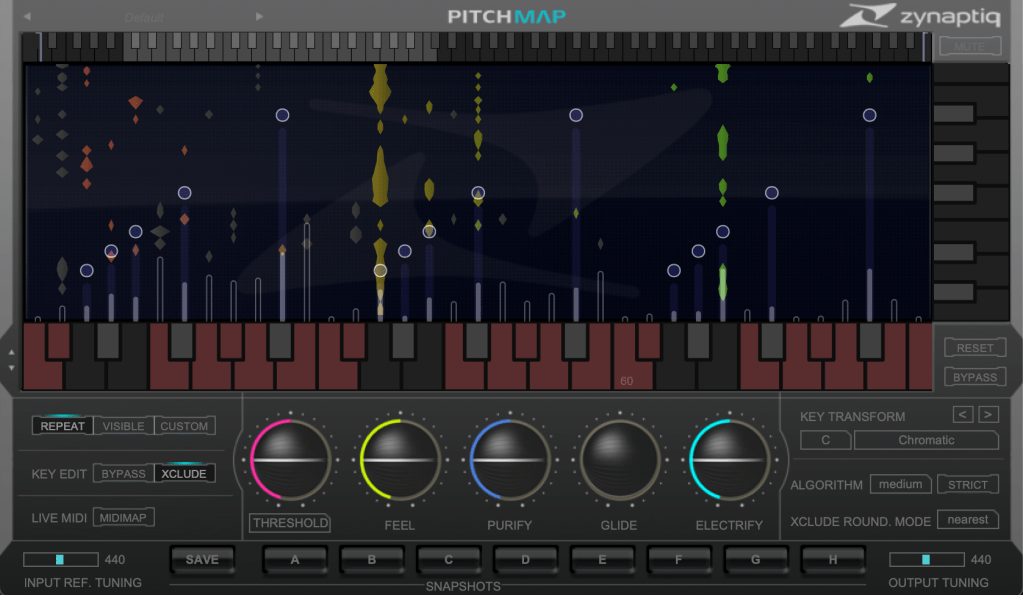
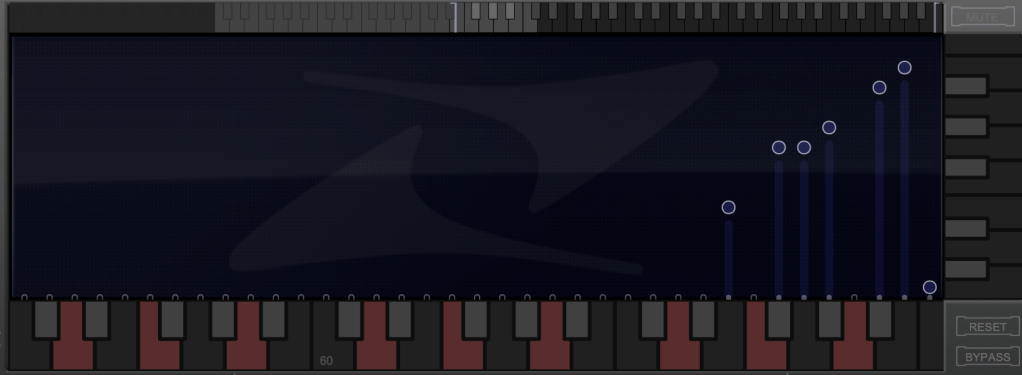
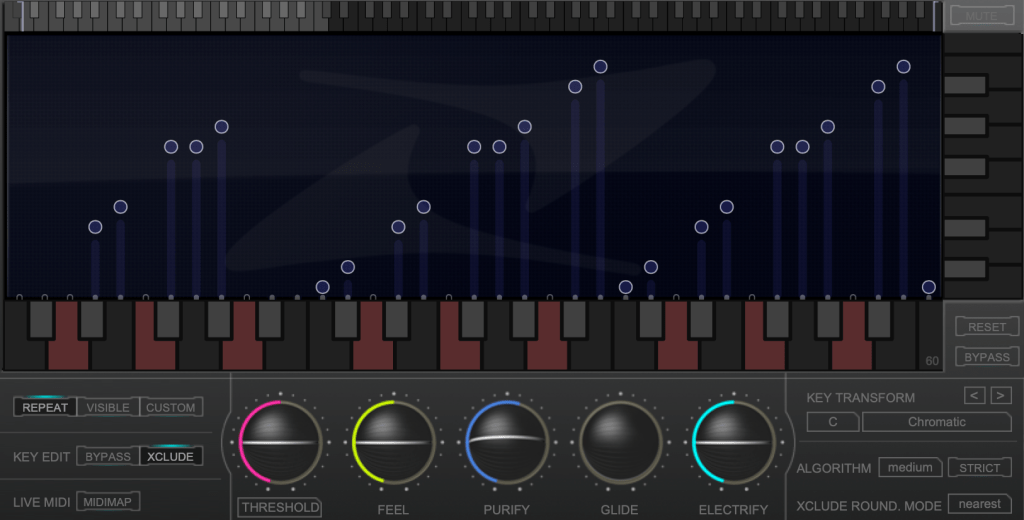
The horizontal axis represents pitch, similar to a keyboard roll.

Although only three octaves are shown,

you can adjust the display by clicking the light gray area at the top to navigate to the desired pitch range.

The vertical axis represents time, with red/orange markings indicating the pitch at that specific time. Essentially, the X and Y axes are flipped compared to typical vocal tuning plugins.

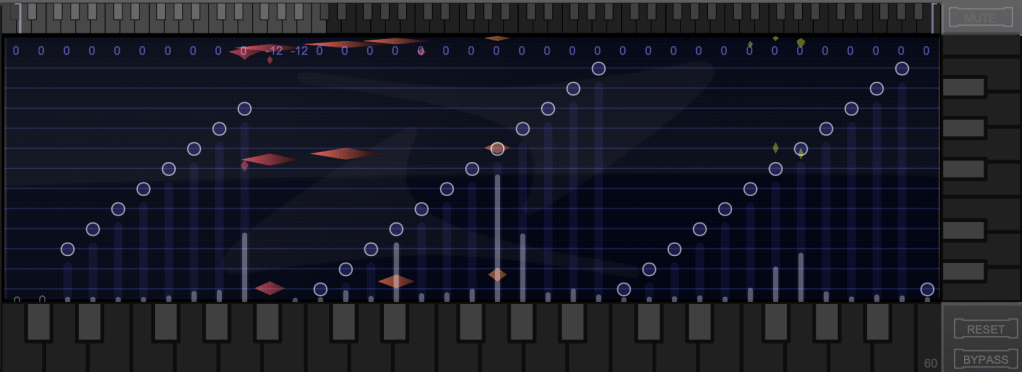
The white bars show relative volume, and the circles indicate pitch shifts.

For example, moving a circle representing F# upwards changes the sound from F# to G.

This allows you to change the key of the entire piece arbitrarily.

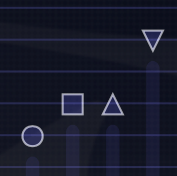
Double-clicking on a circle transforms it into various shapes: inverted triangle, triangle, square, etc.

  1. A square maintains the pitch within the same octave.
  2. A circle shifts to the nearest pitch (up by 9 semitones or down by 3 semitones).
  3. An inverted triangle always shifts downwards.
  4. A triangle always shifts upwards.

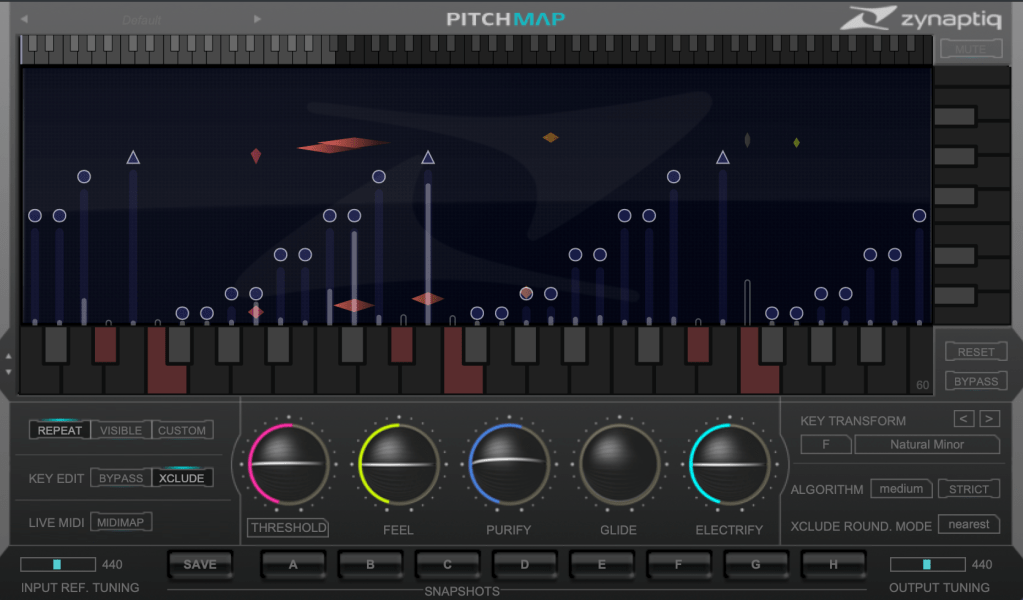
In Key Edit mode, you can click on notes in the piano roll to exclude them from playback.

Clicking Bypass and selecting notes in the piano roll means those notes will bypass the effect.

You can also allow MIDI input to select pitches in real-time through a MIDI channel.

You might wonder if these changes would make the sound awkward, but surprisingly, the result is quite cohesive, making Pitchmap ideal for remixing.

The white bars in the top piano roll can be moved to set a specific pitch range. The image above sets the range from Eb downwards to be excluded.

Other parameters include:

  1. Threshold: Determines the extent of tuning (lower values mean more comprehensive processing).
  2. Feel: Controls subtle pitch variations after tuning (higher values retain more nuance).
  3. Purify: Reduces noise above 50% and increases noise below 50%.
  4. Glide: Adds glide/portamento effects.
  5. Electrify: Enhances the synthetic feel or optimizes signal processing.

Exploring the rest of the features will help you understand their functionalities better.

This plugin is not only useful for contemporary music, often centered around remixes and bass, but also for creating unique sounds in other genres. Personally, I enjoy blending these elements into string or band sections for a sophisticated and effective sound.

I’ll share some YouTube videos demonstrating how I use Pitchmap.

The current sale lasts until July 28, and the discount is substantial. If interested, I highly recommend purchasing.

Additionally, purchasing from Plugin Boutique entitles you to a free plugin. This month, the options are Frostbite 2 by AudioThing or EQuivocate by Newfangled Audio.

Frostbite 2 offers various modulation effects, and EQuivocate is a graphic EQ with auditory filters and a Match EQ feature. Personally, I’d choose Frostbite 2.

See you in the next post!
Basics of Mixing – 5.2 Types of EQ (2)

Hello, this is Jooyoung Kim, an engineer and music producer.

Today, I will continue discussing the types of EQ from the previous post, focusing on Parametric EQ, Dynamic EQ, and Baxandall EQ.

5) Parametric EQ

Parametric EQ was designed by the renowned engineer George Massenburg. It is commonly found as a built-in EQ in DAWs.

This type of EQ allows you to select the frequency you want to adjust and set the Q Factor, which determines the bandwidth of the adjustment.

These are examples of Parametric EQs!

Parametric EQ is used not only for musical purposes but also for addressing issues with sound sources. It can handle problems such as proximity effect from microphones, Singer’s Formant (a specific resonance found in vocalists), room resonance, and high-pitched squeaking noises from strings.

6) Dynamic EQ

Dynamic EQ combines the functions of a compressor with an EQ. It works similarly to a multiband compressor but with slight differences in how bands are set and how it operates.

  1. A multiband compressor uses cut filters to define bands, while a Dynamic EQ defines bands according to the EQ settings.

As mentioned in the previous post, cut filters cause a phase shift of π/2 for every 6dB/oct. This means that multiband compressors can alter the sound due to phase changes even without any settings.

  1. Depending on the Dynamic EQ, most do not allow you to set the ratio, attack, and decay like a compressor does. Typically, you can only set the threshold and the amount of volume reduction or increase.

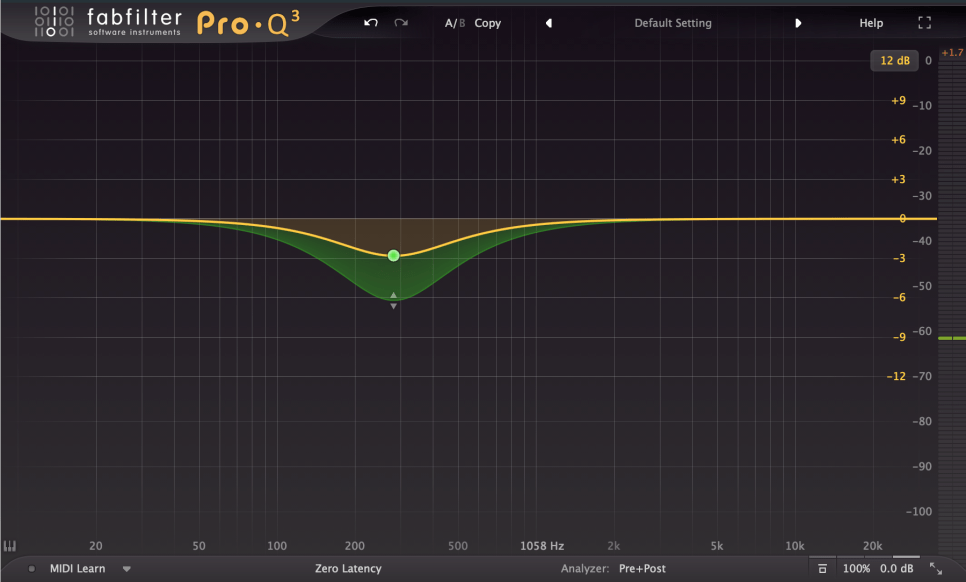
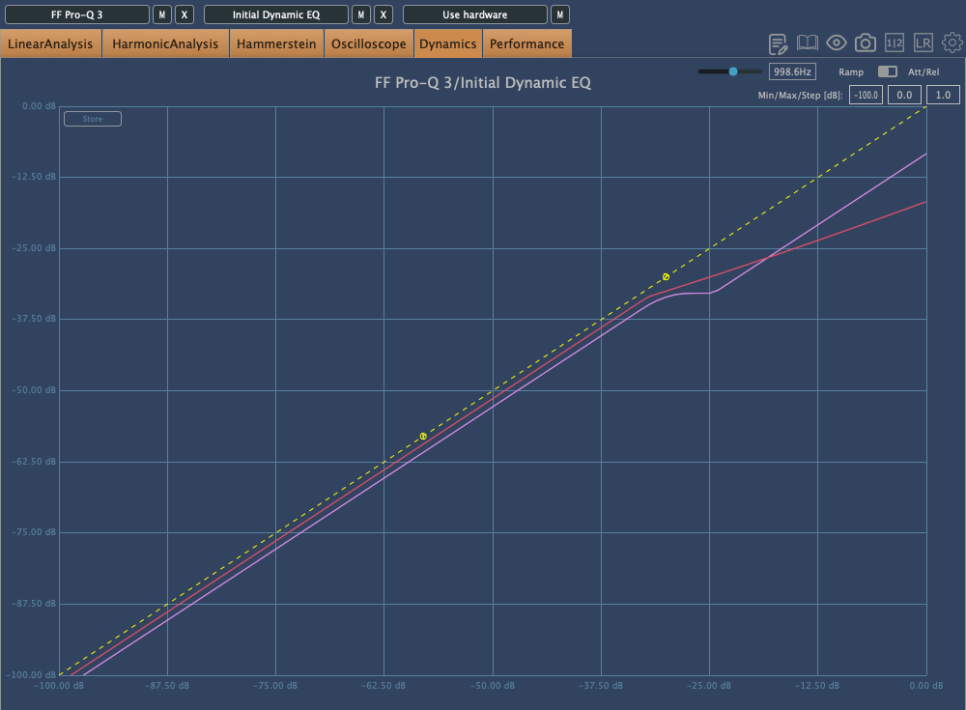
Because of this, the compression curve of a Dynamic EQ can appear different. The pink curve is from Fabfilter’s Pro-Q3, and the red curve is from Initial Audio’s Dynamic EQ. Although both are Dynamic EQs, their behavior is quite different.

Interpreting Fabfilter’s unique curve, it seems to compress the sound up to a certain point, after which it stops compressing and simply reduces the volume of the sound.

In simpler terms, for Pro-Q3, if the sound exceeds a certain level, it follows the dynamic curve (green) rather than the set yellow curve, acting more like a simple EQ.

However, their usage is generally similar. Dynamic EQs are often used when you want to reduce specific frequency bands. You can choose based on your preference.

7) Baxandall EQ

Baxandall EQ was introduced by Mr. Baxandall in 1952 through Wireless World magazine without royalties, making it widely used.

Due to its minimal phase issues, it is frequently used in mastering. It’s effective for adjusting broad frequency ranges, such as lifting high or low frequencies.

Examples include Tilt EQ and Dangerous’s Bax EQ.

This concludes the overview of various types of EQ. Besides these functional classifications, there are also categories like Zero Latency/Linear Phase/Normal EQs, and whether they are used for musical (Tone Shaping) or technical (Surgical) purposes.

I will continue with these topics in the next post.

See you next time!