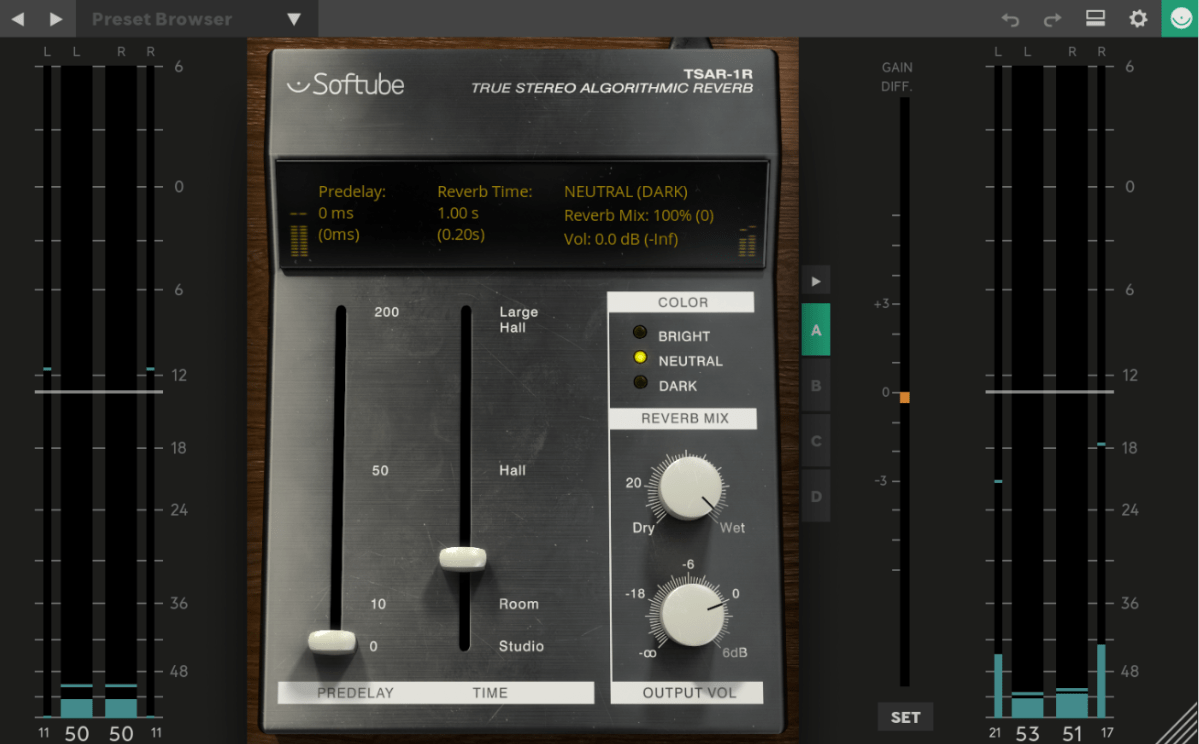
The Basics of Mixing – 8.1 What is Reverb?

Hello! I’m Jooyoung Kim, a mixing engineer and music producer.
Today, we’ll be diving into the topic of reverb.

Shall we get started?

What is Reverb?

Reverb is short for “reverberation,” which can be translated as “echo” or “resonance.”

In essence, reverb is an effect that creates echo or resonance.
But why do we use it?

Normally, when we speak to each other, we aren’t whispering directly into each other’s ears.
This means we’re always hearing a bit of natural echo from our surroundings.

But what about recordings?

While room mics can capture some of that natural reverb, most recordings are done quite close to the source, almost like someone is whispering directly into your ear. As a result, these recordings often lack natural reverb and can feel “dry.”

To add that missing resonance, we use reverb. However, it’s not just about simulating the sound of a room or a studio. Reverb can create the illusion of a concert hall or an entirely virtual space, making the music sound more musical and immersive.

To understand how to use it effectively, we need to dive into how reverb is actually created.
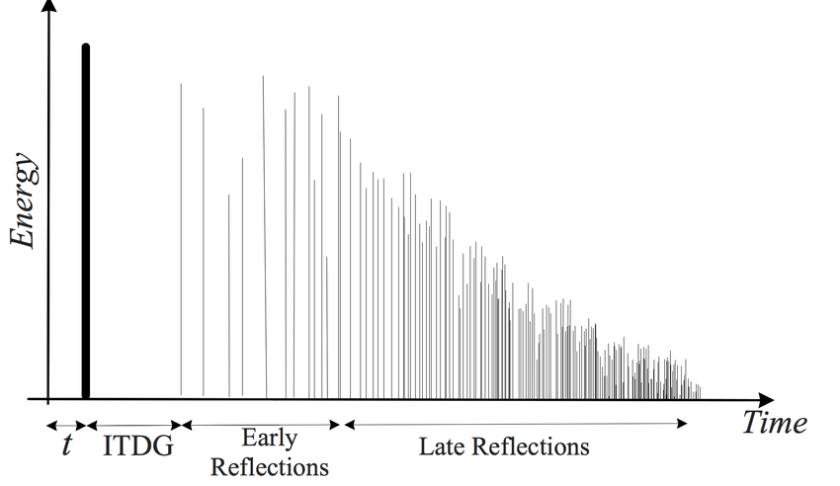
Kaplanis, Neofytos & Bech, Søren & Jensen, Søren & Waterschoot, T.. (2014). Perception of reverberation in small rooms: A literature study. Proceedings of the AES International Conference. 2014.

As I mentioned in the “7.3 How to Use Delay” section of the previous post, reverb is created when sound waves bounce off surfaces like walls.
The first reflections of sound that reach our ears after bouncing off a surface are called Early Reflections, and these are typically the loudest part of the reverb.

Afterward, the sound continues to reflect multiple times, gradually forming the full reverb. The time it takes for the reverb to decay by 60dB from its original level is called RT60.

There is also a natural delay between the original sound and when we hear the reverb. To control this delay in reverb plugins or hardware, we use a parameter called Pre-Delay, which allows us to set the time gap between the original sound and the onset of early reflections.

For orchestral instruments, it’s common to use reverb based on Impulse Response (IR). Since sound travels at about 340 meters per second at room temperature, we can map out how reverb behaves based on the distance of the space, and calculate the time difference between the original sound and the reverb start time.

For example, if there’s a 2-meter distance, you can calculate the delay as 2m ÷ 340m/s = 0.005s, or a 5ms difference.
Setting the Pre-Delay to around 5ms can simulate this effectively.

In mixing, when a sound is intended to be closer, it’s good practice to have a larger gap between the original sound and its reverb (larger Pre-Delay). For distant sounds, a smaller Pre-Delay works better.

At the end of the day, if it sounds good, that’s what matters most!

In the upcoming posts, I’ll cover the history, types, and practical applications of reverb.

See you in the next post! 🙂
Cableguys FilterShaper XL Sale (Until 8/31)

Hello! I’m Jooyoung Kim, a mixing engineer and music producer.

Today, I wanted to share an exciting deal from one of my favorite companies, Cableguys, who are currently offering a discount on their FilterShaper XL plugin.

As with my recent plugin reviews, I received an NFR (Not for Resale) code from Plugin Boutique for this product.

Let’s dive in!

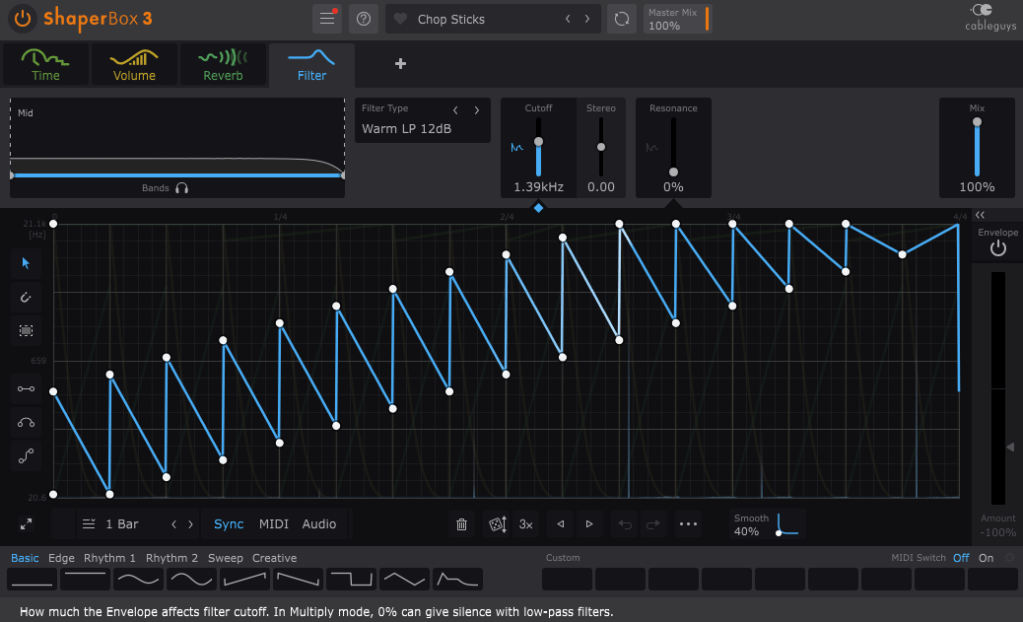
FilterShaper Core in ShaperBox 3

Cableguys is known for their best-selling product, ShaperBox.

ShaperBox can inject an artificial groove into your instruments, and I found it so compelling that I purchased it myself before I even partnered with Plugin Boutique.

Within ShaperBox, there’s a tool called FilterShaper Core. FilterShaper XL is essentially an enhanced version of FilterShaper Core, with additional parameters and features.

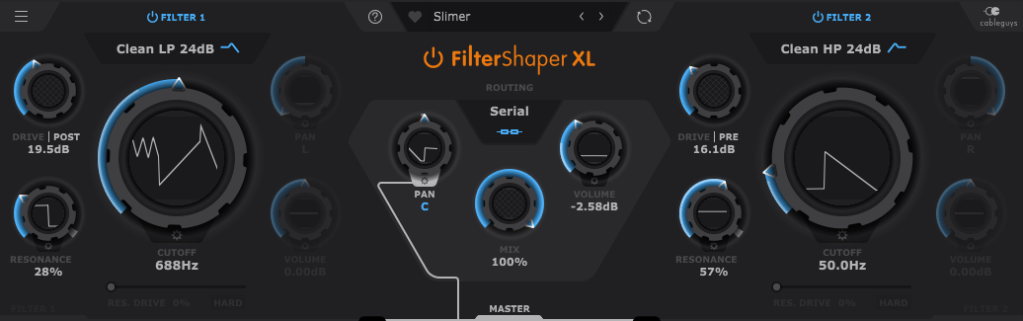
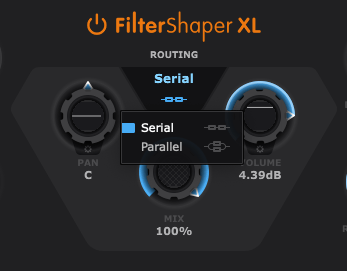
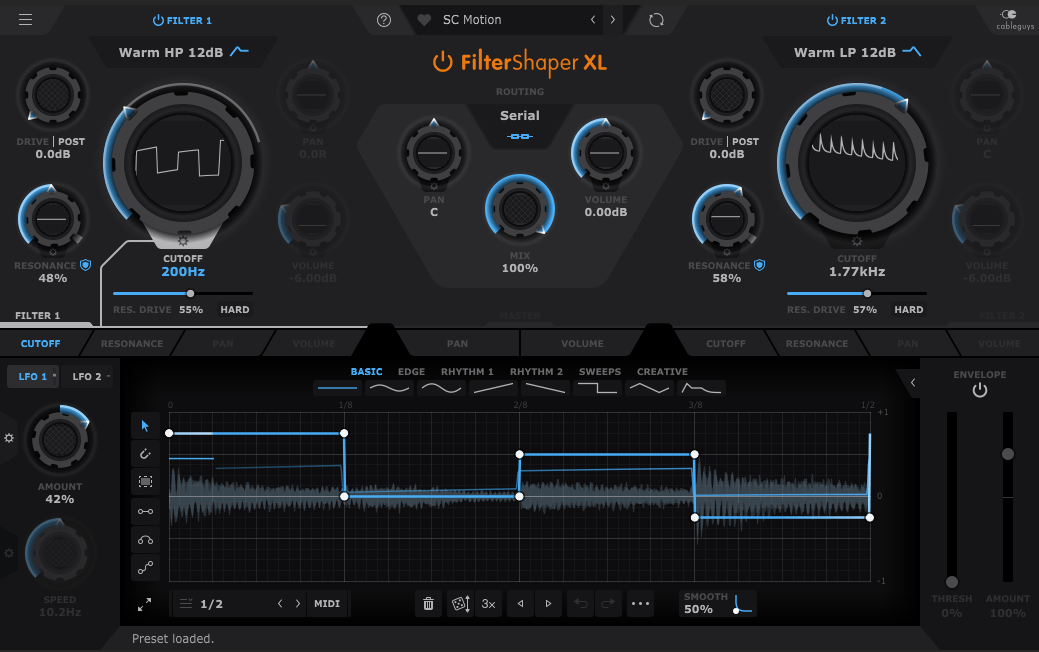
Looking at the UI, you’ll notice it’s split into left and right sections. Both sides represent filters, and the central Routing button allows you to choose between serial or parallel connections.

Pan, Mix, and Volume controls are likely familiar to most of you, so I’ll skip explaining those..:)

Now, let’s explore the filters!

If you’ve used filters before, this should feel intuitive. Even if you’re less experienced, you’ll probably grasp the basics of Cutoff (which determines the frequency at which the sound is attenuated), Pan, and Volume.

The Drive control allows you to choose between Pre and Post settings. Adding Drive enhances harmonics and can act somewhat like a compressor as the sound level increases and then decreases at a certain point.

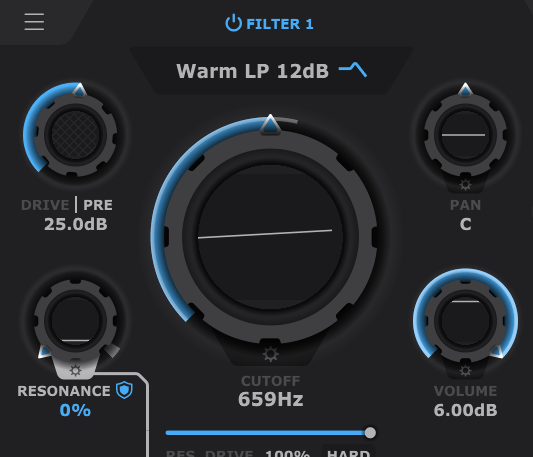
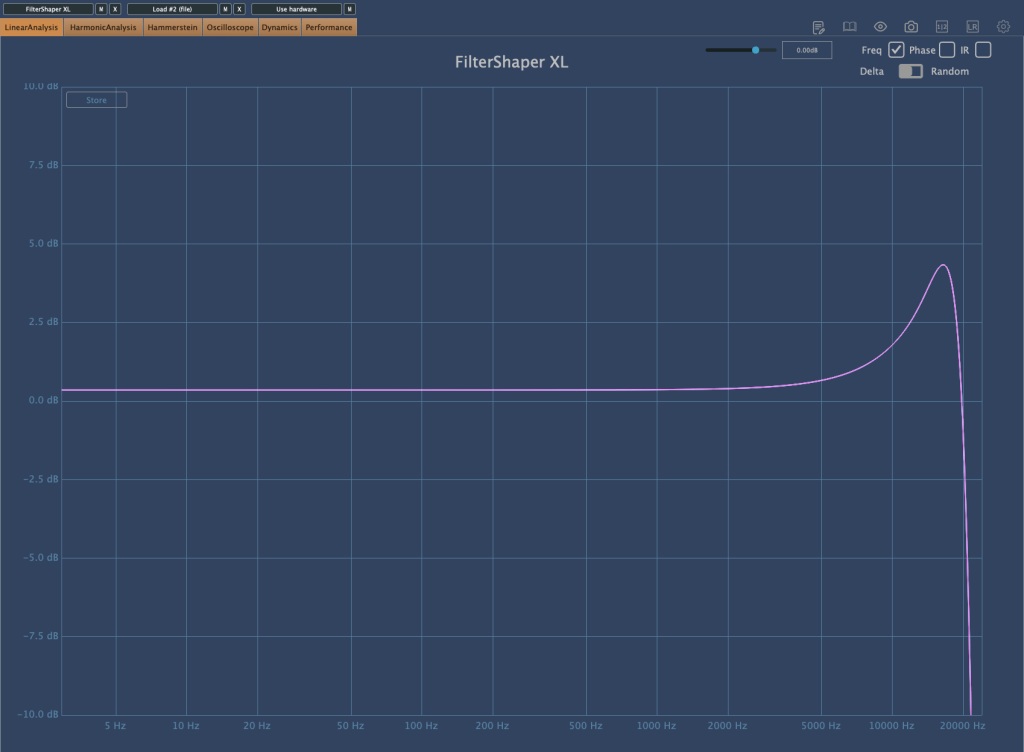
Resonance, as shown in the image above, determines the amount of emphasis around the cutoff frequency.

Filter 2 off, Filter 1 with Drive 0, Resonance 0, Res. Drive 0, Volume 0, Cutoff Frequency at maximum (21.1kHz)
Res. Drive at 50%
HARD button enabled with Res. Drive at 0

The Res. Drive below Resonance applies Drive specifically to the resonance band, creating harmonics and adding compression. The HARD button intensifies these effects.

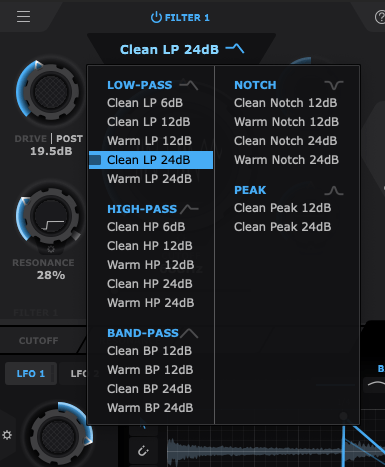
Also, by clicking the text right below the Filter Power button, you can select the type of filter you want to use. That’s pretty much everything about the filter window!

Now, let’s move on to the lower section.

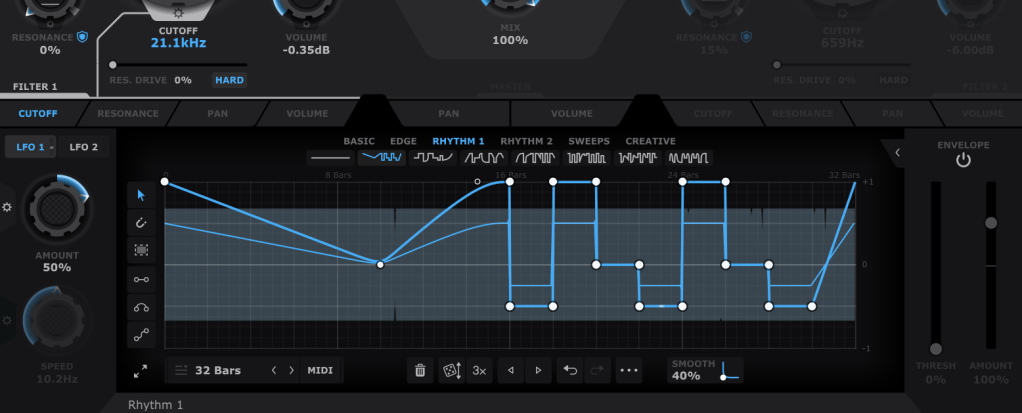
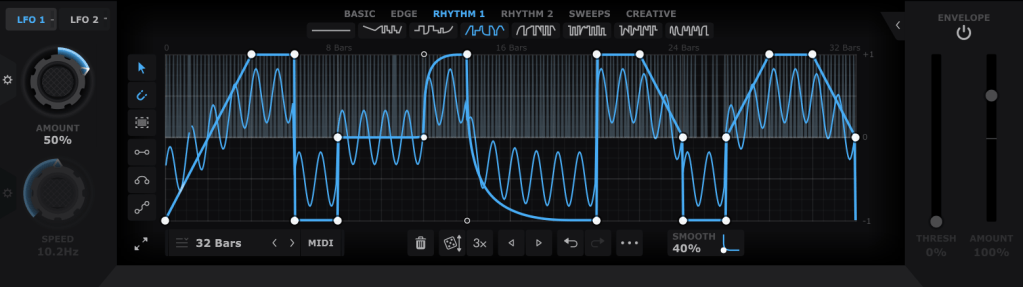
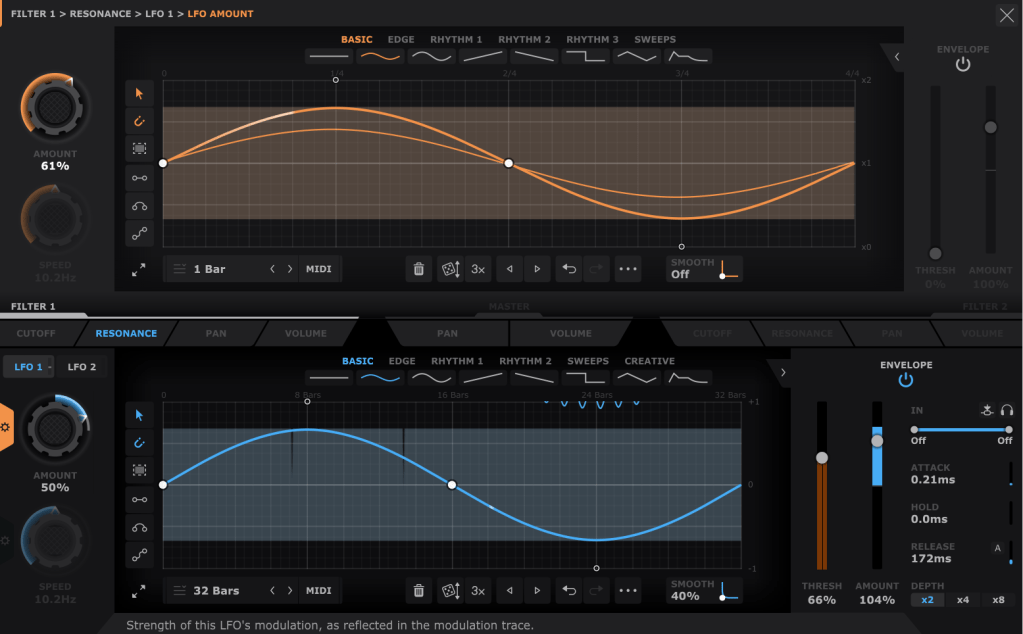
In the bottom section, you can draw automations for each filter’s parameters, allowing them to repeat automatically. You can create points by double-clicking with the mouse and drag them to shape the automation. Various cursor tools on the left can make this easier, and you can also start with presets available at the top.

Using both LFO 1 and LFO 2 (located at the top left), you can modulate LFO values like this. The thin blue line in the background represents the LFO that will modulate the parameter.

The Pan and Volume controls in the center manage the panning and volume of the master output. You can also adjust the amount of LFO modulation by clicking the settings button on the Amount knob in the bottom left corner.

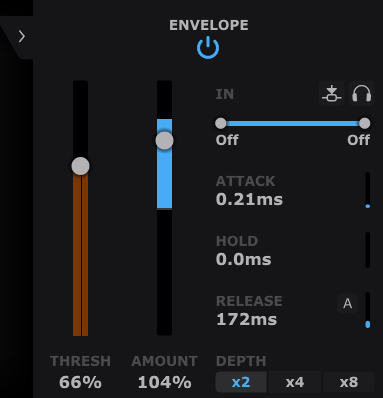
Lastly, the Envelope Follower in the bottom right lets you change the intensity of the LFO based on the input signal. You can also set the LFO’s LFO in the same section, giving you more control.

It may seem complex at first, but it’s very intuitive once you start using it.

If you’d like to hear how it works, check out the demo video by Cableguys.

This sale is valid until the end of the month.

This plugin is versatile and can be creatively used in any genre, whether you’re into acoustic music, rock, dubstep, D&B, K-Pop, or anything in between. I highly recommend it to all music producers.

I primarily use acoustic instruments, and with a bit of tweaking—using a minimal Mix value—you can add a tight groove to your instruments that would be impossible to achieve with just human performance.

Having at least one or two plugins like this is essential, in my opinion. If I had to recommend just two, I’d go with this one and Volume Shaper. If your budget allows, picking up ShaperBox 3 during a sale would also be a satisfying purchase.

Also, if you buy any plugins from Plugin Boutique this month, you’ll receive either Softube’s VCA Comp or Imagine Audio’s K7D delay for free.

If you don’t have a dbx160-style compressor, I’d recommend the VCA Comp. If you need a versatile delay for guitars, electric pianos, or analog delay, go for the K7D.

See you in the next post!

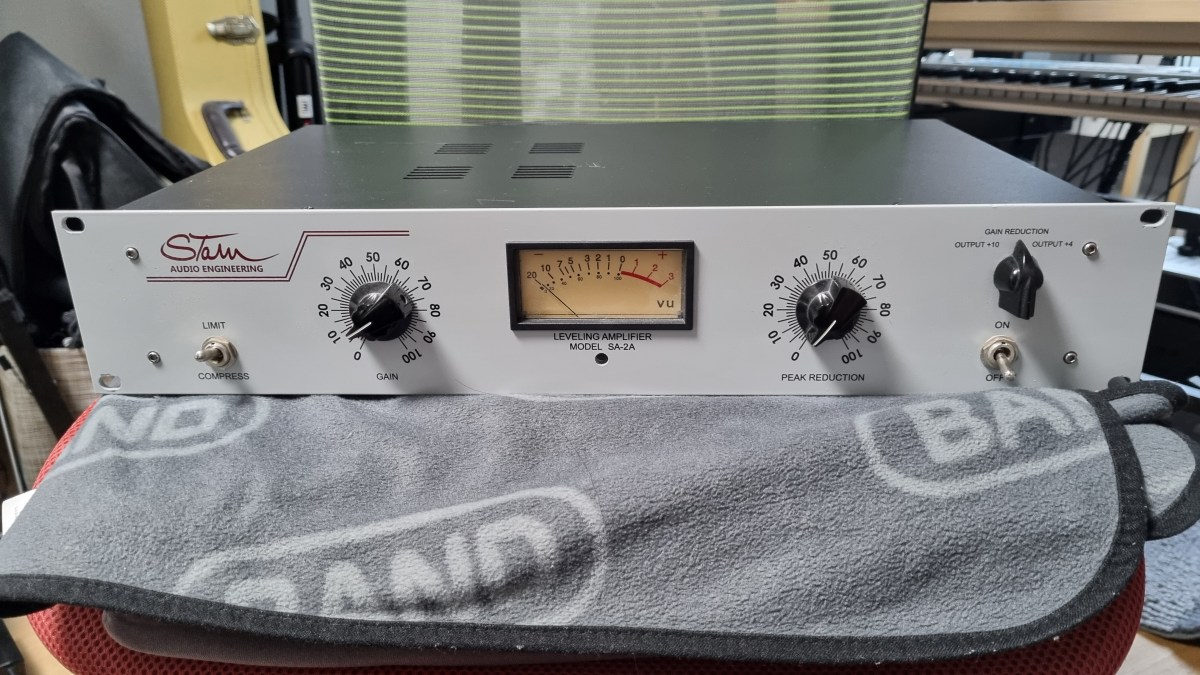
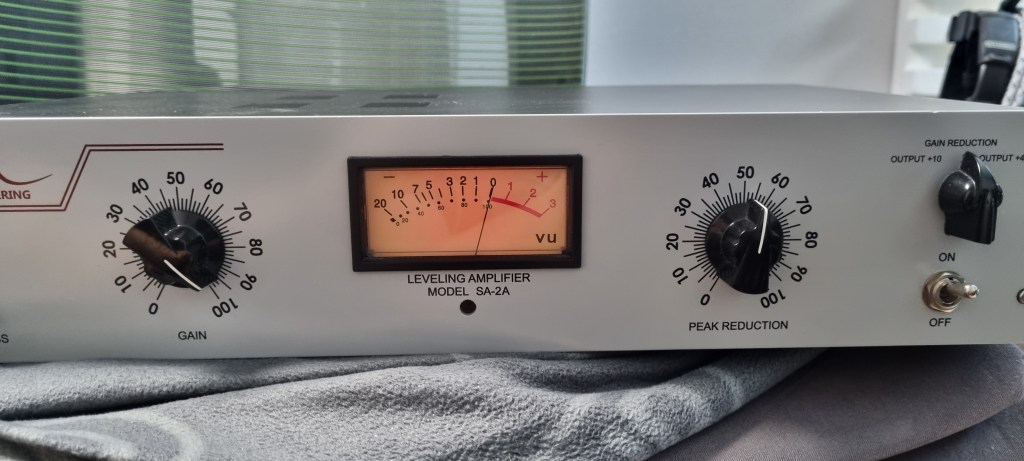
Stam Audio SA-2A Compressor Review

Hello, I’m Jooyoung Kim, a mixing engineer and music producer.

Today, I’m excited to share my review of the SA-2A, something I’ve been eagerly anticipating! Let’s dive right in.

The Struggle with the Gear

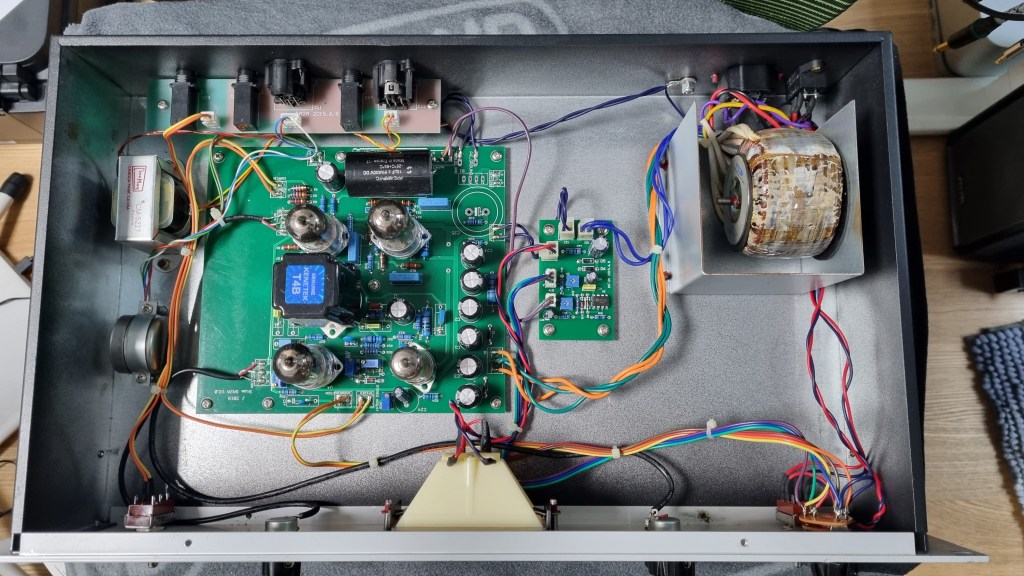
If you’ve been following my blog, you might know that this unit had quite a journey before it landed in my studio. Initially, I bought a faulty one with the idea of enhancing my understanding of circuits and practicing some soldering by fixing it myself.

I thought it might just be a simple fuse issue… But after blowing through about five fuses, I took a closer look at the circuit board.

Despite my inspection, I couldn’t find any blown capacitors or burnt resistors. So, I decided to take it to a repair shop after seeking advice.

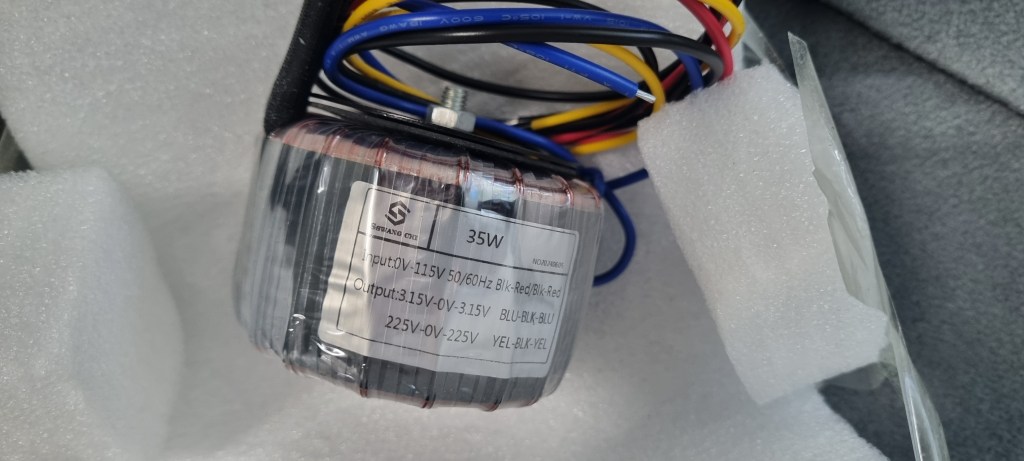
The culprit turned out to be a burnt toroidal transformer, damaged by overcurrent.

The challenge was that this early version of the SA-2A used a Cinemag transformer, and Stam Audio wasn’t sure if they had any spares left.

After two weeks of waiting for a response with no luck, I asked them to send me the specifications so I could have a custom transformer made.

After installing the custom transformer, the unit finally came to life!

I purchased the broken unit in January, and the repair was completed by early July, marking a nearly six-month battle.

Of course, I was a bit busy, which contributed to the delay, but it was quite the saga nonetheless!

Measurements

As regular readers of my blog know, I like to run measurements on gear, whether it’s hardware or plugins. While measurements don’t tell the whole story, they do help in explaining things more clearly.

I find it especially useful to compare my impressions from using the gear with the measured data, which can sometimes reveal if my ears are having an off day.

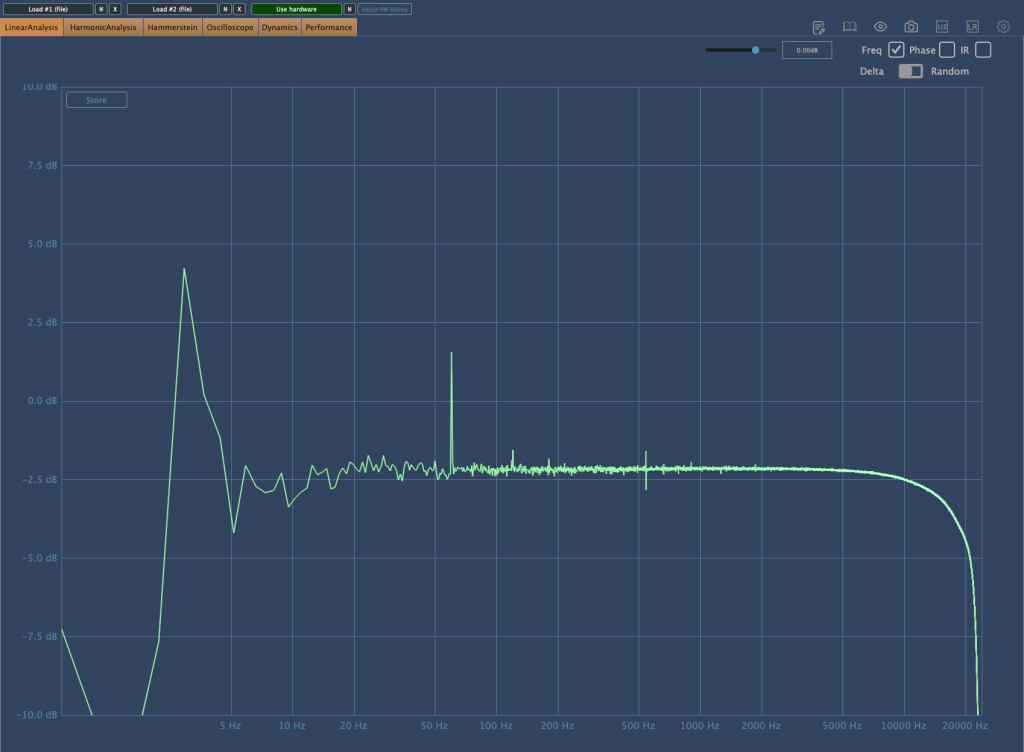
The frequency response graph above shows the response with no compression applied. (Keep in mind the peaks and valleys you see are typical of analog gear.) You can see a noticeable roll-off in the high frequencies.

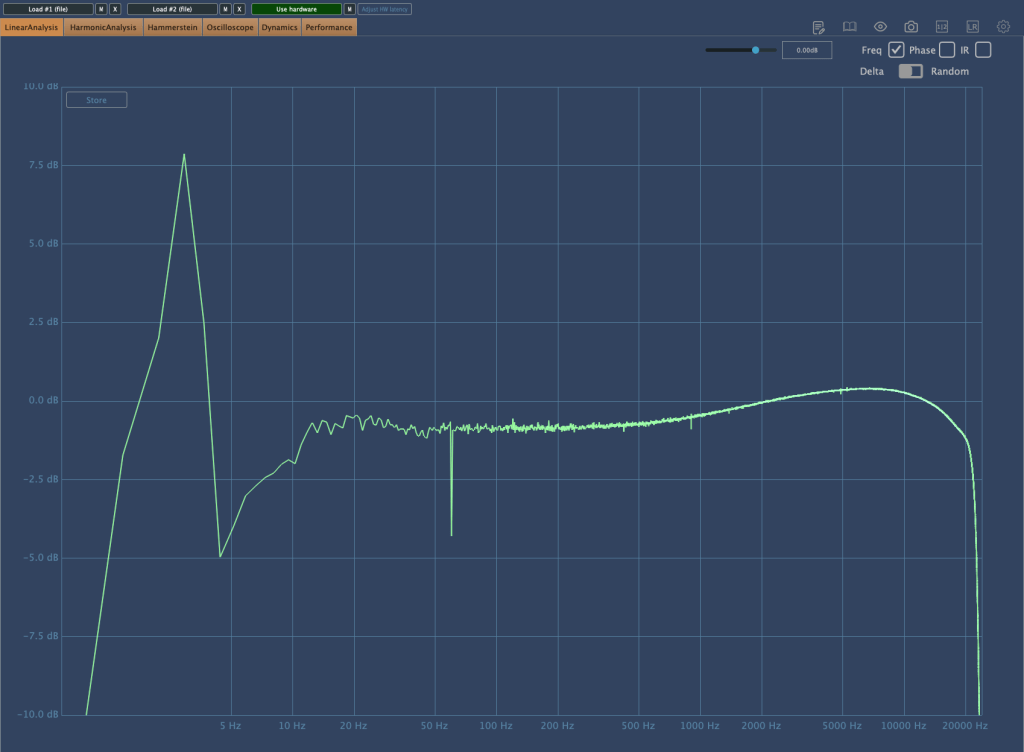
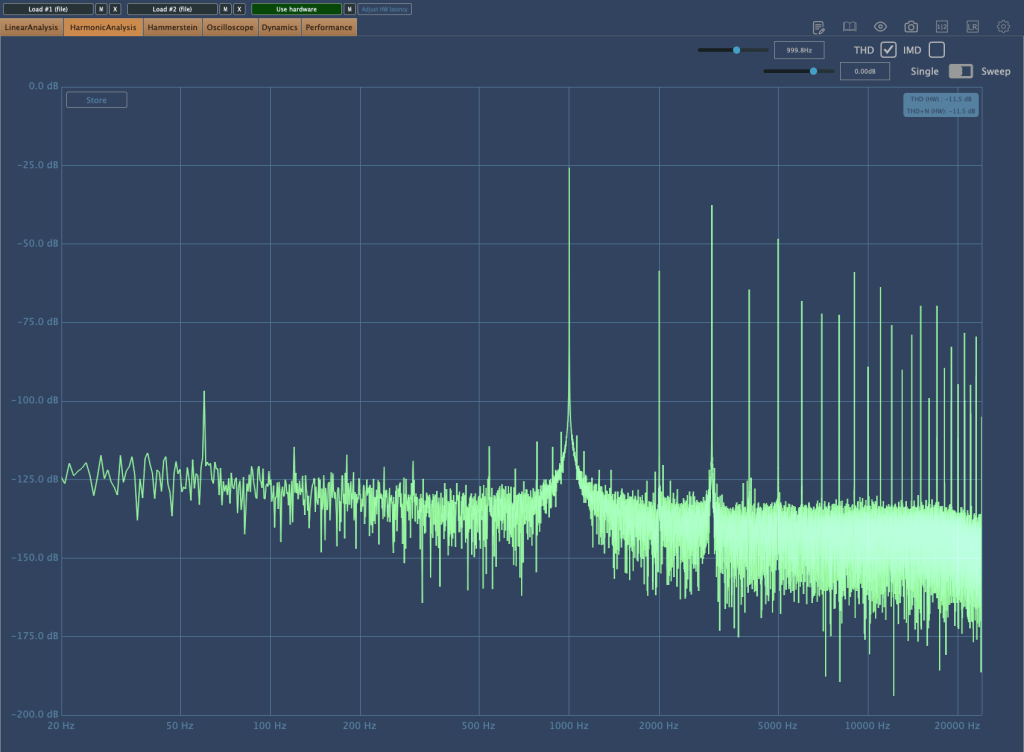
Here’s the frequency response graph with compression applied and gain compensated. There’s a rise in the high frequencies, and the right-hand graph shows noticeable distortion.

As the Peak Reduction increases, harmonic distortion also changes. It seems much more dynamic than using a plugin.

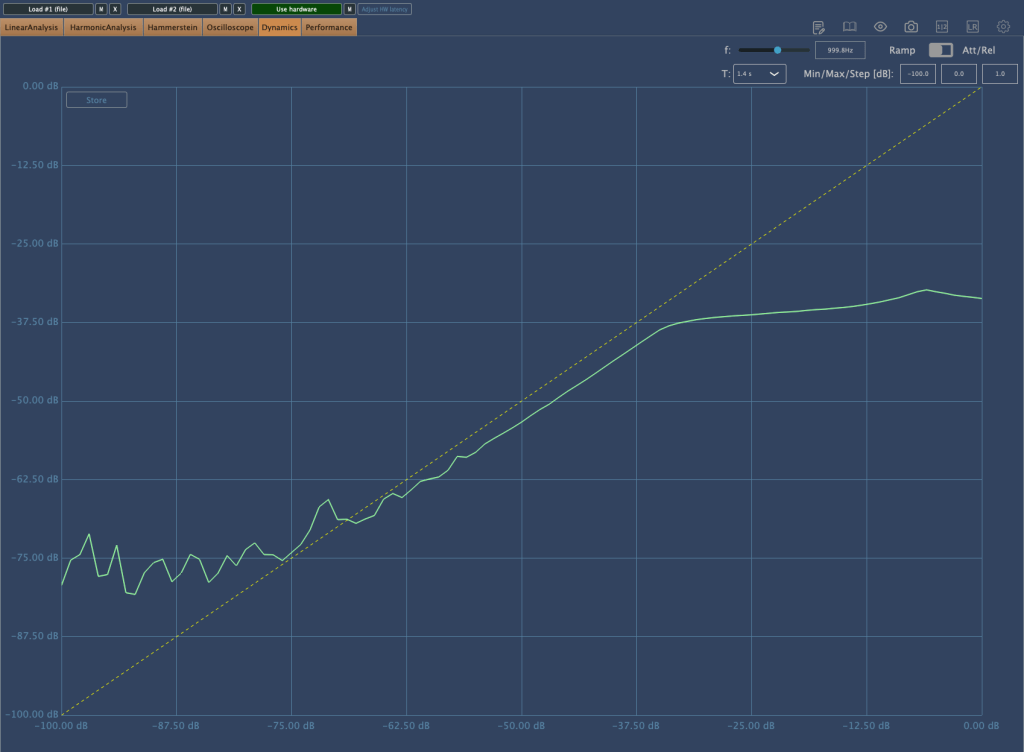
This is the compression curve graph. Strangely, the left side shows the settings for “Comp,” and the right side shows the settings for “Limit.” They seem switched, don’t they? Perhaps it’s just a labeling issue.

Even when using the device, it felt like the settings were somewhat reversed.

Practical Use

I tested the SA-2A on vocals and lead acoustic guitar in a project I’m currently mixing, as well as on some demo vocals for a production I’m working on. Additionally, I conducted a few simple tests.

My observations are as follows:

  1. It’s a saturation machine that adds a hefty amount of color.
  2. It can sound a bit rough, so careful EQing or the use of de-essers/multiband compressors may be necessary to tame it.
  3. As you increase the Peak Reduction, the high frequencies rise, so setting the Input Gain properly beforehand is crucial.
  4. It’s challenging to use on sources that are already colored.
  5. The lack of an Emphasis knob is a drawback.

I wouldn’t say I’m in love with it, but it certainly has its uses.

Since 2017, there’s been an option to use Sowter transformers, and it seems they’ve started custom ordering these transformers from the two companies they work with.

While the raw sound isn’t spectacular, it integrates nicely into a mix. I plan to experiment more with transformer and tube swapping in the coming months.

I hope you enjoyed reading this review. See you in the next post!

I’m always open to reviewing hardware products! If you’d like me to review a product, please feel free to reach out at joe1346@naver.com.

Basics of Mixing – 7.1 What is Delay?

Hello! This is Jooyoung Kim, an mixing engineer and music producer. Today, I want to delve into the time effect known as delay.

Shall we get started?

So, what exactly is delay?

It’s simple, really. Delay is an effect that repeats the same sound with a time difference.

Why would we use this effect, though? There are several reasons, which can be summarized as follows:

  1. Using only reverb can sometimes create unnatural reverb tails.
  2. The feedback feature allows for the creation of very long reverb tails.
  3. It can add an artificial groove to a source.
  4. Special delay effects can be applied to instruments (especially common with electric guitars, and can also be used with short delays).

Effectively using delay can create a rich and natural reverb. If you’ve only been using reverb to add space to your mix, try incorporating delay as well.

I personally favor UAD’s Precision Delay because it lets you set the delay time in seconds rather than adjusting it via feedback. By setting the delay time similarly to RT60, which I’ll discuss in the reverb section, the sound can fade naturally.

Using a delay plugin to set the pre-delay instead of the reverb plugin’s pre-delay can also be effective. Especially if the reverb plugin doesn’t allow synchronization of the pre-delay time with the BPM, you can achieve a precise pre-delay using a delay plugin that does.

Setting a very short delay with minimal feedback and then filtering out high and low frequencies, while adjusting the volume, can create a subtle groove that wasn’t originally show in the source. This can add a sticky, rhythmic feel to percussion, which is particularly useful in genres like R&B and hip-hop.

Using historical replica delays can also help recreate the vintage sound of old-school or retro music.

There are countless crucial aspects of mixing, but I believe that handling reverb effectively is one of the key factors that define the quality of a sound. However, this is an area that’s hard to explain solely with words. You really have to experiment with various delay and reverb plugins to grasp it fully. It’s a challenging aspect, even for me.

Today, we’ll wrap up with this brief overview of delay. See you in the next post!