This article was written on February 19, 2024. I will speed up as much as possible to match the speed of the blog I am currently running in Korea.
Hi, this is mixing engineer, music producer Jooyoung Kim.
I’ve spent a lot of time studying and delving into audio engineering on my own, but I’ve realized I haven’t written much about it on my blog.
Last December, I completed a manuscript on mixing and sent it to several publishers. While waiting for a response, I planned to write blog posts based on the manuscript once the book was published. However, the responses are taking longer than expected, and if it doesn’t work out, I don’t want to keep delaying. So, I’ve decided to start writing now.
The content might be a bit challenging. The primary goal of my writing is to address the lack of advanced mixing topics in Korea. While there are plenty of books covering the basics, there’s a shortage of resources for more in-depth knowledge.
If I simply transfer the manuscript directly to the blog, some parts might be difficult to read. Therefore, I’ll be adapting the content to fit the blog format, making it more accessible.
Some might wonder why I’m writing about mixing. I admit that my career isn’t particularly long or illustrious, and my academic background(major in Physics) isn’t in this field, which makes me feel somewhat apprehensive. Nevertheless, I’m convinced that many people are eager to learn more about advanced mixing techniques. Despite feeling a bit of pressure, I’m determined to share my knowledge.
Given the extensive nature of the topic, it will take quite some time to cover everything. I aim to write a post on this subject roughly once a week. However, I won’t focus solely on mixing; I’ll continue to write about a variety of topics, just as I have been.
Looking forward to diving into the main content with you in the next post. See you then!
Hello, this is Jooyoung Kim, an engineer and music producer. Today, I’ve come across an amazing discount, and I requested an NFR (Not for Resell) code from Plugin Boutique to review about those plugins.
(If you purchase through the link above, I receive a small commission which greatly helps in maintaining this blog)
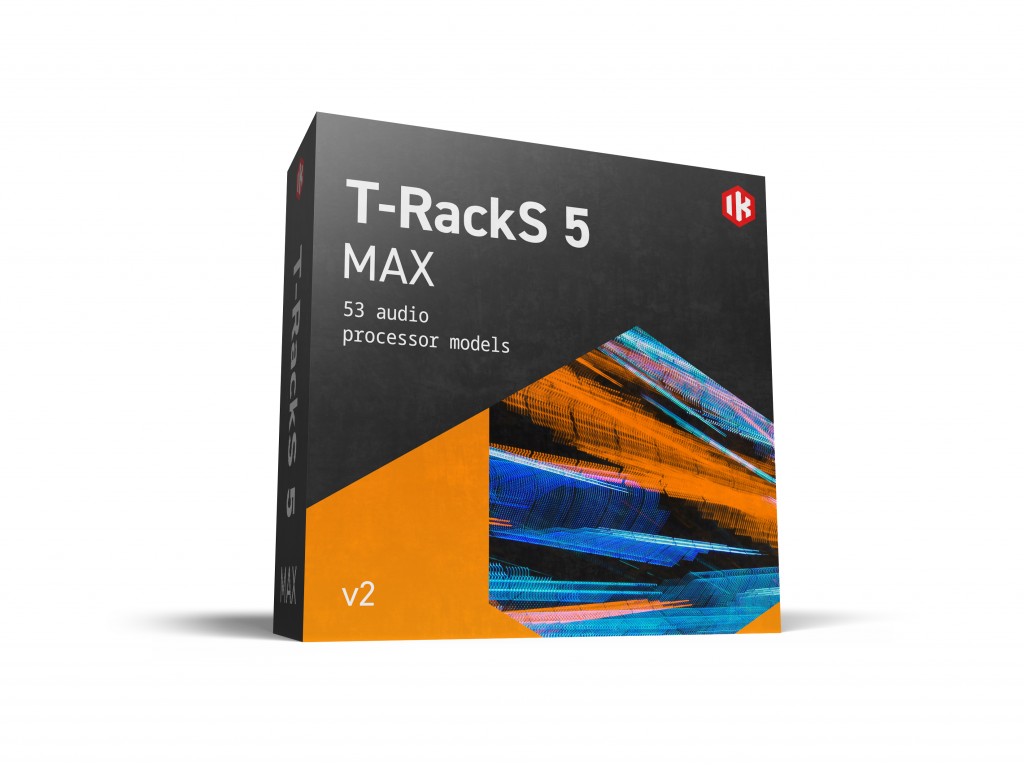
The T-Racks 5 Max on sale this time is a package of plugins from IK Multimedia used for mixing and mastering. It includes a total of 53 plugins, and it has never been offered at such a low price before. You can think of it as getting each plugin for about $1.
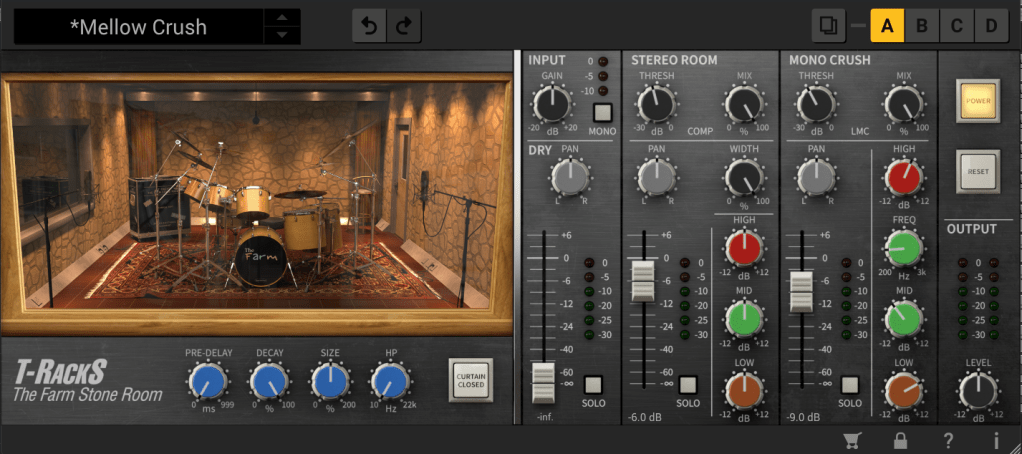
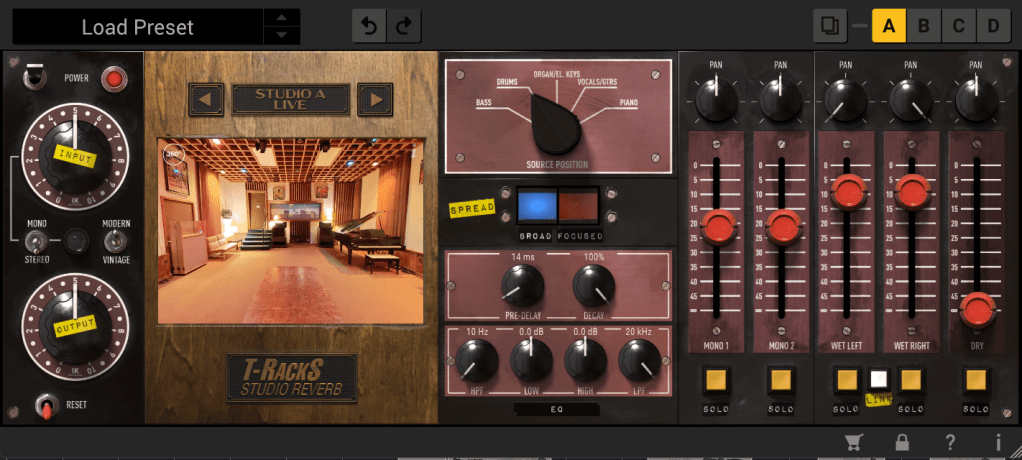
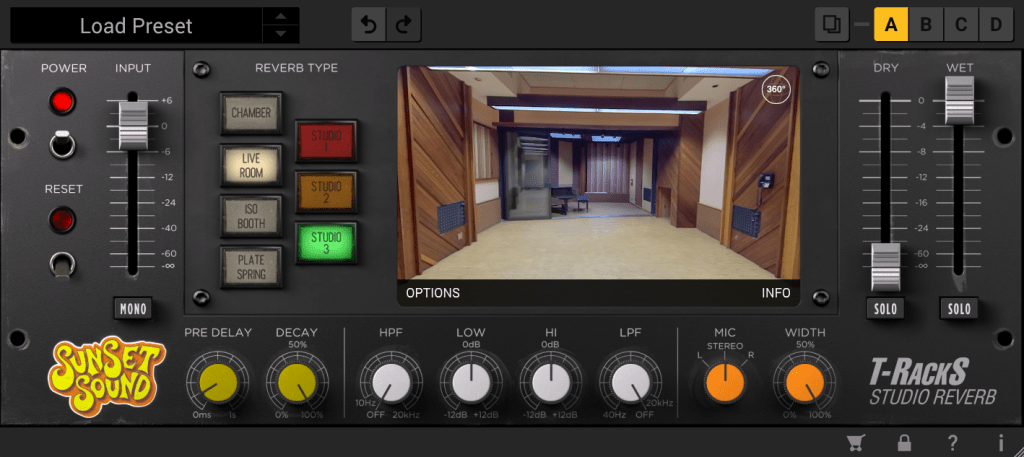
Personally, I’m amazed that they’re offering all these reverbs at this price. If I remember correctly, Sunset Sound Studio Reverb was initially sold at a launch discount of $99, and Fame Studio Reverb wasn’t bundled with T-Racks and had to be purchased separately.
In addition to that, there are well-known emulation plugins such as Urei 1176, LA-2A, SSL Bus Comp, SSL Channel Strip, Neve 33609, Manley Vari-Mu, Empirical Labs Distressor, Neve 1073, 1081, Sontec 432c, Fairchild 670, Pultec EQP-1A, API 550a, b, API 560, etc. The names might be slightly different, but they are familiar and famous emulation plugins.
In the past, I used to recommend the Waves Horizon bundle for beginners due to its cost-effectiveness, but at this price, I would now actively recommend IK Multimedia.
I wish I could measure and test all the processors and upload the results, but there’s too much data, so I’ll focus on the well-known ones like 1176, LA-2A, Neve 33609, Fairchild 670, and SSL Bus Comp.
Black 76
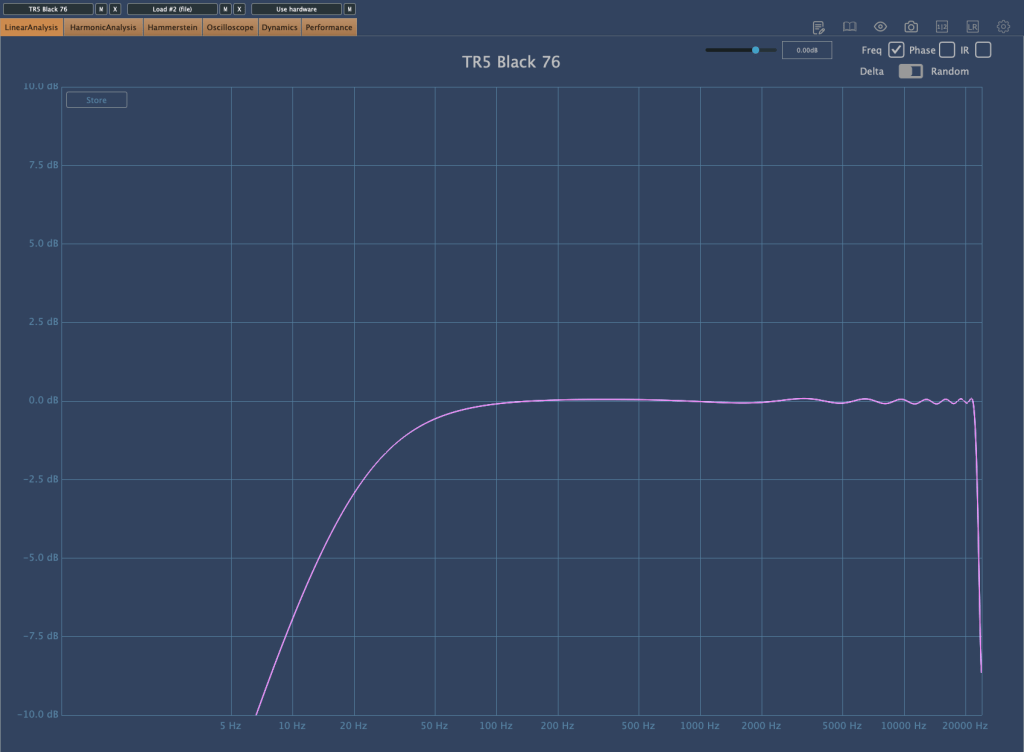
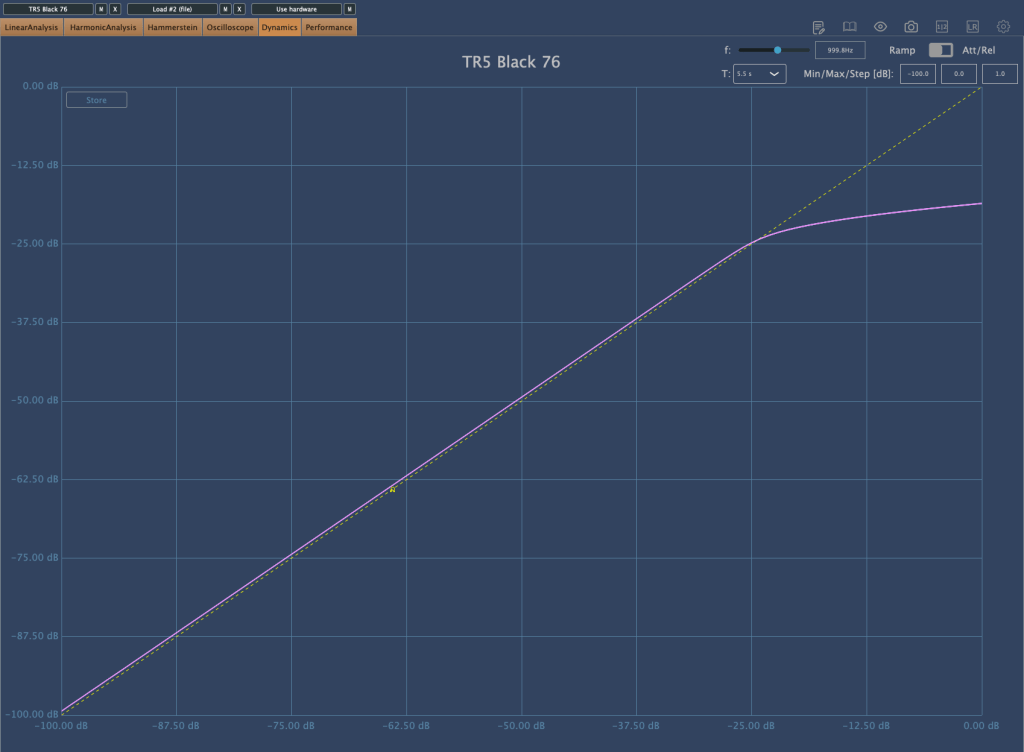
First, the Black 76 which emulates the 1176. The harmonics come out well, and it slightly compresses with a Soft Knee. When applied, it seems to reduce the low-end power and emphasize the attack.
White 2A
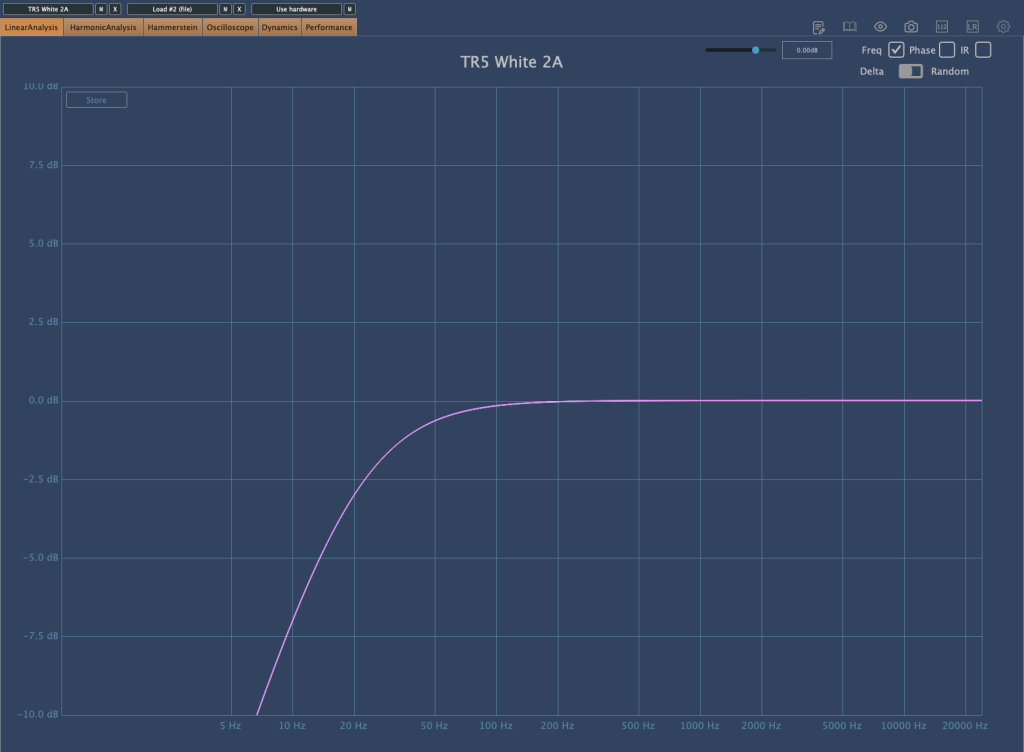
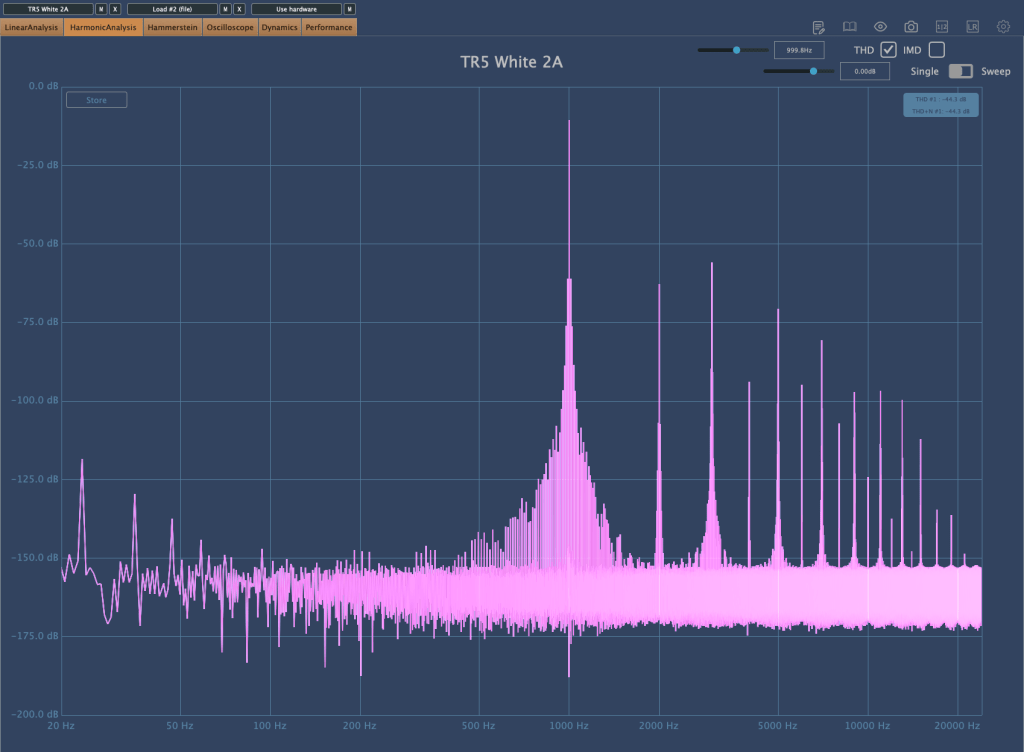
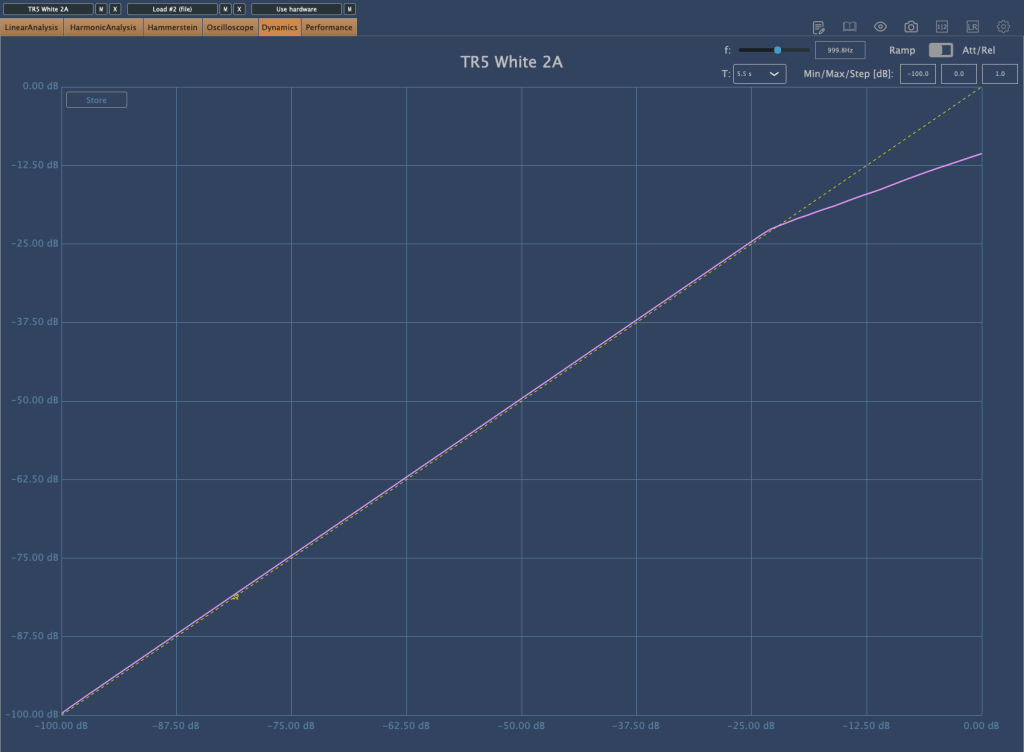
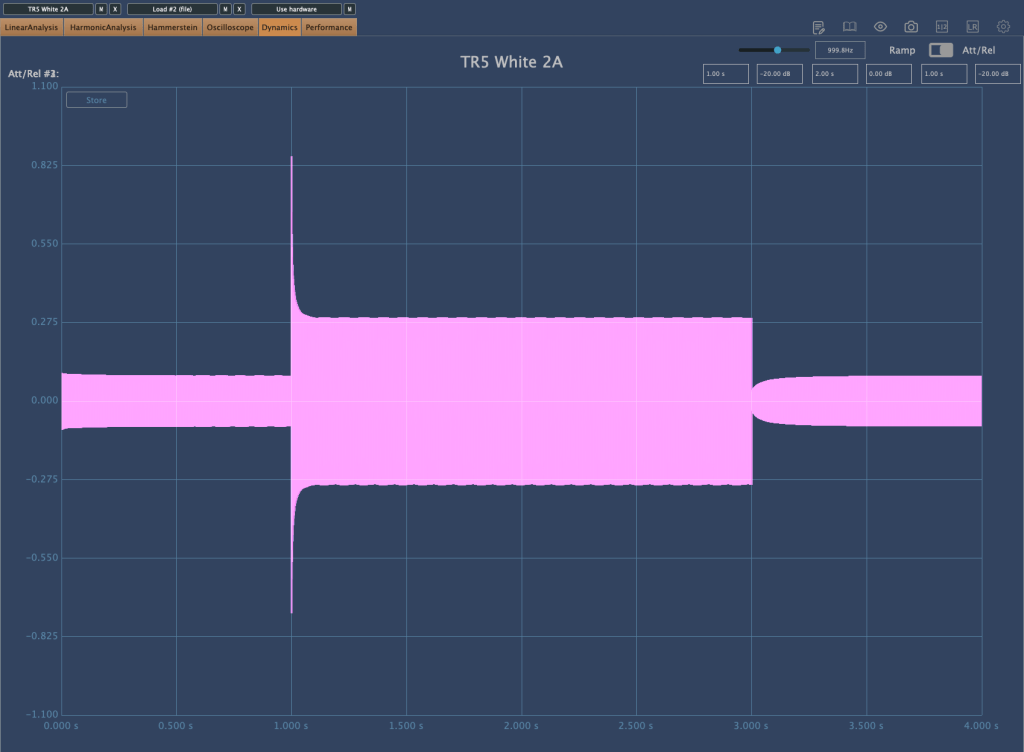
The White 2A, emulating the LA-2A, shows in its Release time that it faithfully reproduces the characteristics of an Opto compressor. It also slightly cuts the extreme low-end. Note that when first applied, the Limit/Compress switch is set to Limit, so switch it to Compress if you want to use it as a compressor.
Precision Comp/Lim
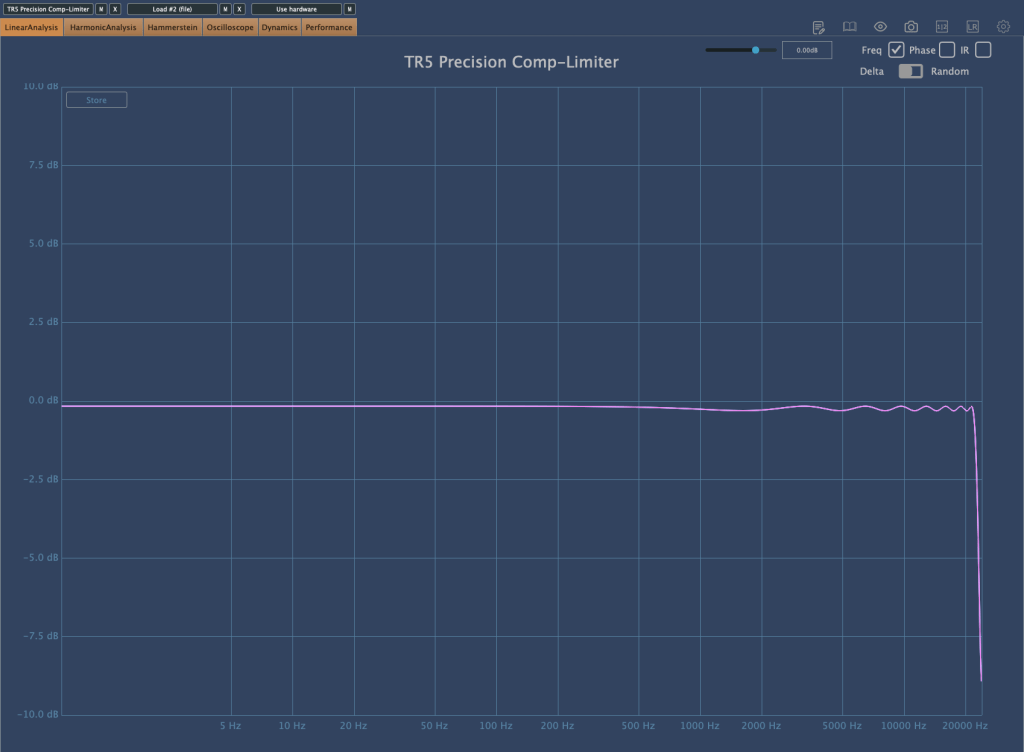
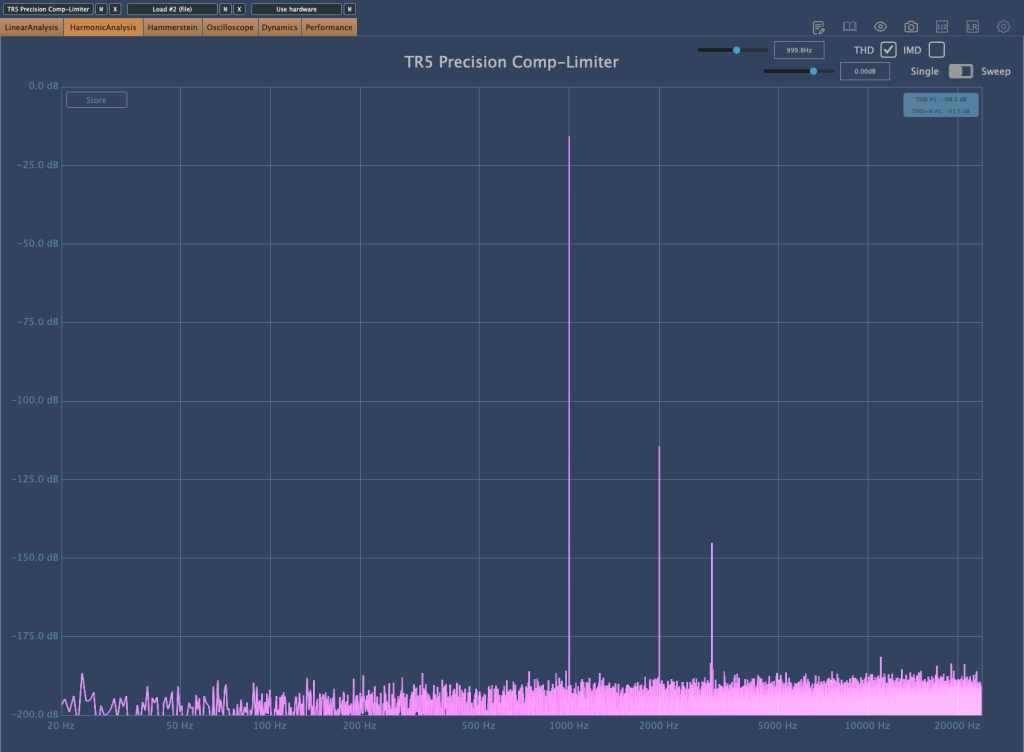
The Precision Comp/Lim, which copies the Neve 33609, seems to boost the high frequencies when applied, possibly due to its harmonics. It’s quite good, and I find myself using it often.
Bus Compressor
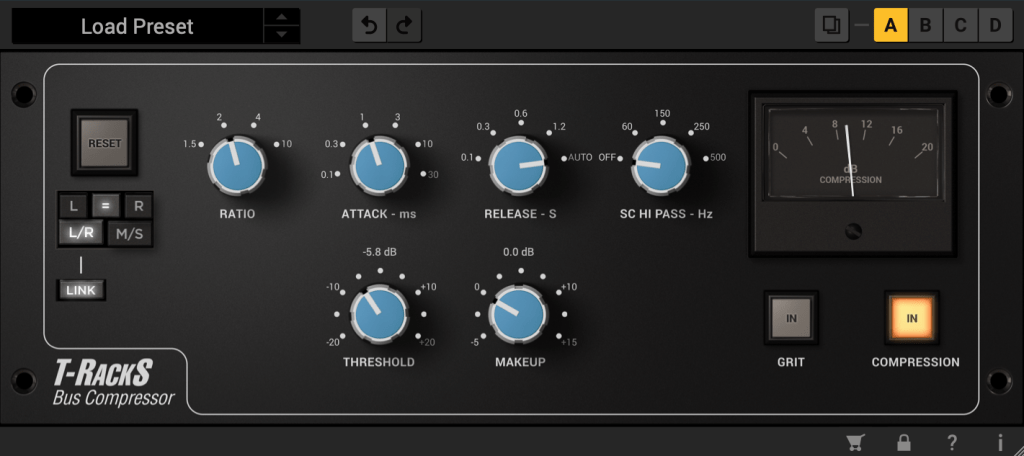
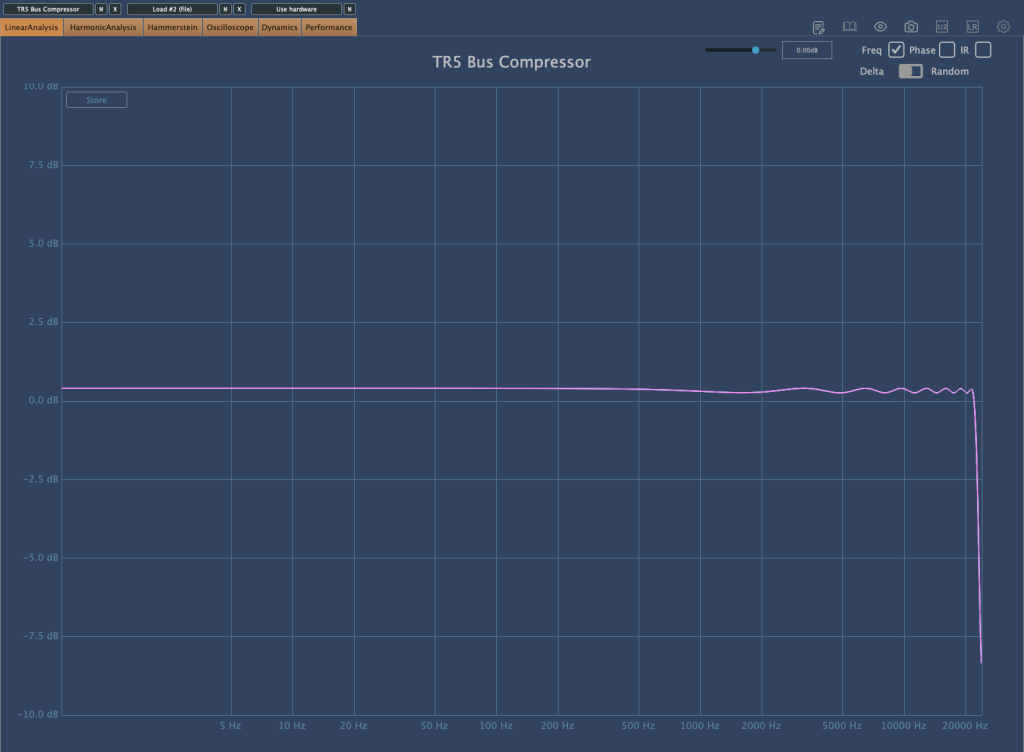
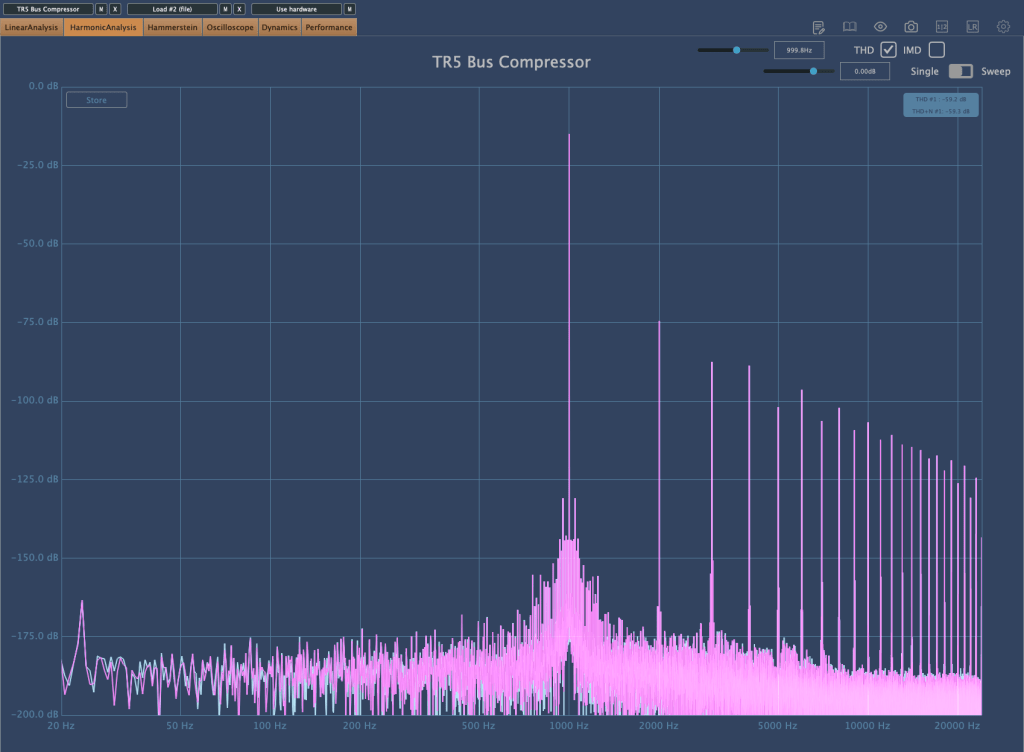
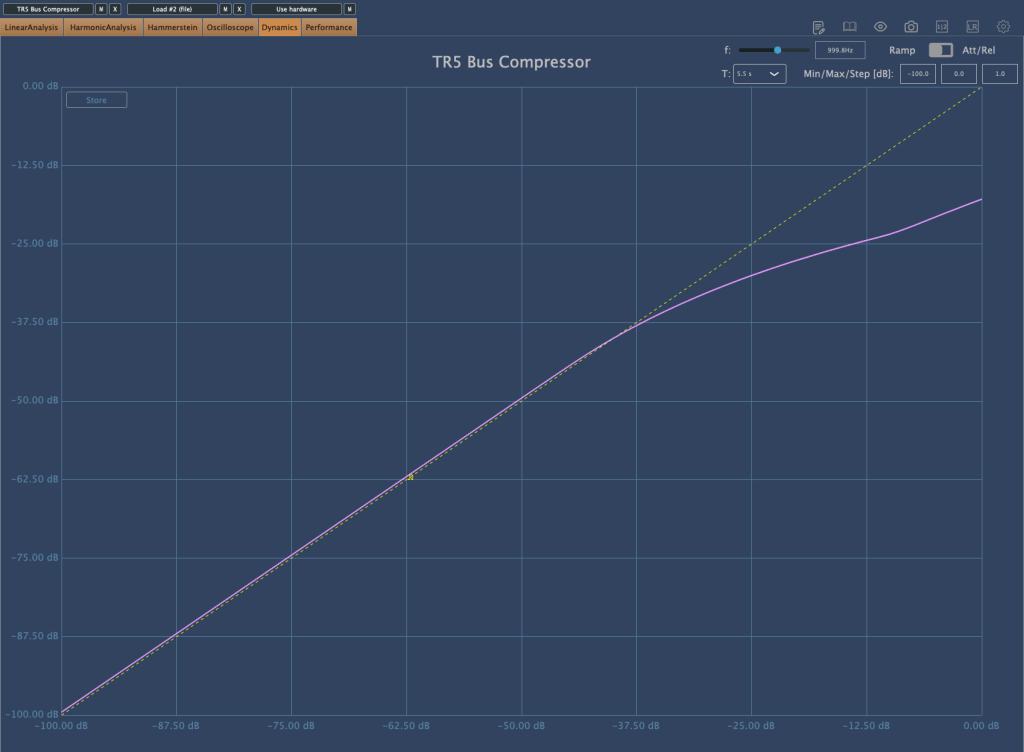
The Bus Compressor, emulating the SSL Bus Comp, operates with a Soft Knee when selecting ratios of 1.5 and 2, compressing very smoothly. It also gently tidies up the high frequencies, which I really like.
Vintage Tube Compressor/Limiter Model 670
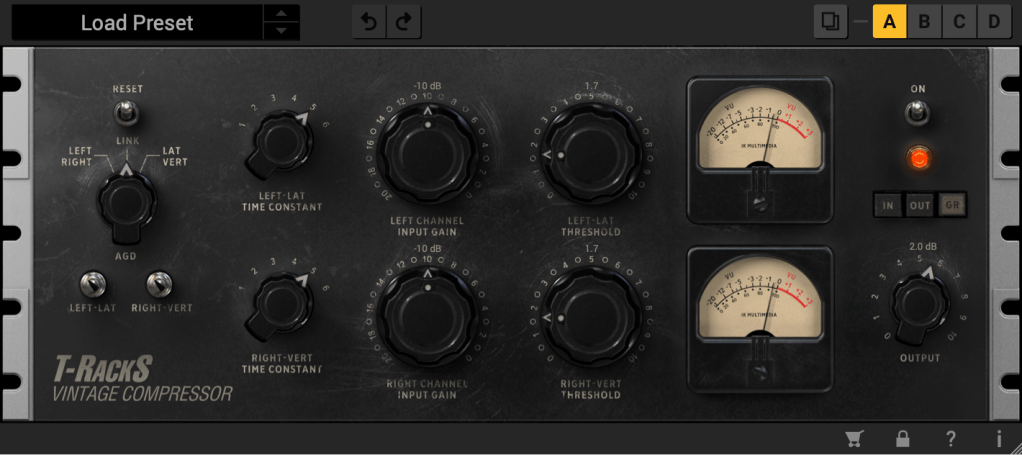
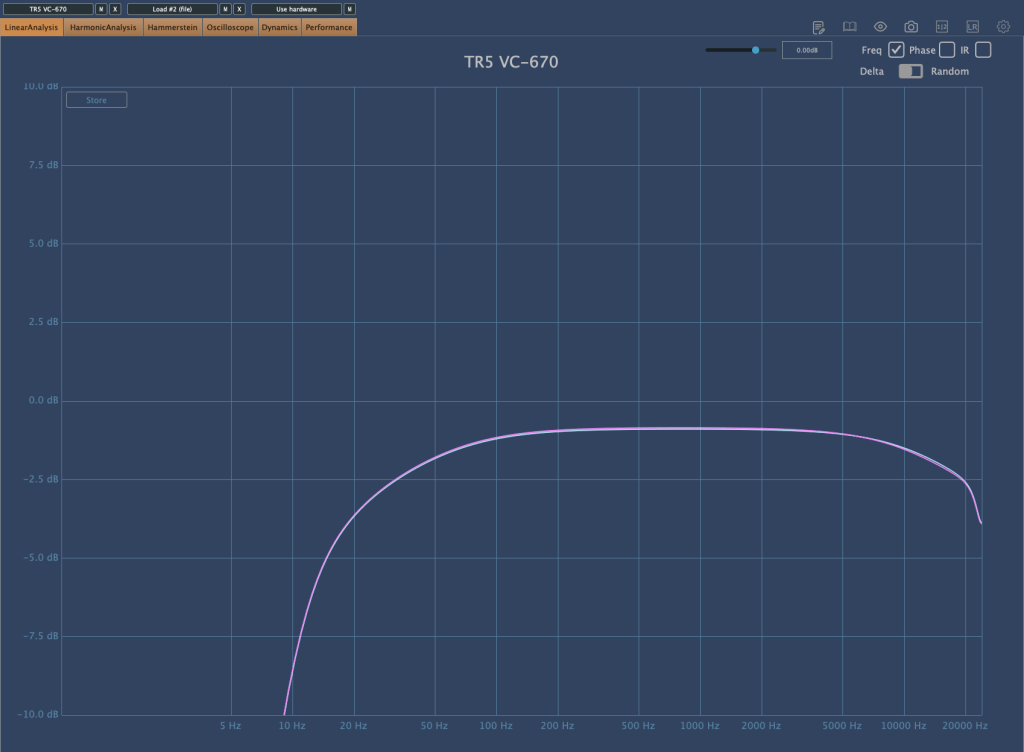
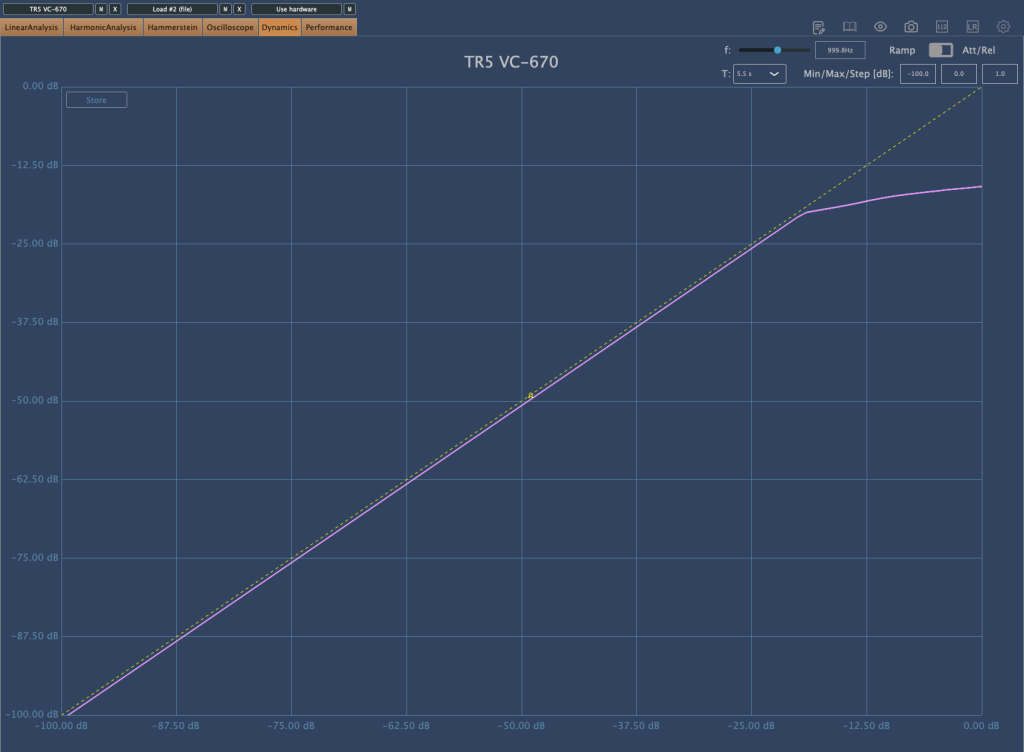
The Vintage Tube Compressor/Limiter Model 670, emulating the Fairchild 670, has a high ratio and is set with a Hard Knee. It slightly trims the frequency range, which sounds natural and not bad for acoustic tracks. However, for modern tracks that emphasize high and ultra-low frequencies, it might not be as suitable.
There are many other plugins that can be immediately used for your projects, so if you have the budget, I highly recommend this bundle.
(If you purchase through the link above, I receive a small commission which greatly helps in maintaining this blog)
As I’ve mentioned before, buying from Plugin Boutique adds about 10% tax, making it slightly more expensive than other places. Here it’s $54.99. However, the benefits of buying from Plugin Boutique include:
1) Free plugin giveaways with purchases (the free plugins change every month) 2) Points accumulation
I usually buy expensive plugins from other places, but for plugins under $100, I decide whether to buy from Plugin Boutique or elsewhere based on the free plugin offered.
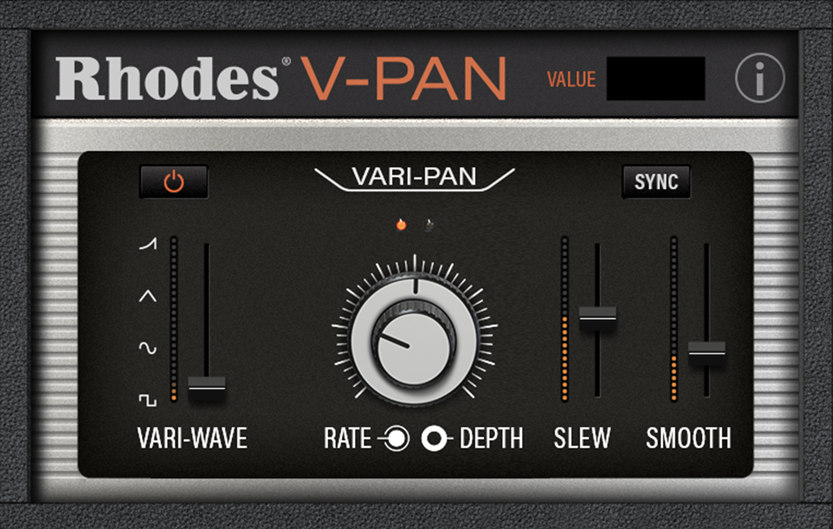
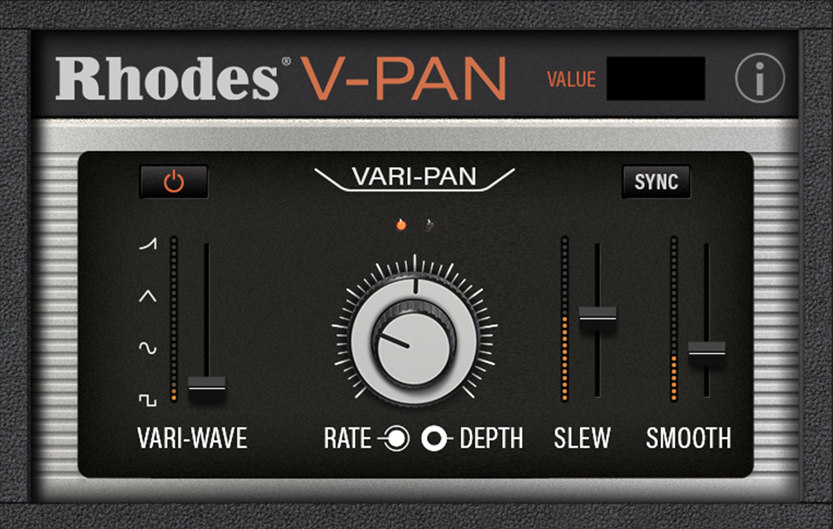
This month, the free plugins are Rhodes V-Pan, a unique Auto Pan, or Dehumaniser Simple Monsters, which creates monster-like voices used in special effects. Both can be quite useful musically.
Especially for Logic Pro users who lack a built-in Auto Pan and often use the Tremolo plugin instead, getting the feature-rich Rhodes V-Pan for free with the purchase of T-Racks 5 Max would be a very satisfying deal.
I rarely recommend sales or plugins this strongly, but this one is genuinely worth buying. Writing this makes me feel like a salesperson…^^;;
Hello? This is engineer and singer-songwriter Jooyoung Kim.
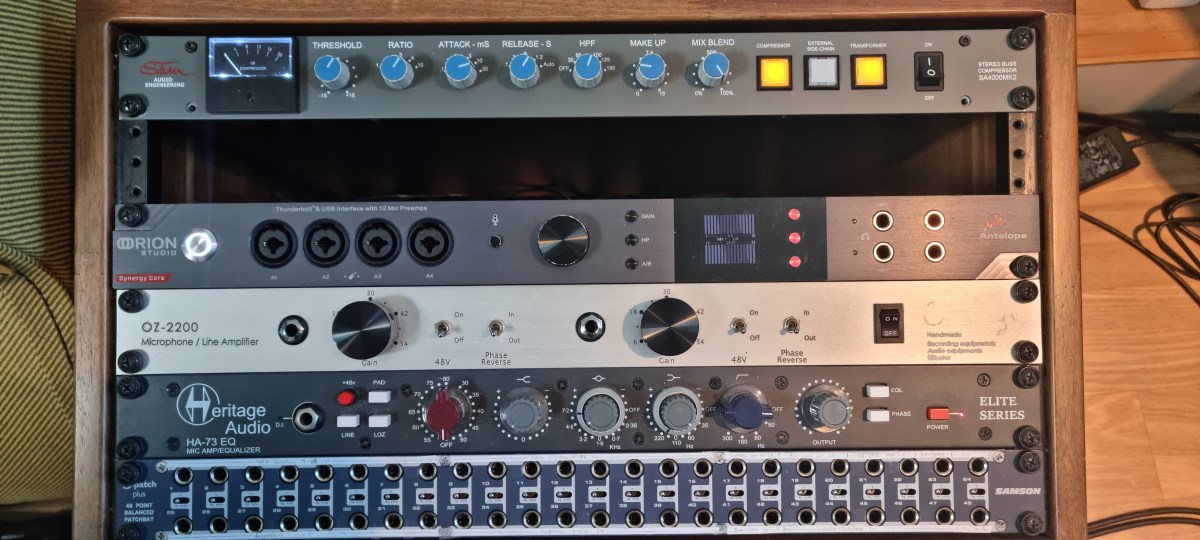
The volume knob was pushed to the side when I bought a rack the other day, so for convenience’s sake, I’m going to review the Audient Nero monitor controller I purchased a few weeks ago.
Appearance and Function
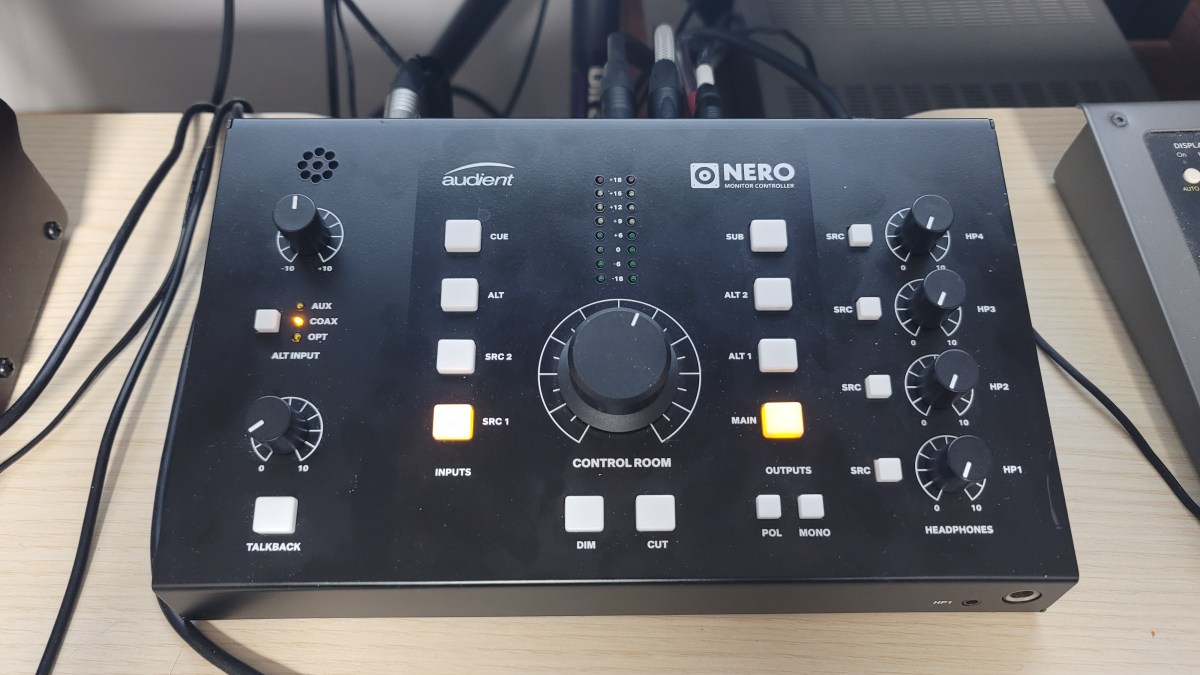
The exterior is just plain. It’s made of steel plate, so it doesn’t feel as light as plastic material, and the knob has a reasonable amount of resistance, so it’s just decent quality.
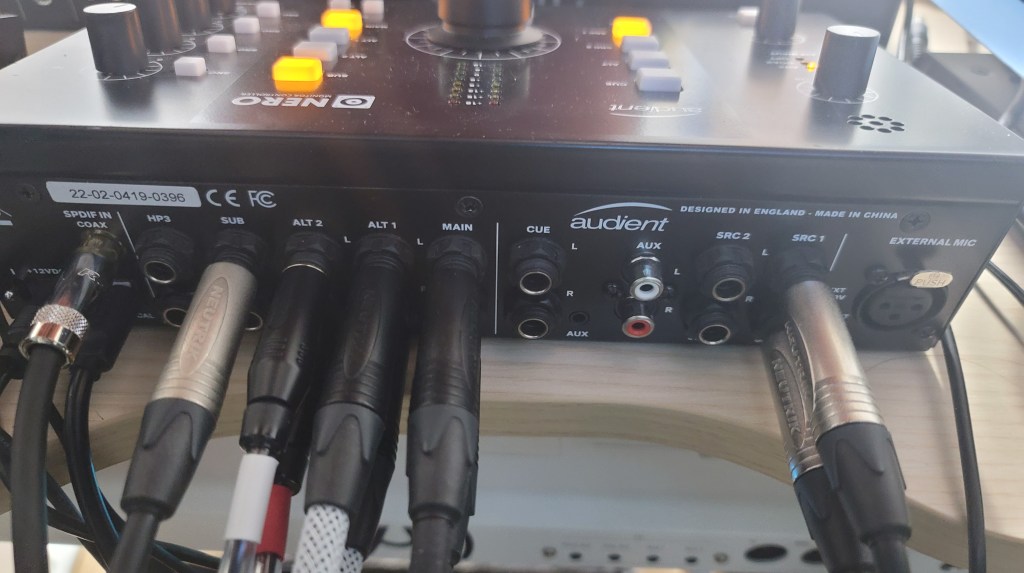
A total of 4 headphones can be connected. You can connect 1 headphone using the 1/8″ or 1/4″ jack on the front, and 3 headphones can be connected using the back.
A total of 4 inputs can be selected: Cue, Alt, Src1,2, and Alt Alt can also be selected separately from 3 types: Optical, Coaxial, and Aux.
There are three outputs: Main, Alt 1, and 2. you can connect a subwoofer using the Sub terminal button. What was a little disappointing was that you couldn’t select the crossover frequency when choosing a subwoofer. The crossover band was a bit low, so when I connected my 8-inch subwoofer, it didn’t come out as powerfully.
In addition, a talkback microphone can be used, the input source can be set differently for each headphone jack, and there are functions such as Dim, Cut (Mute), Pol, and Mono. It would have been nice to have L/R conversion, but it was a bit disappointing.
Measurement and Usage
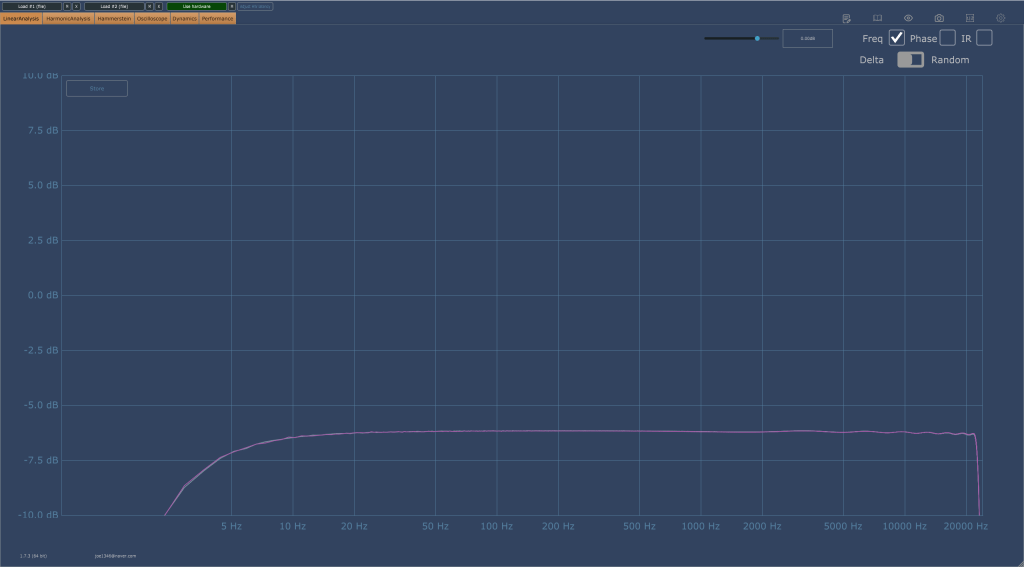
Once an analog connection is made, the output is basically reduced by about 6dB. And both in terms of listening and measurement, the high frequencies were slightly cut off.
Still, I was surprised by the fairly decent performance. Fortunately, I think it’s worth it for the sake of convenience.
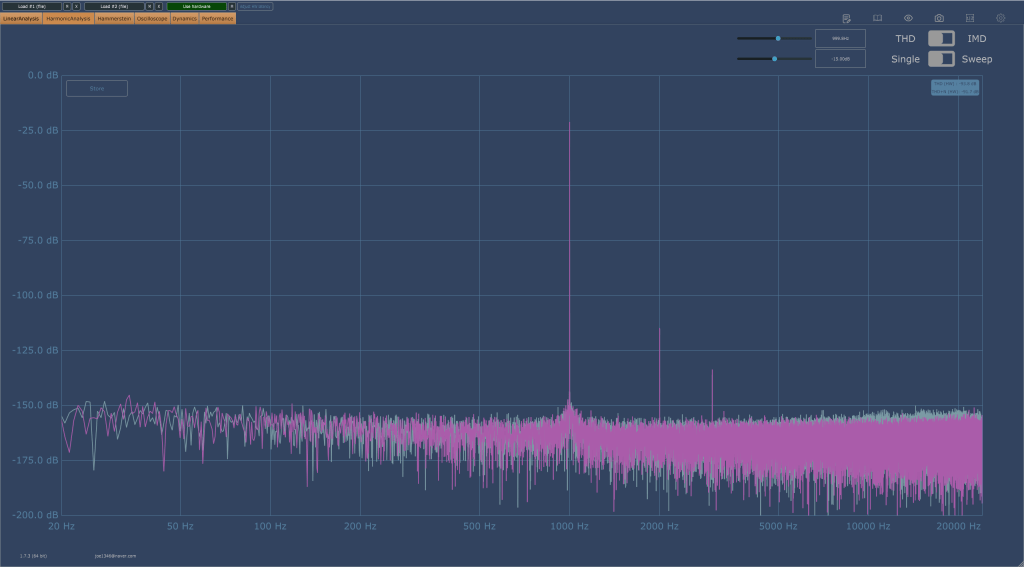
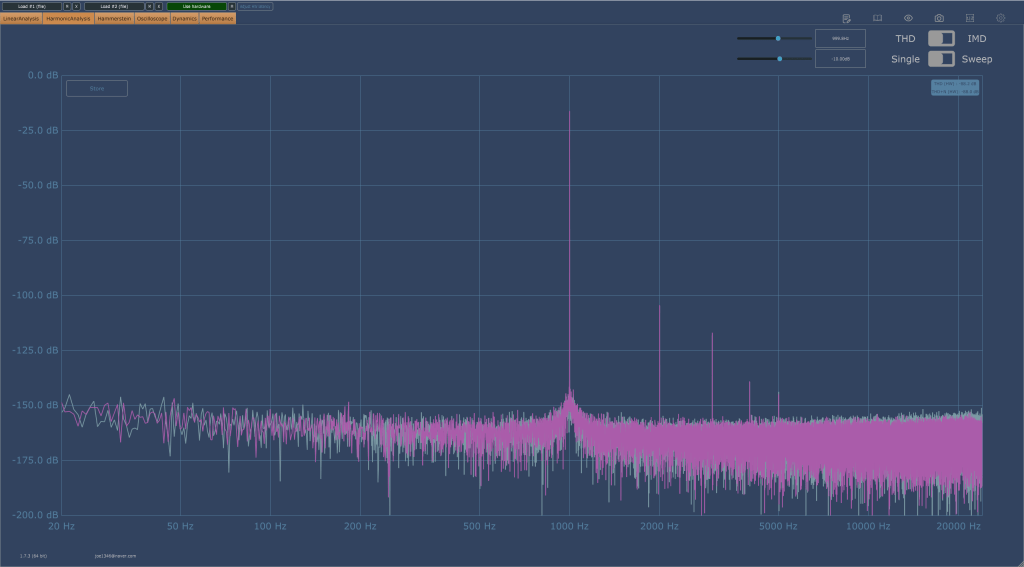
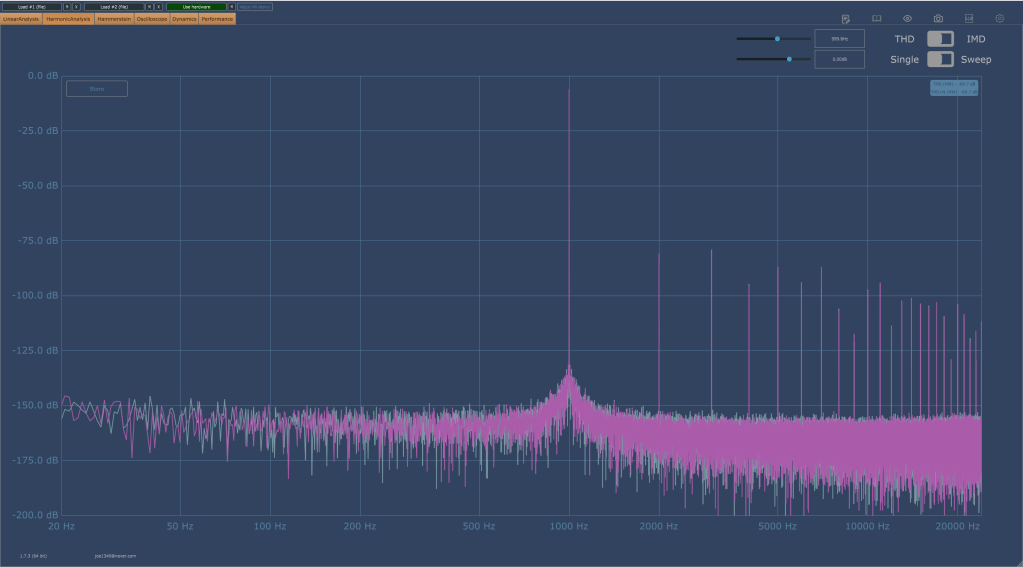
Also, basically, the overtones rise a little, but not to such a huge level. The picture on the right below shows that the headroom was exceeded and distortion occurred, so I thought it would be useful as long as it wasn’t in extreme situations.
I also wanted to measure Coaxial Digital, but an error occurred and measurement was not possible. However, basically, when you make a digital connection, the volume becomes lower than when you make an analog connection, and the analog connection sounds much more detailed than the digital connection.
I’m not sure because I haven’t disassembled it and looked inside, but I think it’s probably the DAC chip difference. To make a digital connection, you need to use Grace Design or Cranesong…^^;;
Conclusion
There are no particular inconveniences while using it. The number of ins and outs and performance are just satisfactory, and I don’t think I’ll even think about changing it if nothing happens.
I think I can say that he’s ‘a fairly good friend.’
hello? This is engineer and singer-songwriter Jooyoung Kim.
Today, I wanted to introduce Mixchecker Ultra, a higher version of Mixchecker, Audified’s representative plug-in, as it was released as Rent to Own at a plug-in boutique, so I requested an NFR (Not for Resell) code from the plug-in boutique and brought it.
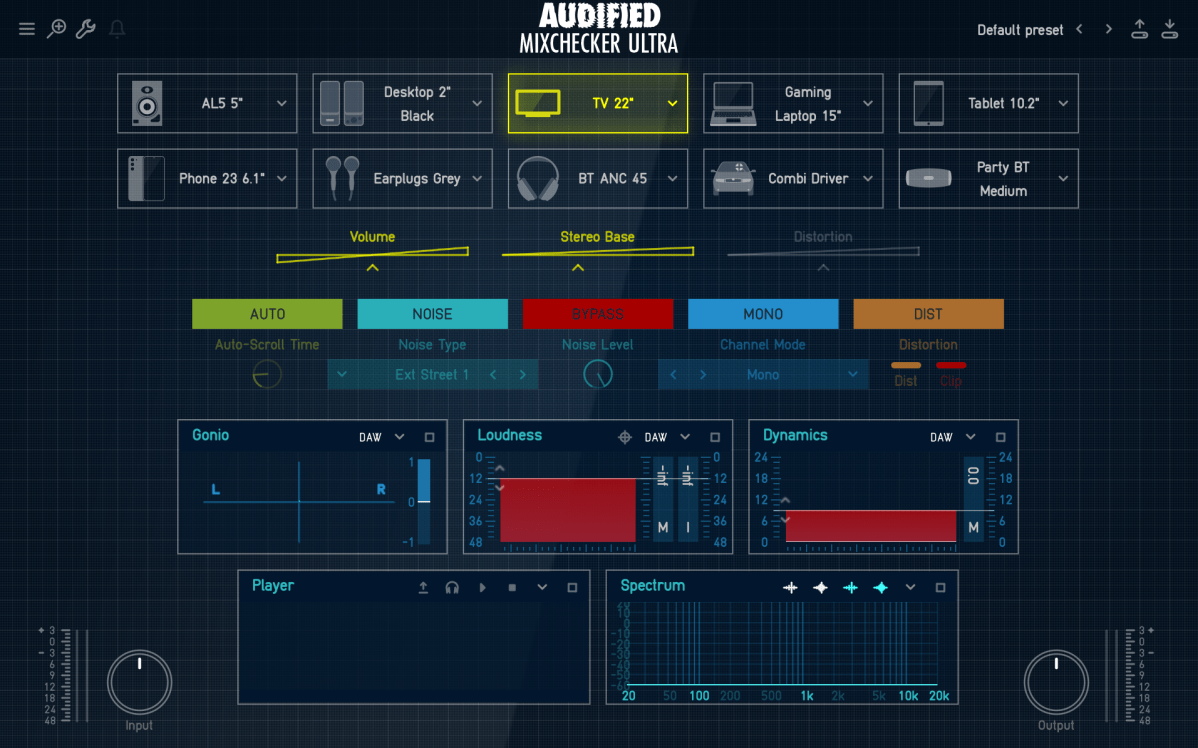
As its name suggests, Mixchecker, this plug-in can be useful for simply checking how something sounds in different environments.
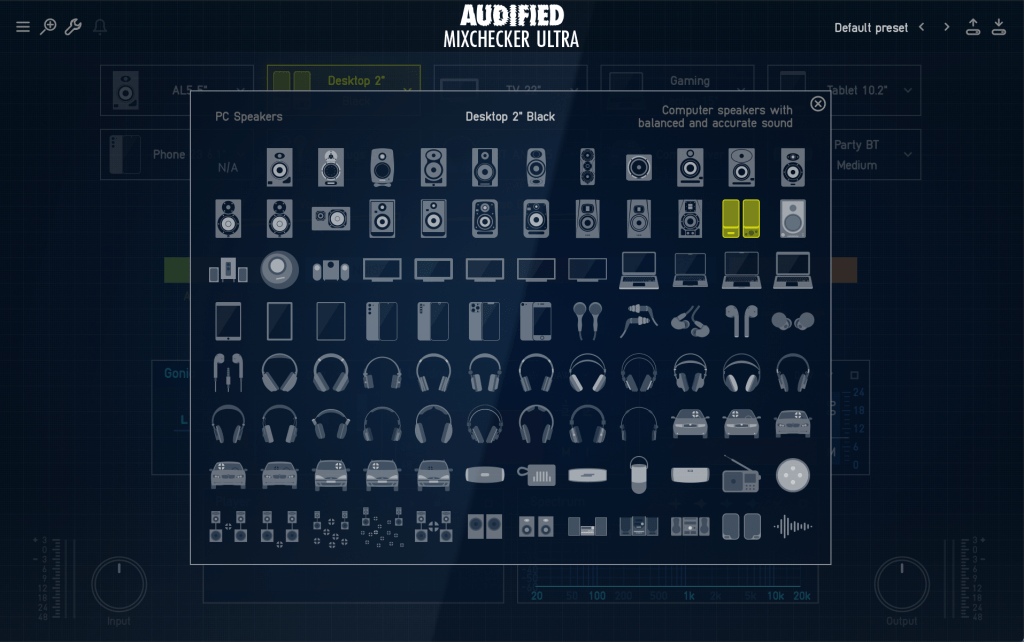
It is a format derived from the IR of various speakers, and if you are interested in equipment or machines, you will be able to tell which product it is from just by looking at the shape of the speakers, cell phones, headphones, earphones, etc.
Even if you don’t know the product well, if you hover your mouse cursor over the icon, a name similar to the original product will appear in the center and a description will be written on the right, making it easy to find.
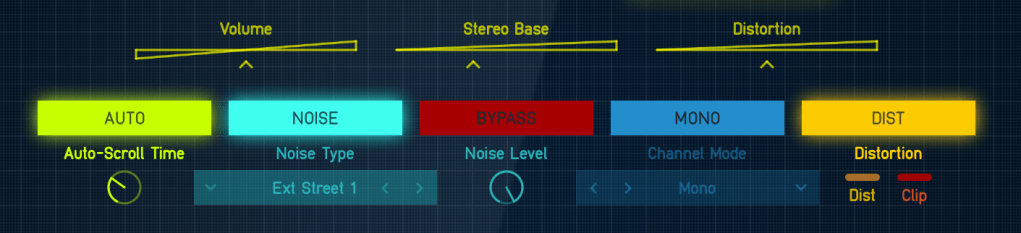
If you select Auto in the middle, the automatically set devices will play sequentially, and you can add noises from everyday life such as the street or subway through the Noise button and listen to them.
In addition, you can listen to various situations through functions such as Bypass, Mono, and Distortion.
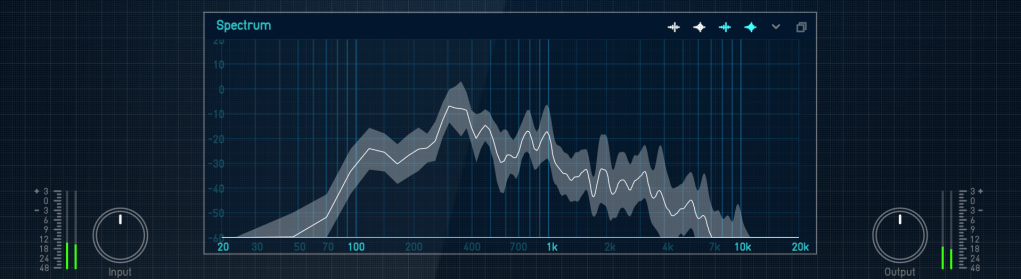
Analyzer functions are also included, and individual analyzers can be enlarged and viewed for easy visual inspection.
You can just use it to check the mix, but it can be fun to use for special effects, such as playing with earphones or in the car.
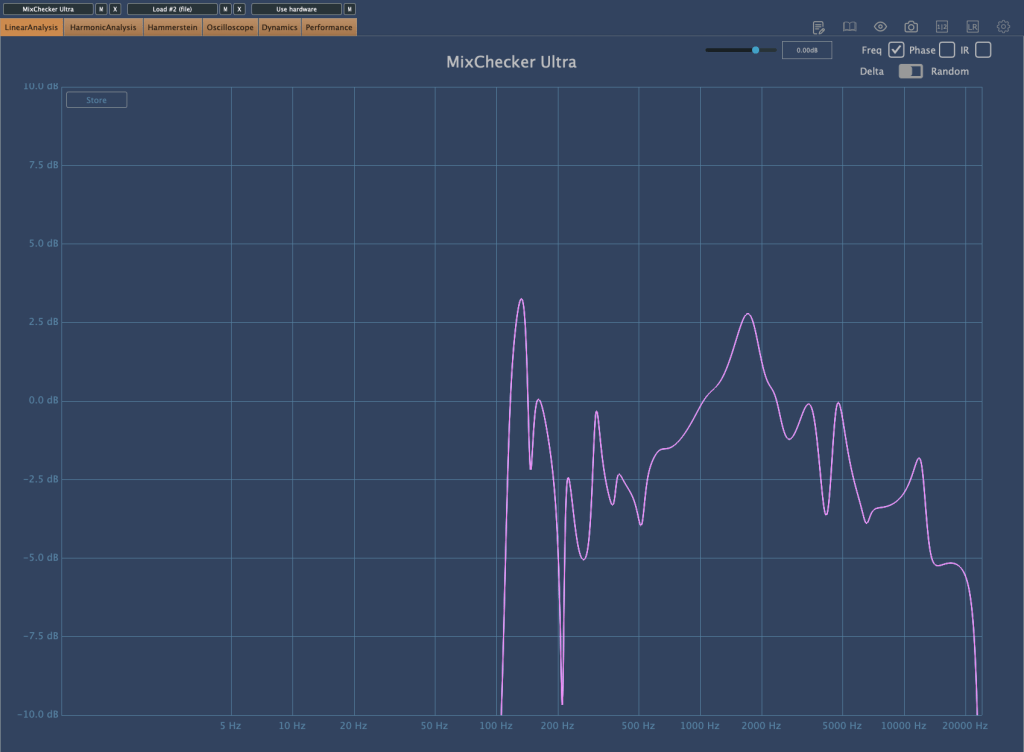
I measured Mixchecker’s NS-10M model using Plugin Doctor, and the Frequency Response came out interesting… haha.
In fact, it is absurd to reproduce the sound of another speaker through one speaker. First of all, if the woofer is small, the low frequency range is not physically produced, so a small woofer cannot reproduce the sound of a speaker with a large woofer. Nevertheless, devices other than speakers, such as earphones, laptops, and TVs, seem to be represented quite well.
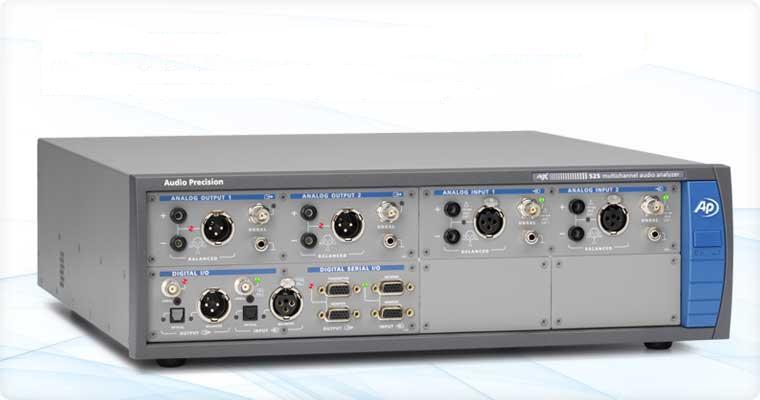
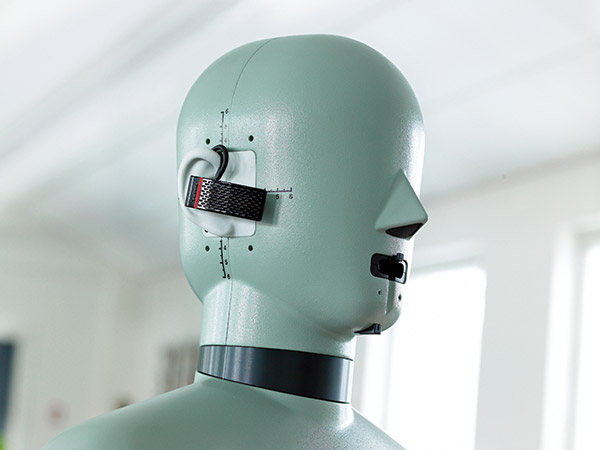
It is said that these speakers and various devices were measured and modeled in an anechoic chamber using an instrument called apx525 and B&K Type 4128-C.
Mixichecker Pro is Audified’s flagship product that has been purchased by many people, with more than 20,000 units sold worldwide since its launch.
The higher version, Mixchecker Ultra, contains many more features than the Pro version, so it would be a good idea for those who have been interested in mixing or mastering to take a look.
(If you purchase through the link above, I will receive a small commission, which greatly helps in running the blog)
If you purchase from the plugin boutique, you will receive a plugin for free.
This month, they are giving away an autopan plugin called V-Pan from Rhodes, and a sound modulation plugin called Dehumaniser Simple Monsters from Krotos.
If you purchase it, I hope you will receive one. Well, see you again in the next article!











 Jooyoung's Music Blog