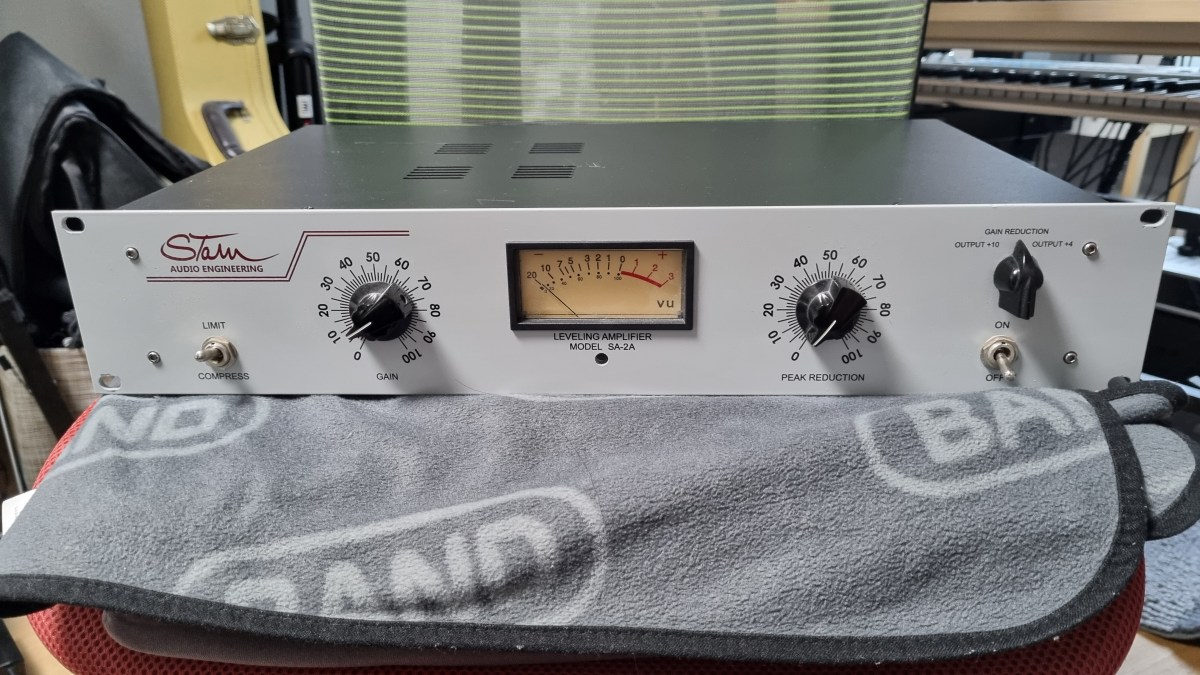
Stam Audio SA-2A Compressor Review

Hello, I’m Jooyoung Kim, a mixing engineer and music producer.

Today, I’m excited to share my review of the SA-2A, something I’ve been eagerly anticipating! Let’s dive right in.

The Struggle with the Gear
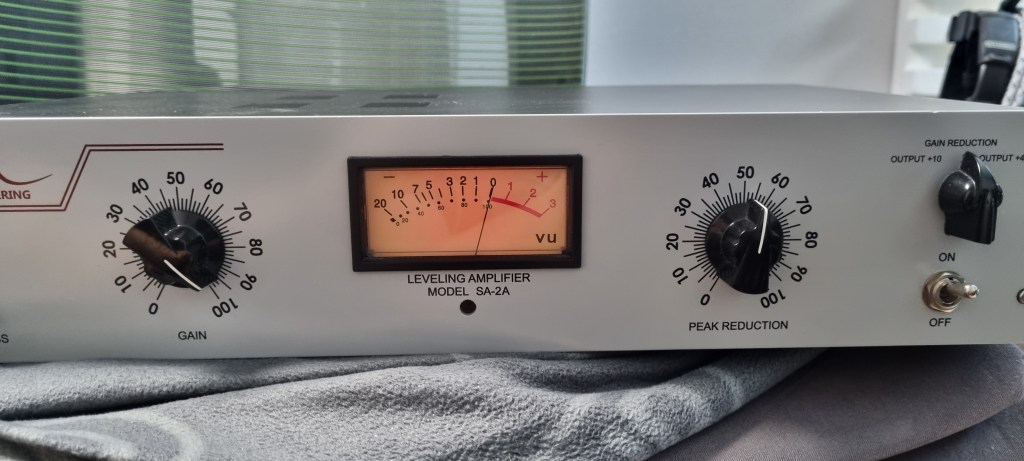
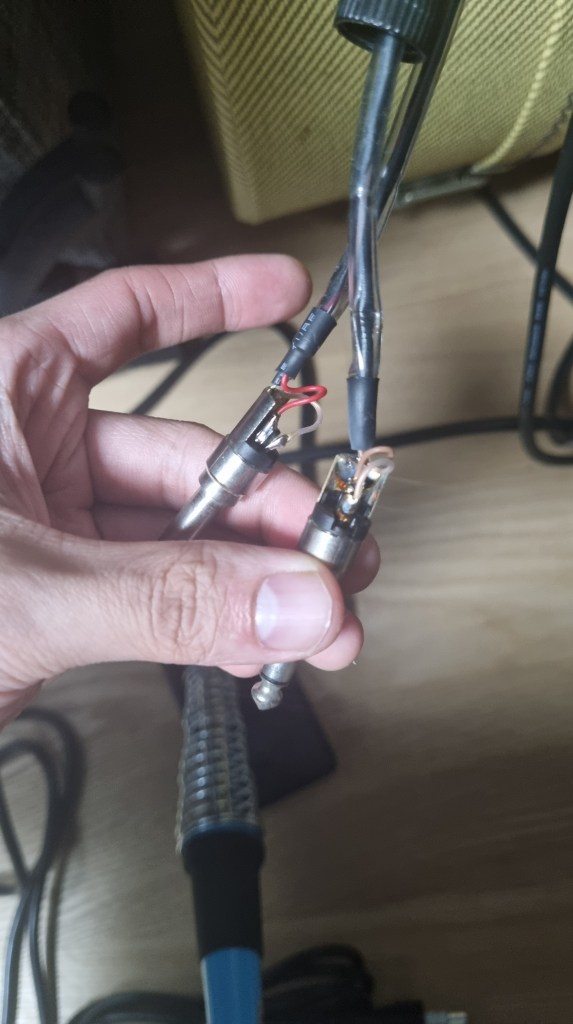
If you’ve been following my blog, you might know that this unit had quite a journey before it landed in my studio. Initially, I bought a faulty one with the idea of enhancing my understanding of circuits and practicing some soldering by fixing it myself.

I thought it might just be a simple fuse issue… But after blowing through about five fuses, I took a closer look at the circuit board.
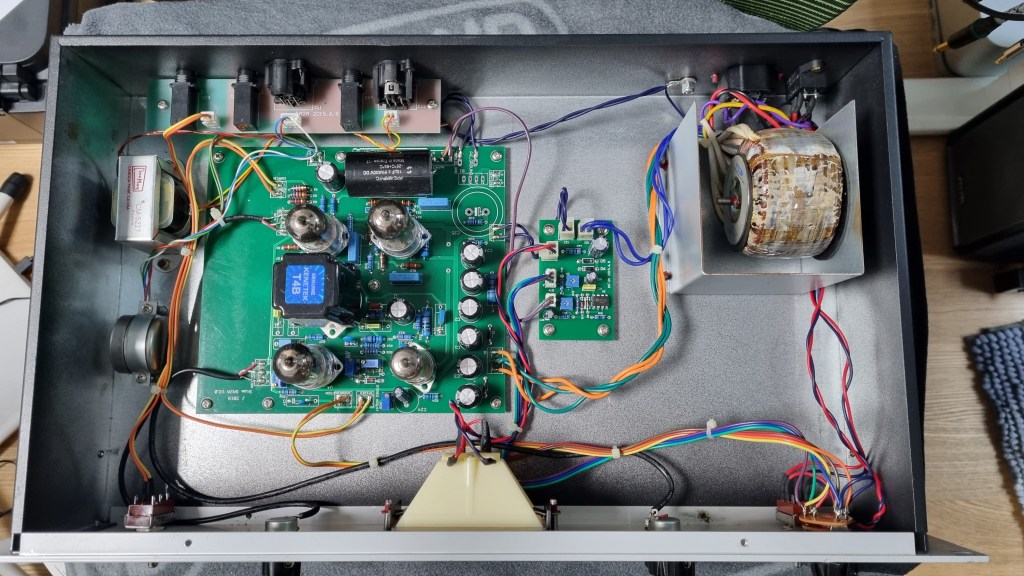
Despite my inspection, I couldn’t find any blown capacitors or burnt resistors. So, I decided to take it to a repair shop after seeking advice.

The culprit turned out to be a burnt toroidal transformer, damaged by overcurrent.

The challenge was that this early version of the SA-2A used a Cinemag transformer, and Stam Audio wasn’t sure if they had any spares left.

After two weeks of waiting for a response with no luck, I asked them to send me the specifications so I could have a custom transformer made.
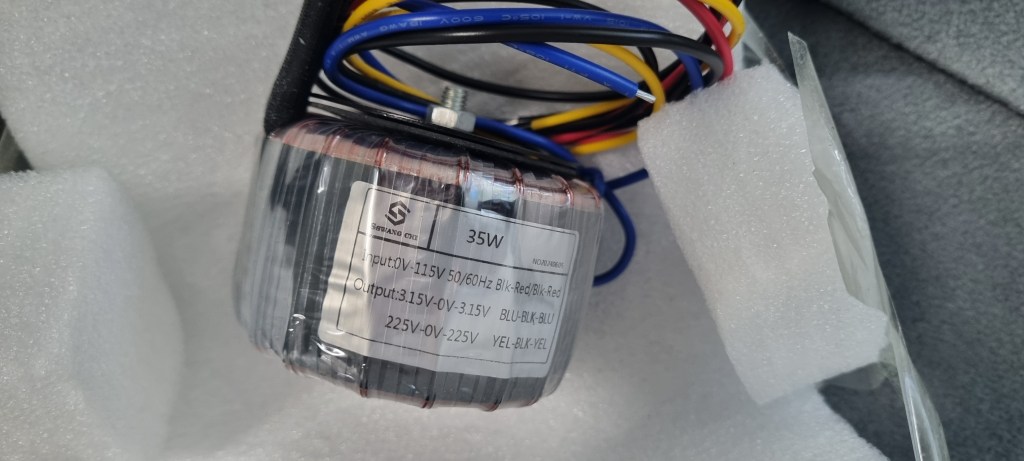
After installing the custom transformer, the unit finally came to life!

I purchased the broken unit in January, and the repair was completed by early July, marking a nearly six-month battle.

Of course, I was a bit busy, which contributed to the delay, but it was quite the saga nonetheless!

Measurements
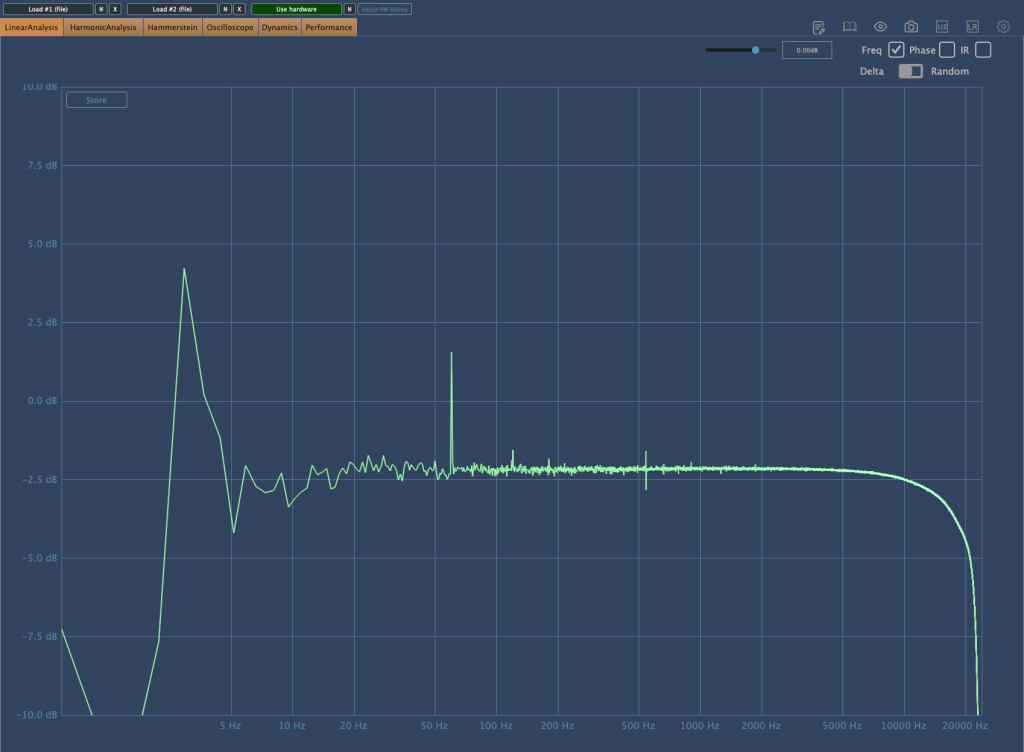
As regular readers of my blog know, I like to run measurements on gear, whether it’s hardware or plugins. While measurements don’t tell the whole story, they do help in explaining things more clearly.

I find it especially useful to compare my impressions from using the gear with the measured data, which can sometimes reveal if my ears are having an off day.

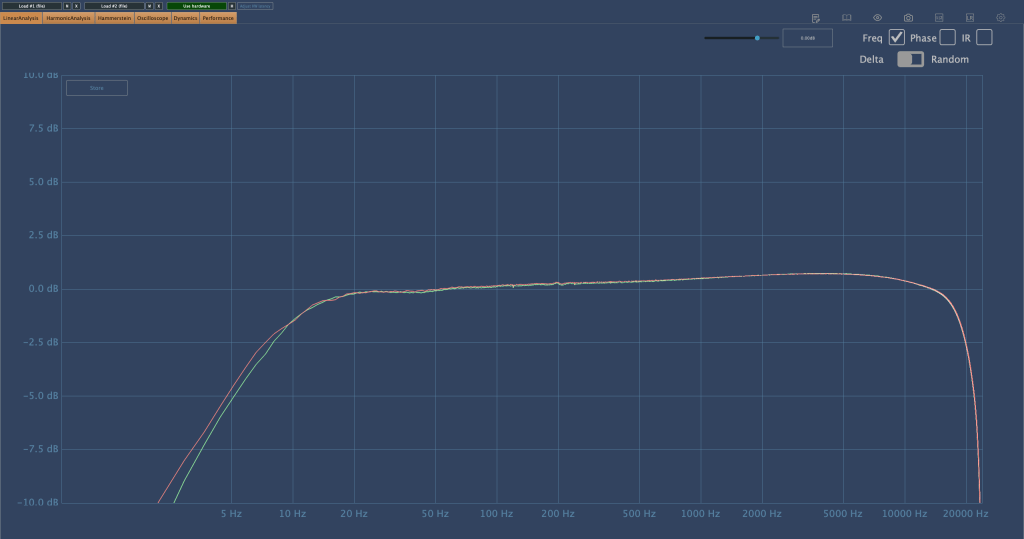
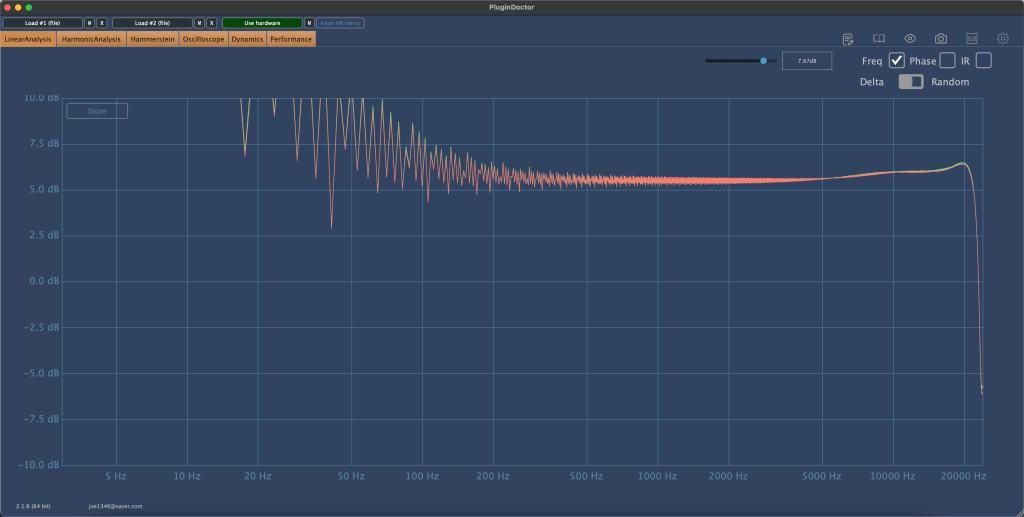
The frequency response graph above shows the response with no compression applied. (Keep in mind the peaks and valleys you see are typical of analog gear.) You can see a noticeable roll-off in the high frequencies.
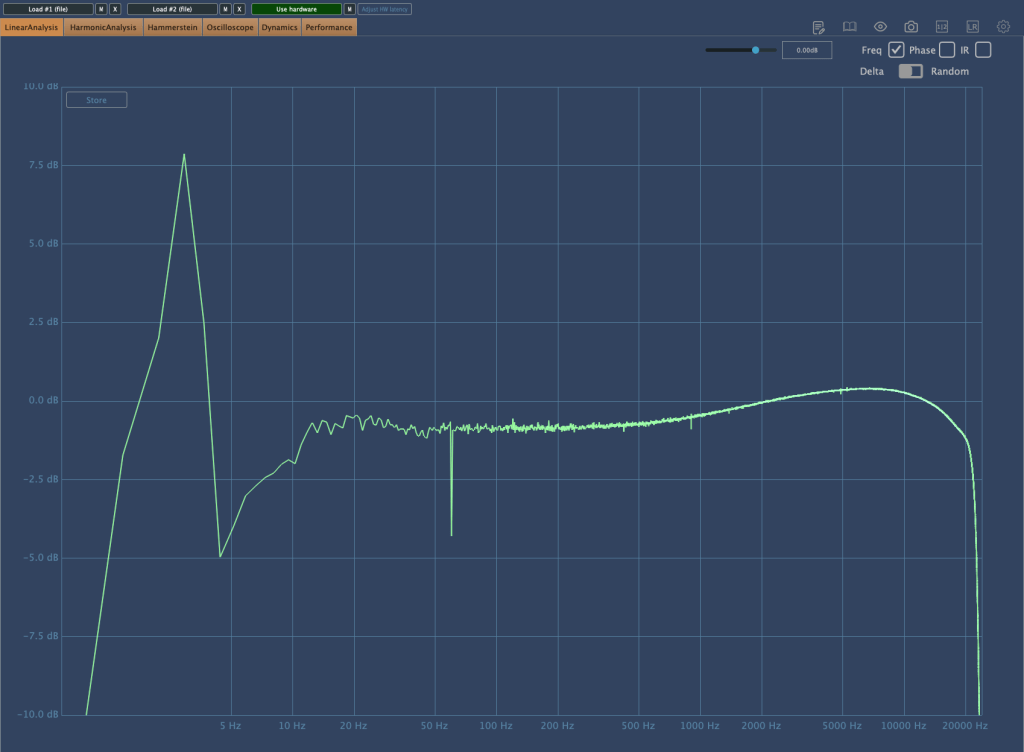
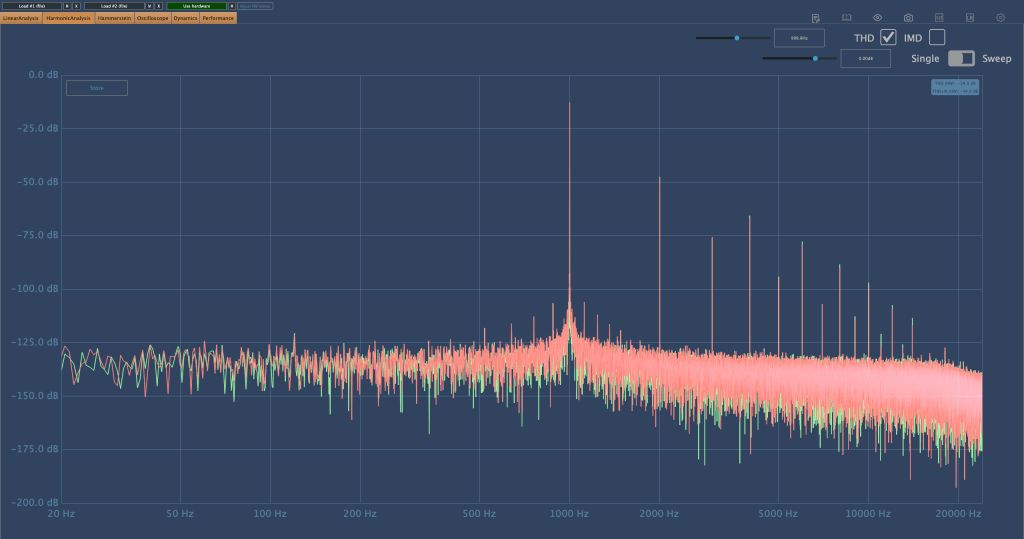
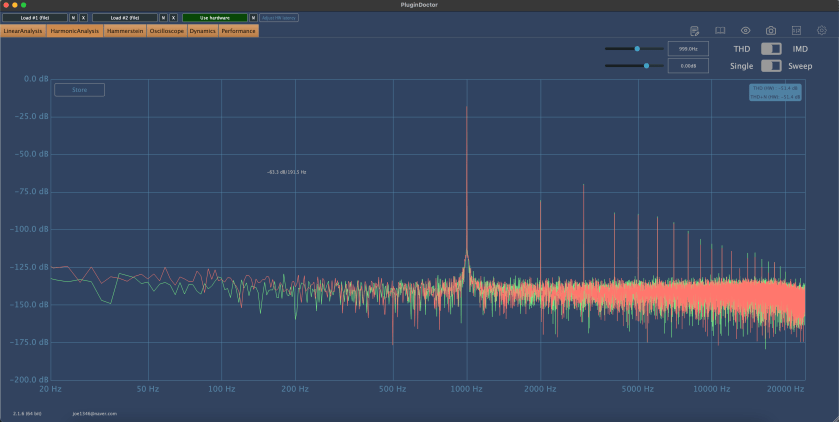
Here’s the frequency response graph with compression applied and gain compensated. There’s a rise in the high frequencies, and the right-hand graph shows noticeable distortion.

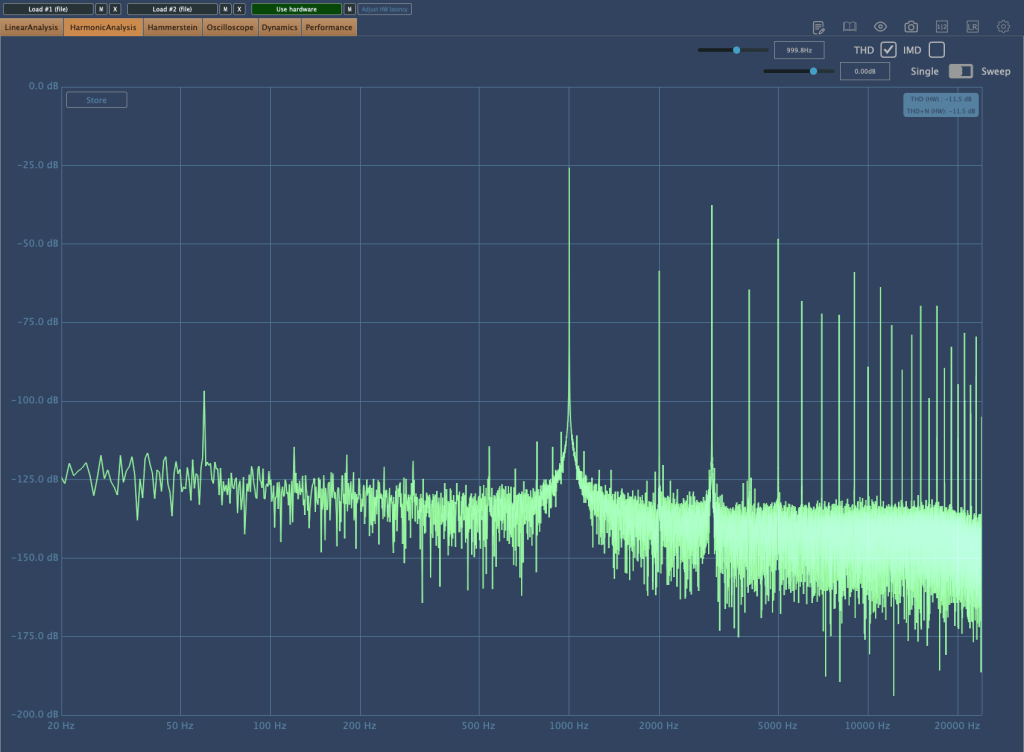
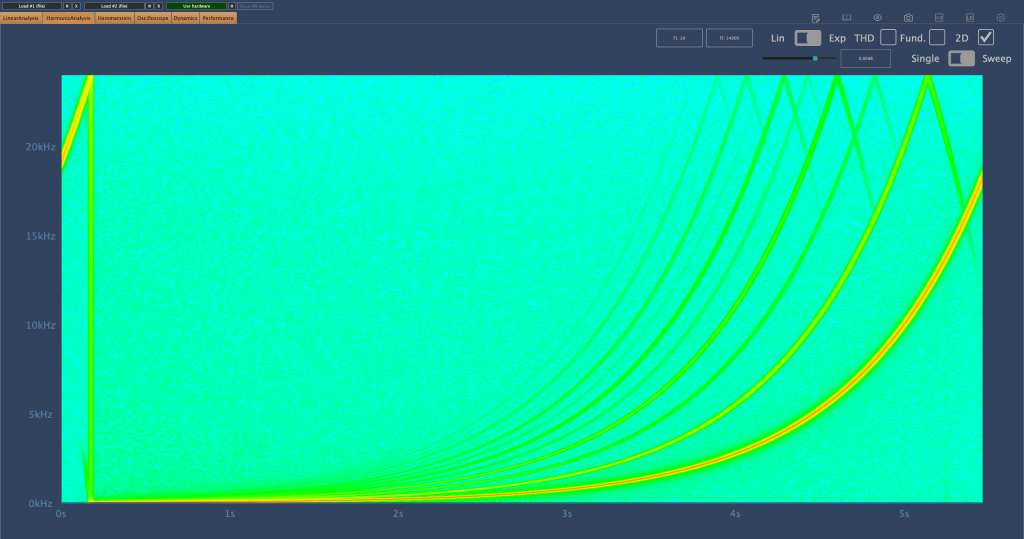
As the Peak Reduction increases, harmonic distortion also changes. It seems much more dynamic than using a plugin.
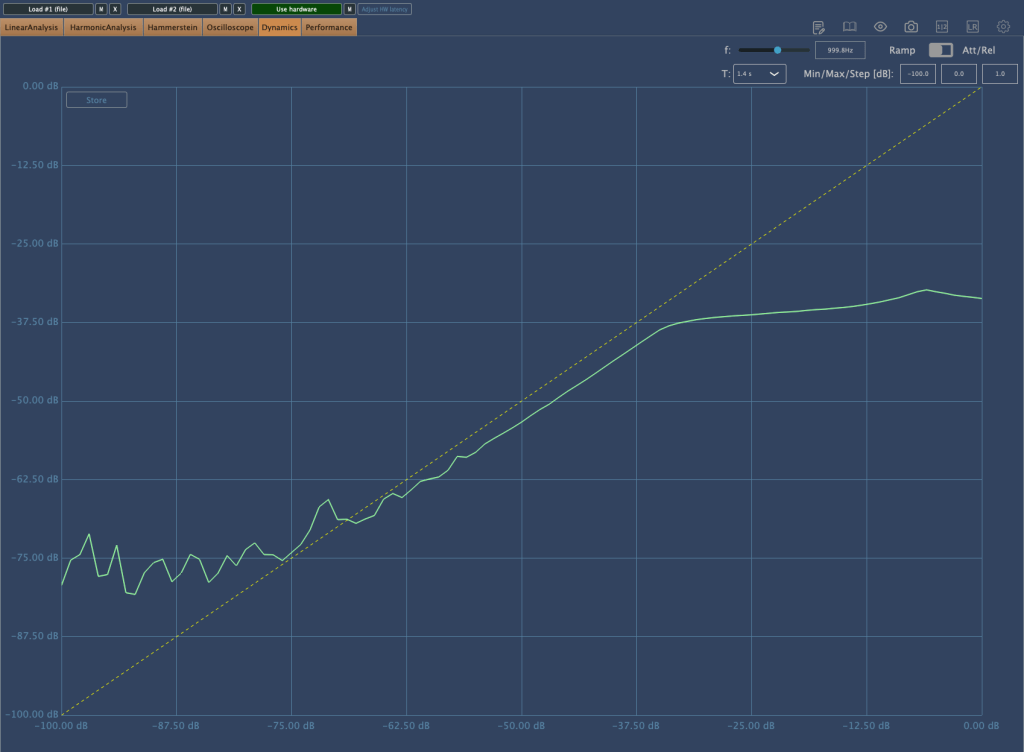
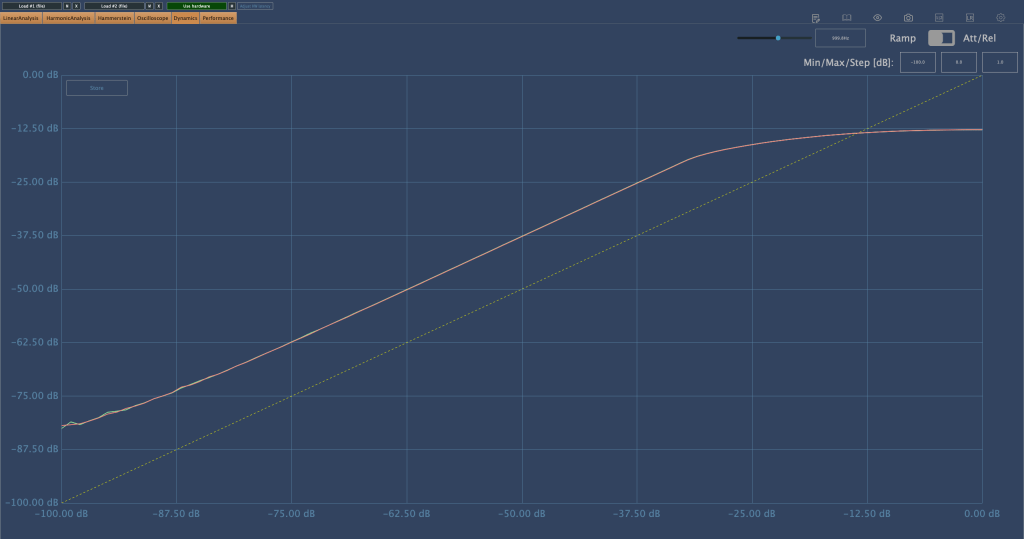
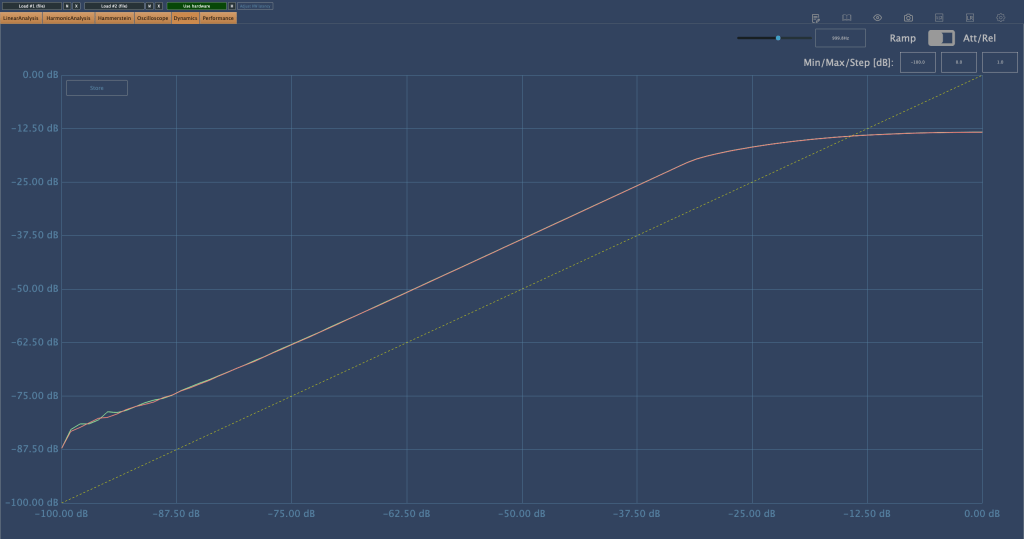
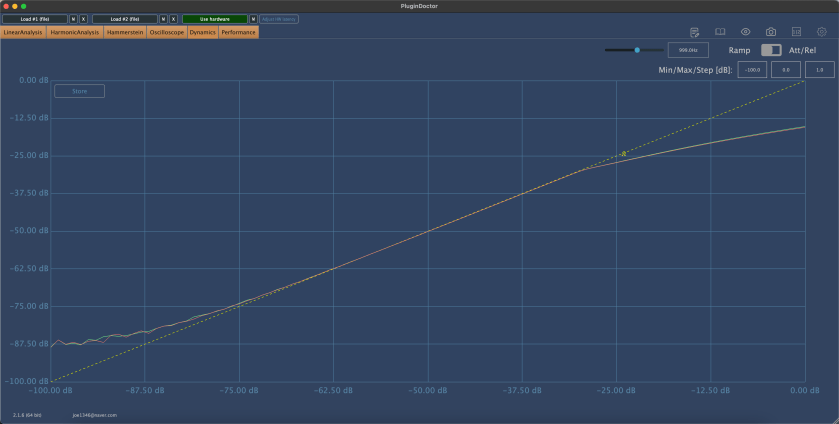
This is the compression curve graph. Strangely, the left side shows the settings for “Comp,” and the right side shows the settings for “Limit.” They seem switched, don’t they? Perhaps it’s just a labeling issue.

Even when using the device, it felt like the settings were somewhat reversed.

Practical Use
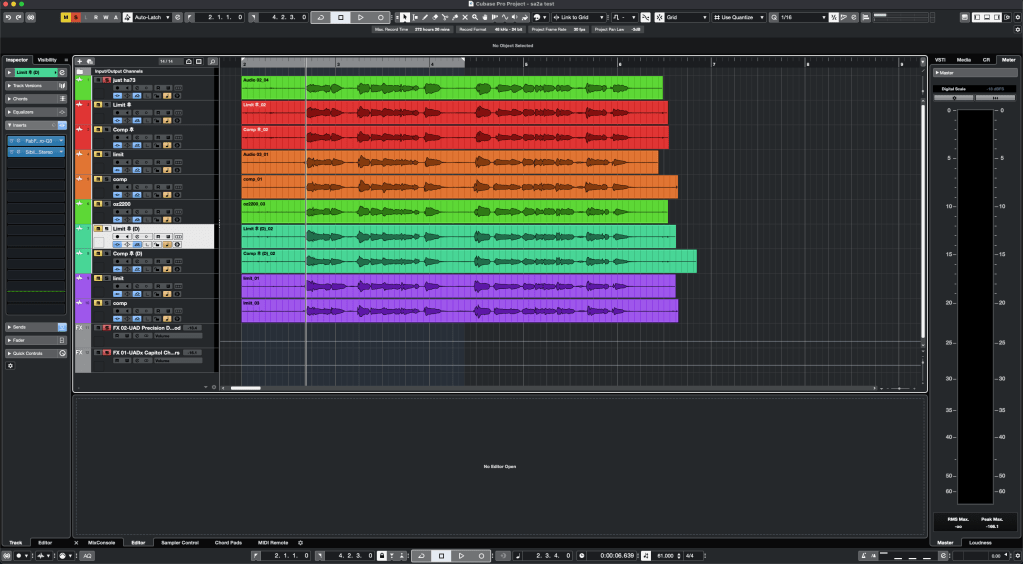
I tested the SA-2A on vocals and lead acoustic guitar in a project I’m currently mixing, as well as on some demo vocals for a production I’m working on. Additionally, I conducted a few simple tests.

My observations are as follows:

  1. It’s a saturation machine that adds a hefty amount of color.
  2. It can sound a bit rough, so careful EQing or the use of de-essers/multiband compressors may be necessary to tame it.
  3. As you increase the Peak Reduction, the high frequencies rise, so setting the Input Gain properly beforehand is crucial.
  4. It’s challenging to use on sources that are already colored.
  5. The lack of an Emphasis knob is a drawback.

I wouldn’t say I’m in love with it, but it certainly has its uses.

Since 2017, there’s been an option to use Sowter transformers, and it seems they’ve started custom ordering these transformers from the two companies they work with.

While the raw sound isn’t spectacular, it integrates nicely into a mix. I plan to experiment more with transformer and tube swapping in the coming months.

I hope you enjoyed reading this review. See you in the next post!

I’m always open to reviewing hardware products! If you’d like me to review a product, please feel free to reach out at joe1346@naver.com.
Zynaptiq Pitchmap Sale (until July 28)

Hello, I’m Jooyoung Kim, an engineer and music producer.

Today, I want to introduce Pitchmap, a plugin by Zynaptiq that’s frequently used in color bass music.

For this review, I requested an NFR (Not for Resale) code for Pitchmap from Plugin Boutique. Thankfully, Zynaptiq provided me with the ZAP IV bundle code. I’d like to express my gratitude to them. Besides Pitchmap, I’ll be reviewing other Zynaptiq plugins during their sale periods.

Let’s get started!

Pitchmap is a pitch correction plugin created by Zynaptiq in 2013.

While pitch correction is commonly associated with vocal tuning, Pitchmap is more often used in remixing and sound design.

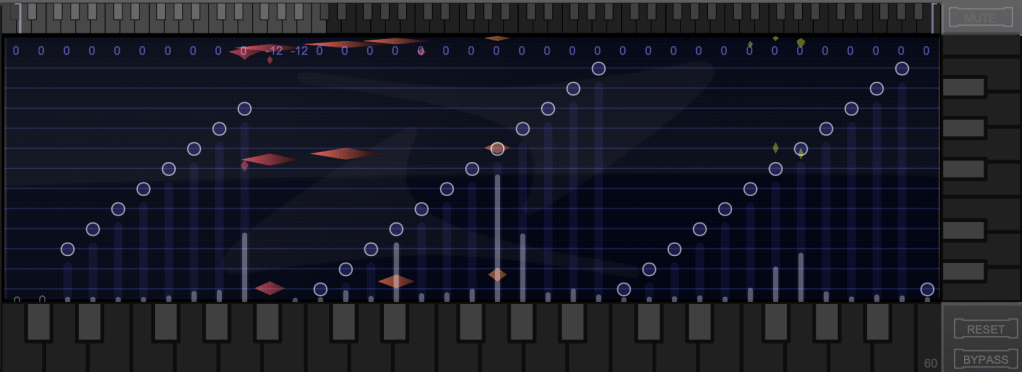
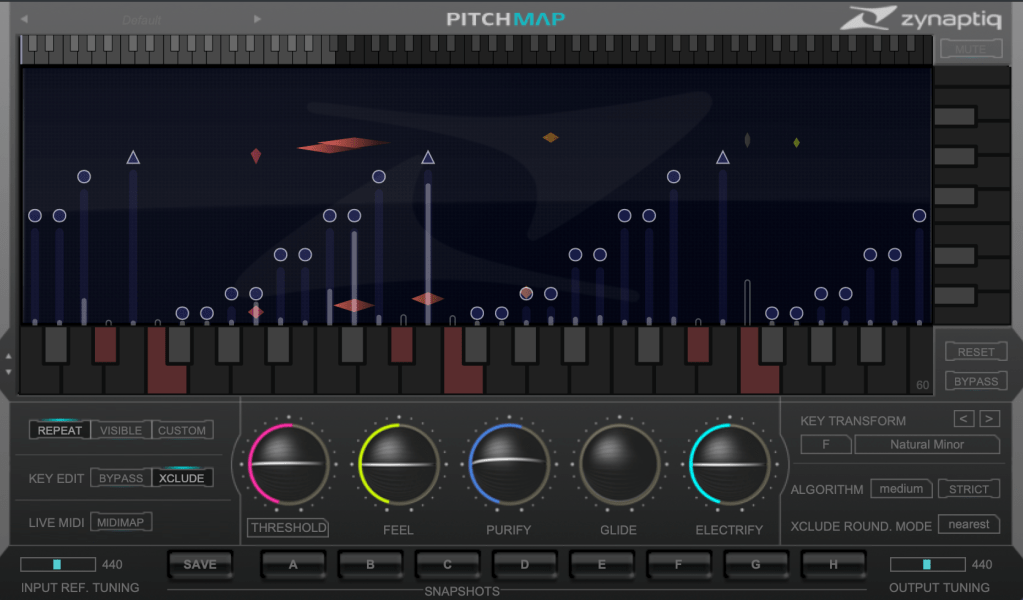
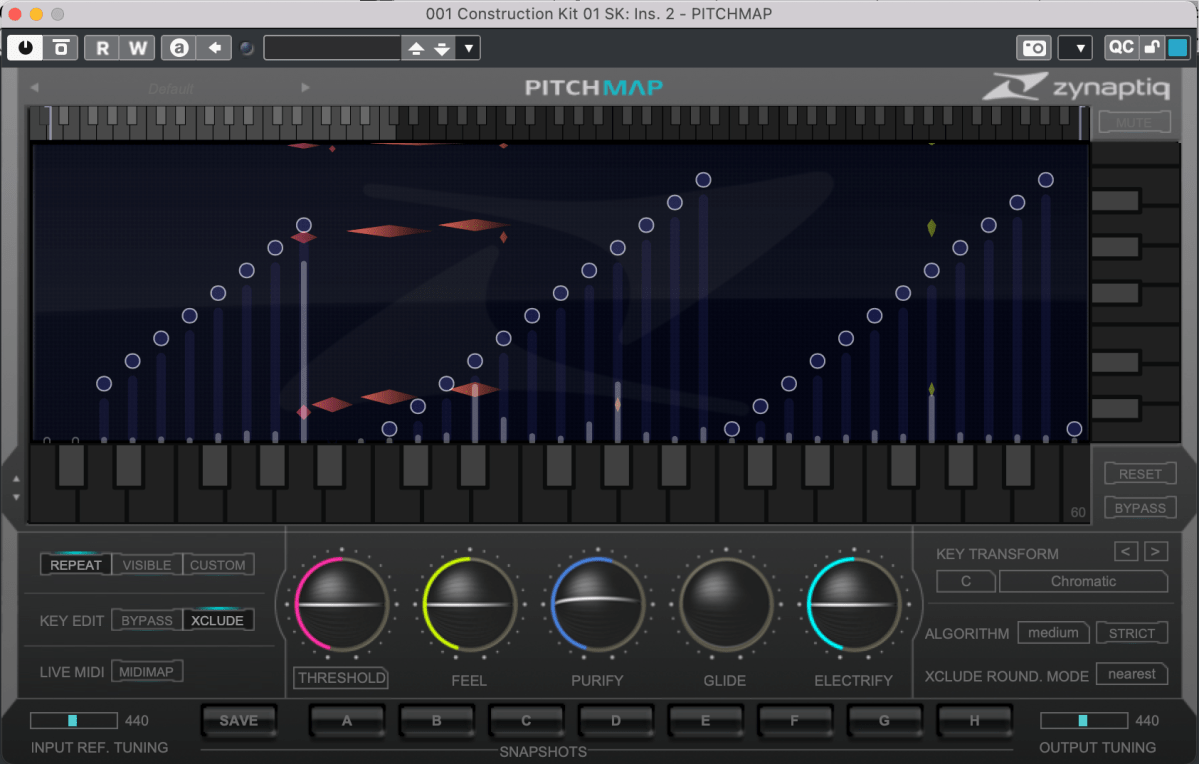
The horizontal axis represents pitch, similar to a keyboard roll.

Although only three octaves are shown,

you can adjust the display by clicking the light gray area at the top to navigate to the desired pitch range.

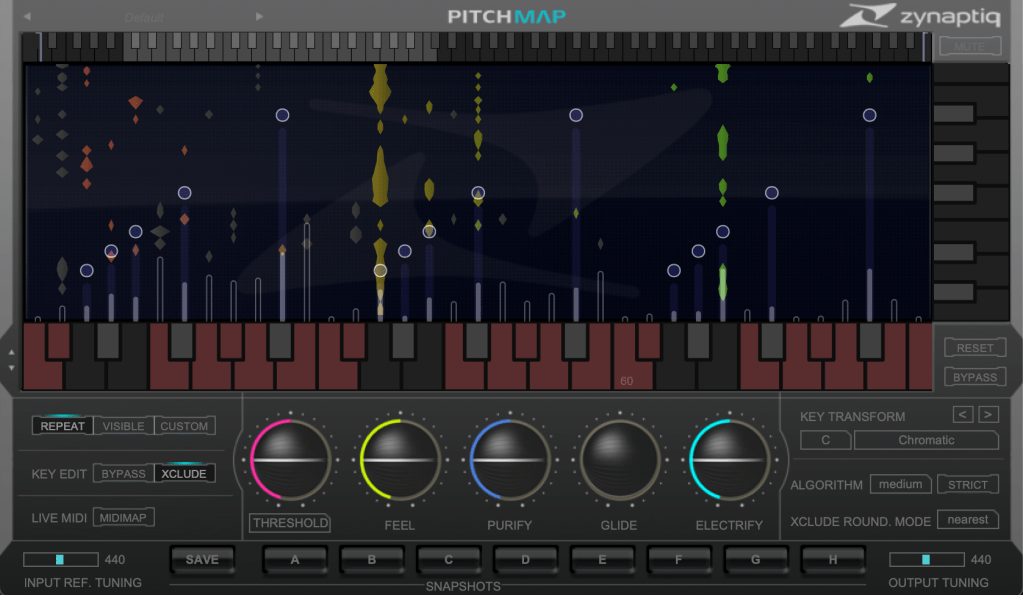
The vertical axis represents time, with red/orange markings indicating the pitch at that specific time. Essentially, the X and Y axes are flipped compared to typical vocal tuning plugins.

The white bars show relative volume, and the circles indicate pitch shifts.

For example, moving a circle representing F# upwards changes the sound from F# to G.

This allows you to change the key of the entire piece arbitrarily.

Double-clicking on a circle transforms it into various shapes: inverted triangle, triangle, square, etc.

  1. A square maintains the pitch within the same octave.
  2. A circle shifts to the nearest pitch (up by 9 semitones or down by 3 semitones).
  3. An inverted triangle always shifts downwards.
  4. A triangle always shifts upwards.

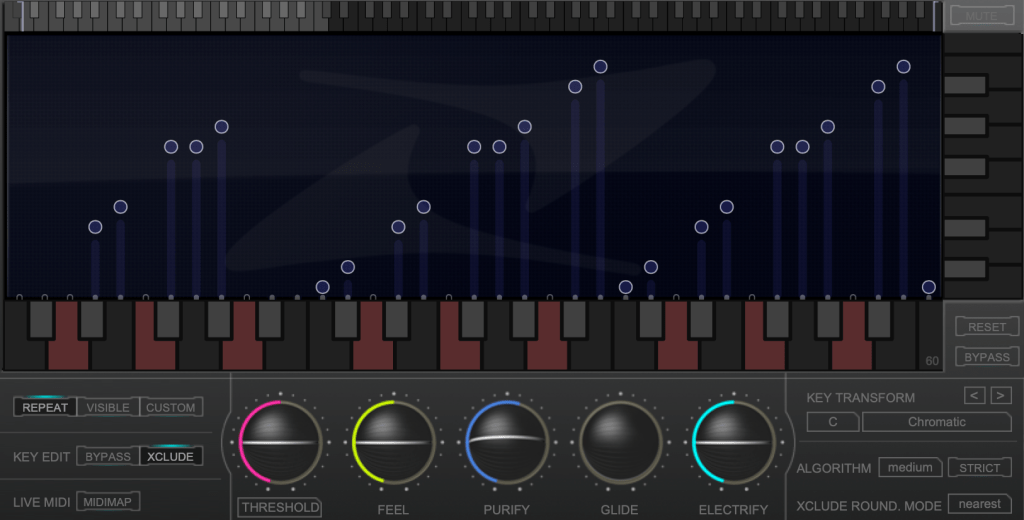
In Key Edit mode, you can click on notes in the piano roll to exclude them from playback.

Clicking Bypass and selecting notes in the piano roll means those notes will bypass the effect.

You can also allow MIDI input to select pitches in real-time through a MIDI channel.

You might wonder if these changes would make the sound awkward, but surprisingly, the result is quite cohesive, making Pitchmap ideal for remixing.

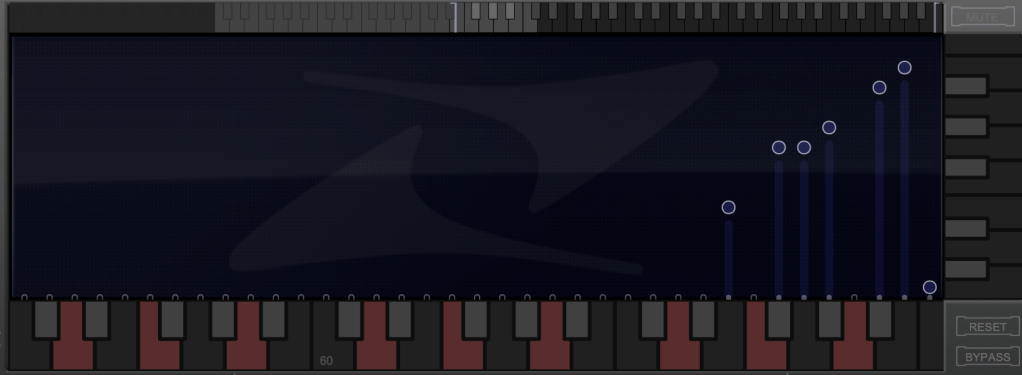
The white bars in the top piano roll can be moved to set a specific pitch range. The image above sets the range from Eb downwards to be excluded.

Other parameters include:

  1. Threshold: Determines the extent of tuning (lower values mean more comprehensive processing).
  2. Feel: Controls subtle pitch variations after tuning (higher values retain more nuance).
  3. Purify: Reduces noise above 50% and increases noise below 50%.
  4. Glide: Adds glide/portamento effects.
  5. Electrify: Enhances the synthetic feel or optimizes signal processing.

Exploring the rest of the features will help you understand their functionalities better.

This plugin is not only useful for contemporary music, often centered around remixes and bass, but also for creating unique sounds in other genres. Personally, I enjoy blending these elements into string or band sections for a sophisticated and effective sound.

I’ll share some YouTube videos demonstrating how I use Pitchmap.

The current sale lasts until July 28, and the discount is substantial. If interested, I highly recommend purchasing.

Additionally, purchasing from Plugin Boutique entitles you to a free plugin. This month, the options are Frostbite 2 by AudioThing or EQuivocate by Newfangled Audio.

Frostbite 2 offers various modulation effects, and EQuivocate is a graphic EQ with auditory filters and a Match EQ feature. Personally, I’d choose Frostbite 2.

See you in the next post!

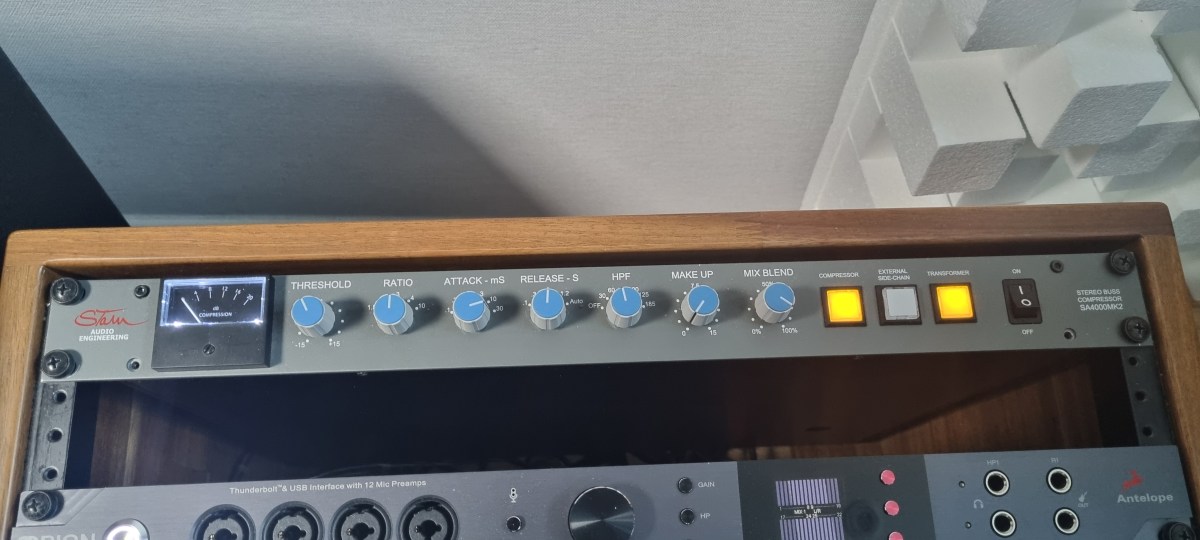
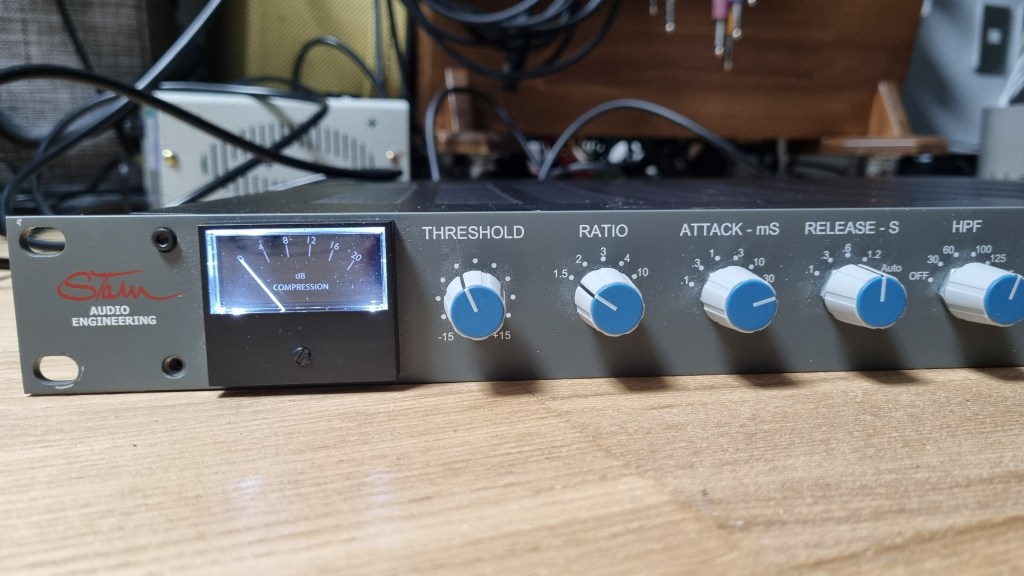
Stam Audio SA4000 mk2 Compressor Review

Hello, I’m Jooyoung Kim, an audio engineer and music producer.

Today, I’d like to share my thoughts after using the SA4000 mk2 compressor for a couple of months.

  • Appearance

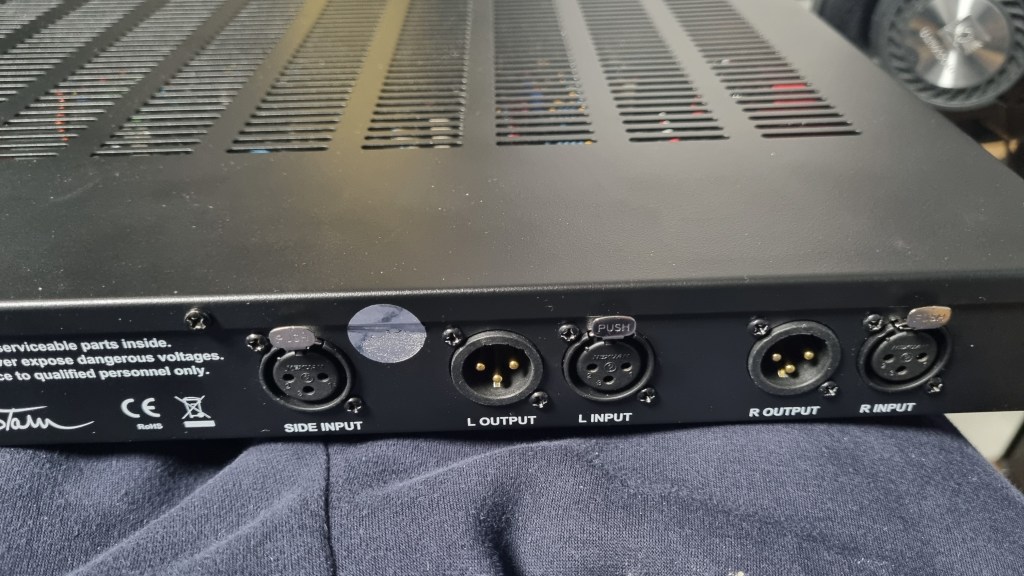
The back panel is equipped with XLR connectors throughout, and the sidechain input is a stereo unbalanced connection via XLR.

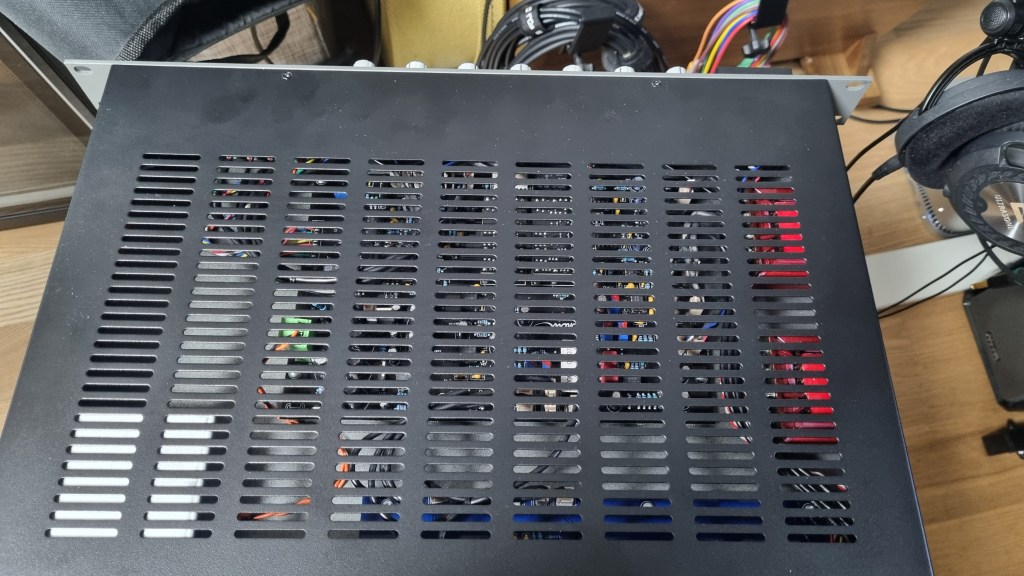
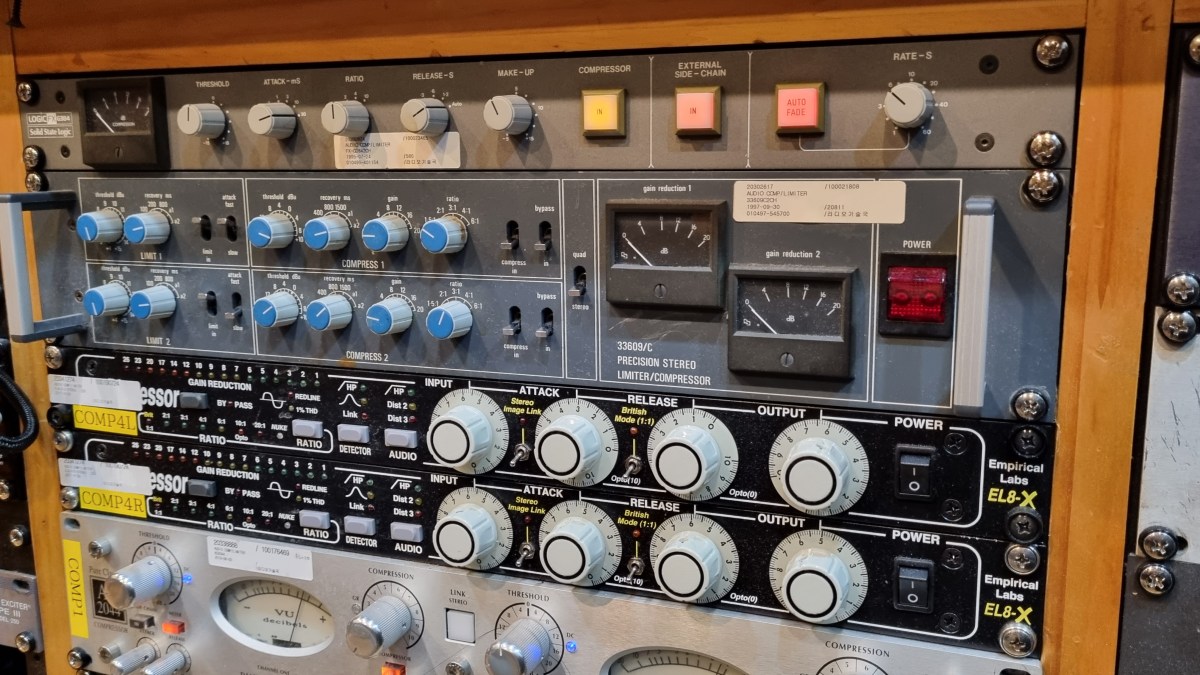
The exterior is quite standard for rack equipment, with a solid and heavy build. It’s a 1U unit and features a British Mod, noticeable by the two red Carnhill transformers on the right side.

The unit is relatively deep, so I had to connect a right-angled power cable to mount it properly.

For the sidechain, I used my Send Return TRS to TS cable, converting the TRS to XLR to create an unbalanced stereo XLR to TS cable.

  • Usage

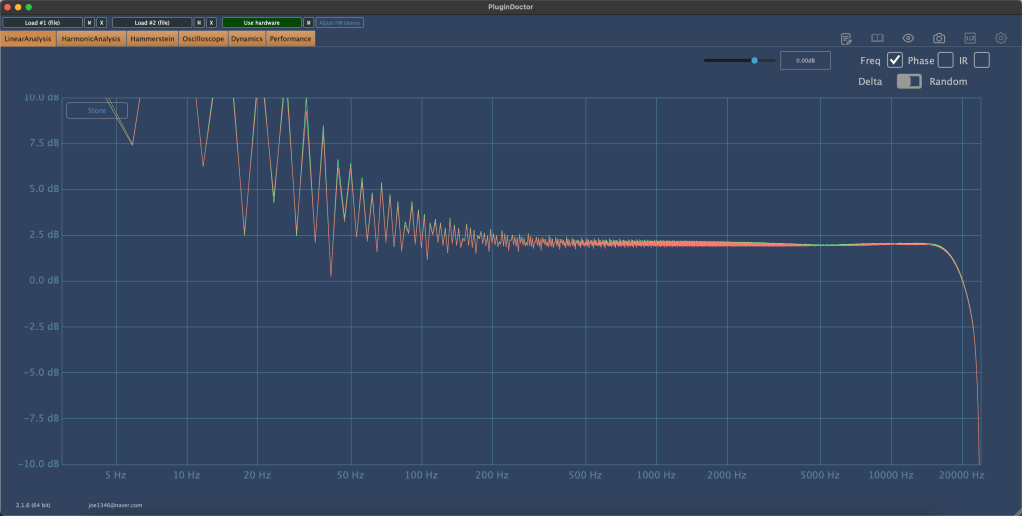
The left side shows the frequency response without the transformers, and the right side shows it with the transformers.

The difference isn’t drastic; the transformers slightly reduce the low frequencies and overall volume.

In terms of harmonics, there isn’t a significant difference except for the volume change. Again, the left side is without the transformers, and the right side is with them.

I examined the Ratio settings for any peculiarities and found that the Knee is slightly softer. The primary difference with and without transformers seems to be the volume.

In practical use, I noticed:

  1. The high frequencies are considerably tamed, making it suitable for use as a bus compressor on harsh hi-hats.
  2. Recording with the transformers engaged reduces the high frequencies, which isn’t to my taste.
  3. When gain-matched, the version with the transformers engaged sounds slightly more pronounced.

These are the main points I’ve gathered.

Among the SSL clone compressor plugins I’m familiar with, I’ve never encountered one with this specific frequency response. It has a unique character.

In particular, I find it effective with BFD drums, where overheads or hi-hats often have excessive high frequencies. Using this compressor effectively tames those troublesome areas. It would also work well on a master bus for retro-style tracks, preserving that vintage feel.

  • Conclusion

Using hardware can be cumbersome. You need to prepare recall sheets for future mix adjustments, carefully manage equipment routing, and more. Despite these hassles, hardware is employed to capture its unique color and character.

This compressor, with its distinct features, has become a regular part of my setup. I’m using it frequently.

However, I don’t want to suggest that hardware is inherently superior. Both plugins and hardware are merely tools. As long as they suit your purpose and deliver the desired tone, it doesn’t matter whether it’s a plugin or hardware.

In that sense, I’m very keen on getting a tube preamp. I’ve been eyeing Oz Design, but it’s a little-known brand, so reselling might be challenging.

That’s all for today. See you in the next post!

I’m always open to reviewing hardware products! If you’d like me to review a product, please feel free to reach out at joe1346@naver.com.

Neve 33609 Compressor Story

Hello, this is engineer, music producer Jooyoung Kim.
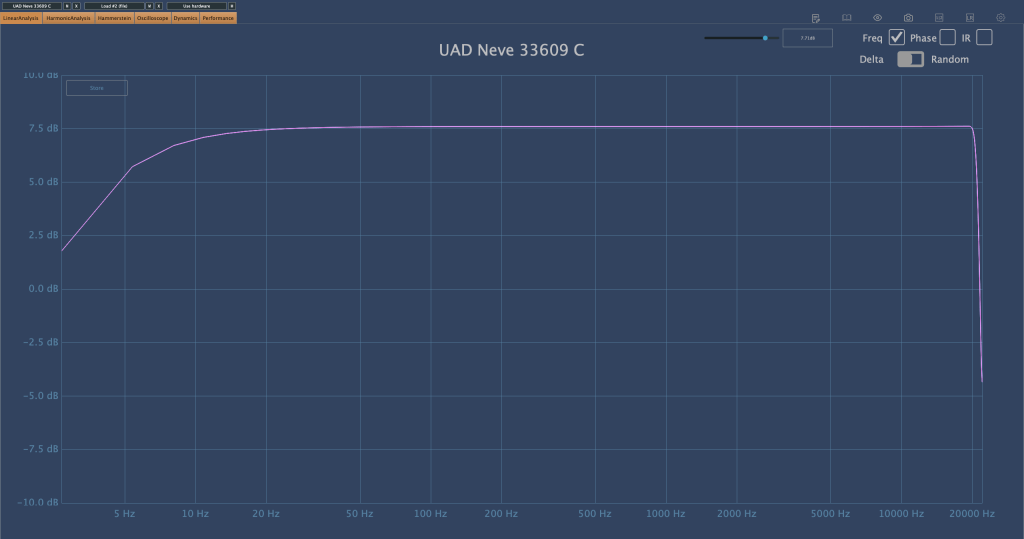
Recently, I saw a Neve 33609 C hardware compressor listed for 7500$ on a second-hand trading site. Since I often use the plugin version, I was tempted to buy it, which led me to share some thoughts about the 33609 on my blog.

The 33609 is widely used as a master or bus compressor. There are five versions: the original 33609, and the C, J, JD, and N versions.

https://vintageking.com/blog/2016/06/neve-33609-compressor

You can find detailed differences between these versions in the link above. Here’s a brief summary:

  1. Original 33609: A rack-mounted version of the Class A/B 2264, 32264, and 33314 (broadcast version) compressor/limiter console modules.
  2. 33609/C: This version replaces the original’s Maranair/St. Ives transformers with Belclere ones, improves the power supply, and swaps the Discrete BA440 circuits with BA640 ICs.
  3. 33609/J: Introduced in response to high demand from Japan after the C version was discontinued. It uses the same BA640 ICs as the C version, though many preferred the original Discrete BA440 circuits.
  4. 33609/JD: Created to satisfy those preferring the Discrete BA440 circuits, denoted by the ‘D’ in JD.
  5. 33609/N: The current version, featuring custom-made transformers from Maranair, closely resembling the original 33609 transformers. It includes a switchable Attack Fast/Slow option not found in other versions and retains the Discrete BA440 circuits like the JD version.

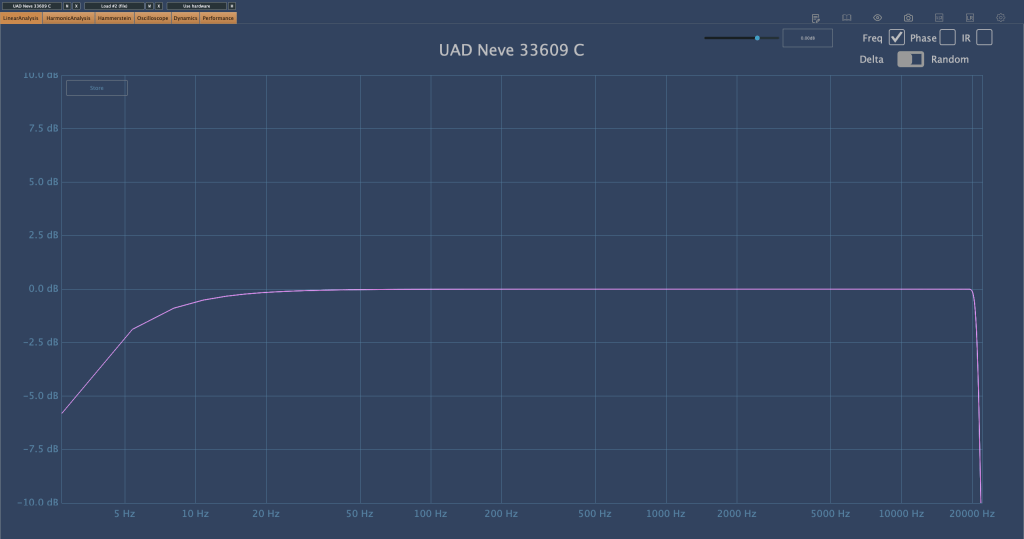
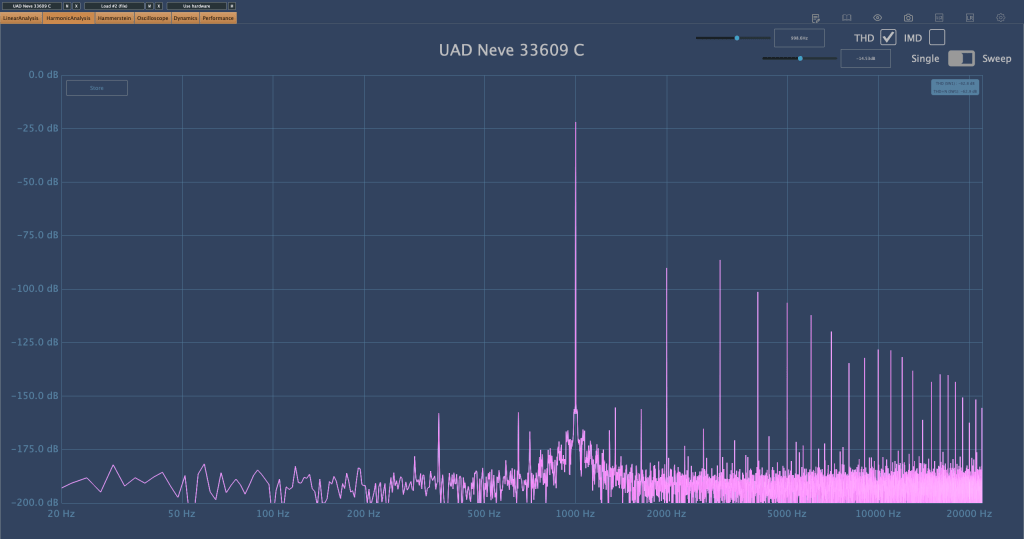
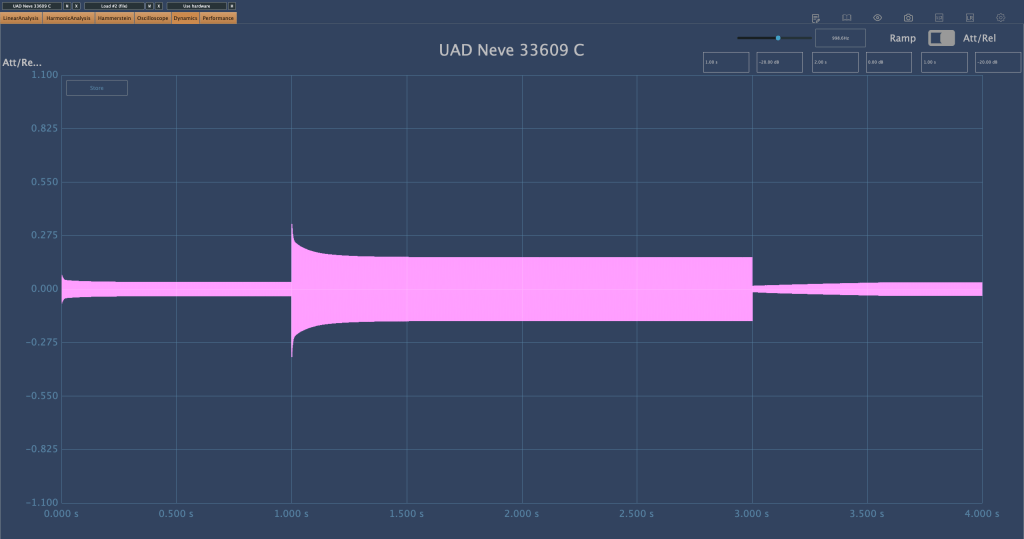
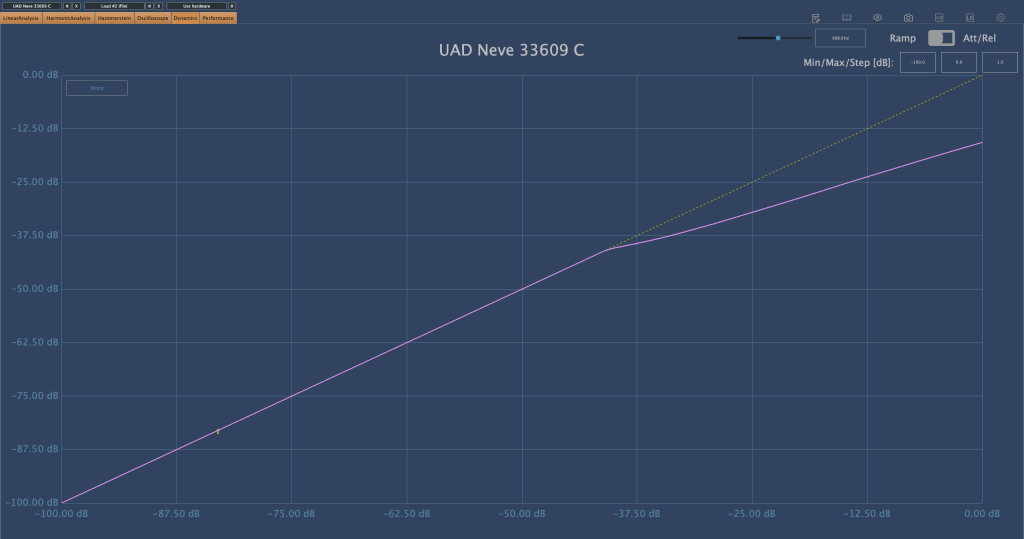
While working at a studio, I measured the 33609/C hardware with a plugin doctor program. Unfortunately, I don’t remember the exact settings used, but:

  1. The Frequency Response (FR) graph was likely tested to see how the input values affect the output.
  2. The Harmonic Distortion (HD) graph probably measured how the harmonic content changes with different threshold settings.
  3. The Attack/Release Oscillator might have been used to observe how the release values change between Auto1 and Auto2 settings.
  4. The Ratio Compression graph was likely used to check for the presence of a knee.

This is the UAD 33609/C plugin. It looks a bit different, partly due to the screen size.

Although I’d love to share more insights, I haven’t had much hands-on experience with the 33609/C hardware, so I can only show you these measurements…😢

There are so many things I want to buy. Even if I can’t afford the 33609, I’d love to get a diode bridge compressor similar to it, and an SSL 4000-style compressor. I’ve already found a potential SSL 4000-style compressor, so I might buy that soon. As for the 33609, maybe when I earn more money…

Both compressors are ones I frequently use in my mixes, and having the hardware would be incredibly useful. The SSL is clean, while the 33609 has a nice coloration.

Lately, I’ve also been eyeing a tube preamp that’s been on my mind constantly…haha. I wish I could just buy all the gear I want.

See you in the next post! 🙂