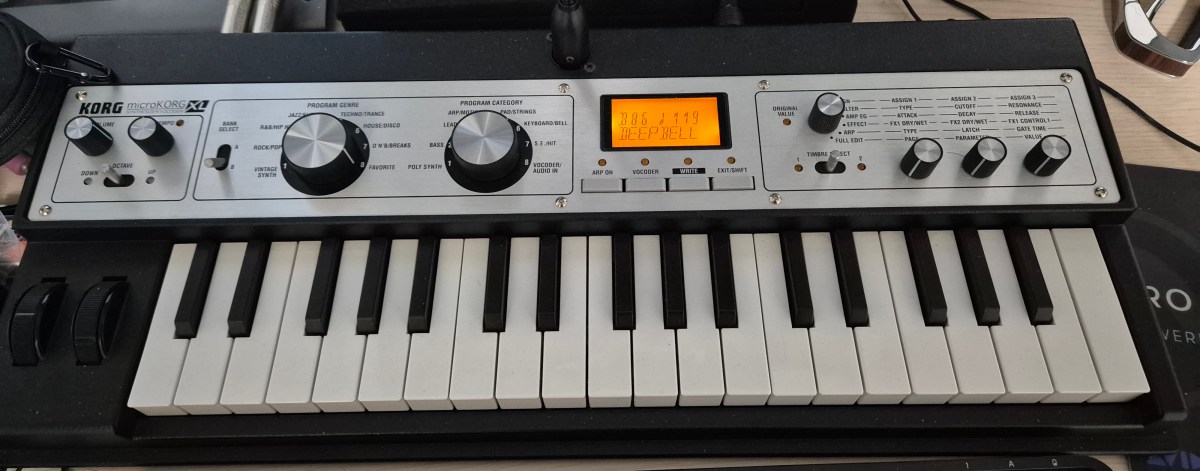
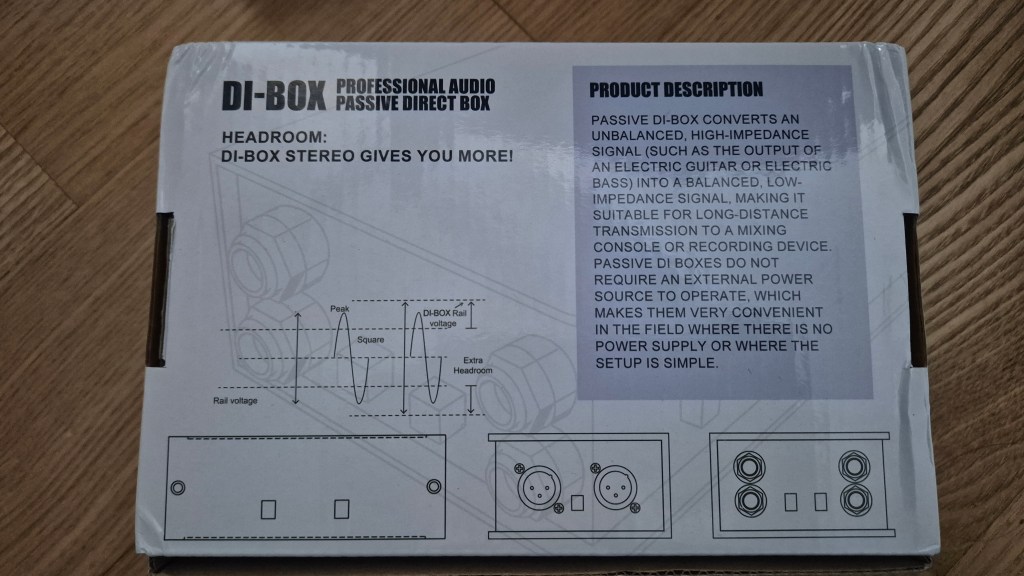
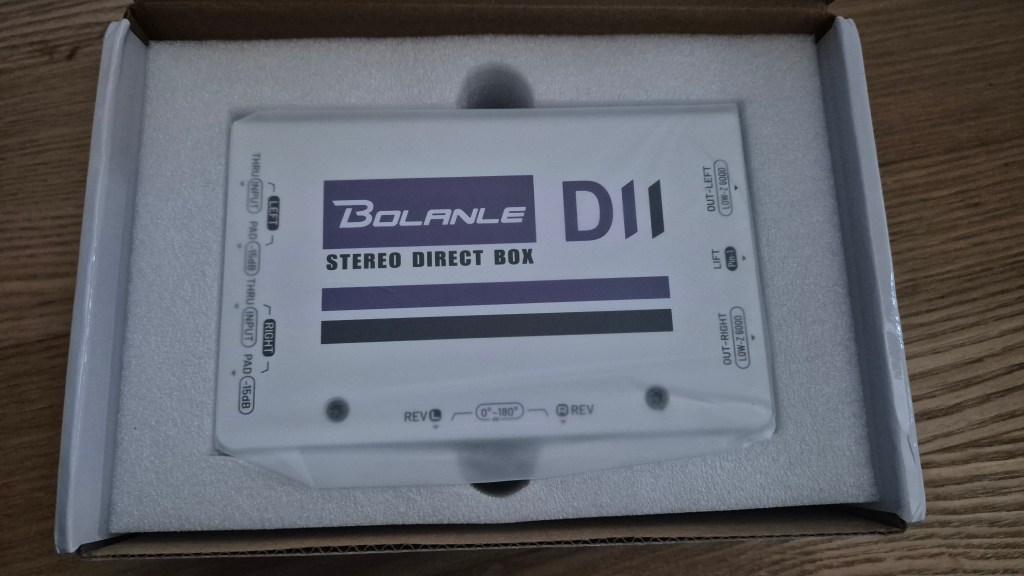
I bought microKORG XL (older version) and Bolanle passive stereo DI box

Hello! This is Jooyoung Kim, a mixing engineer and music producer.

Recently, I bought a small portable synthesizer: the microKORG XL. KORG currently sells the microKORG XL+, but this discontinued version has a very reasonable price on the used market (just about $140 in Korea!), and its sounds are still perfectly usable.

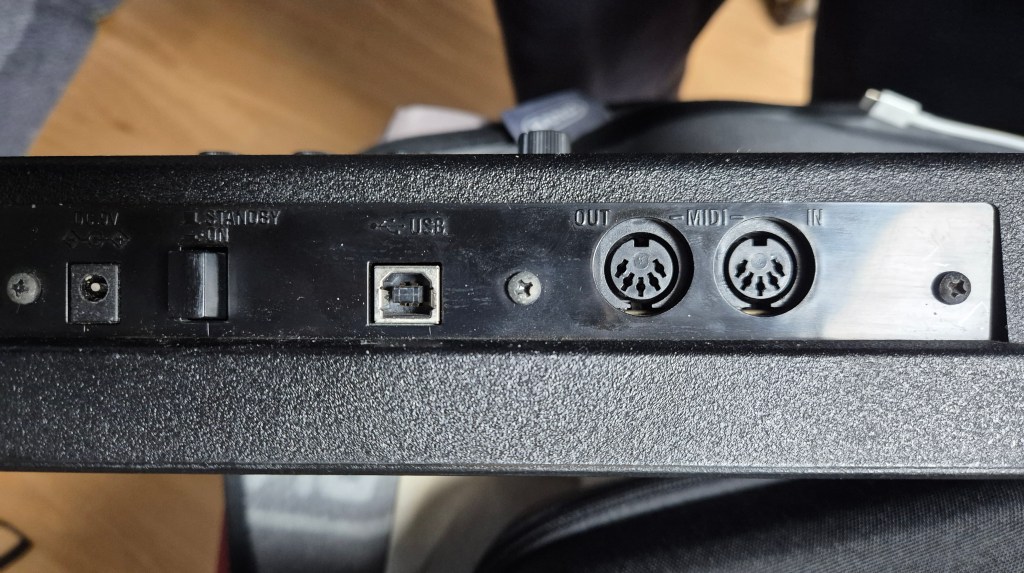
The keys are made of cheap plastic. However, I can connect an external controller via a MIDI cable or transmit MIDI data via a USB cable.

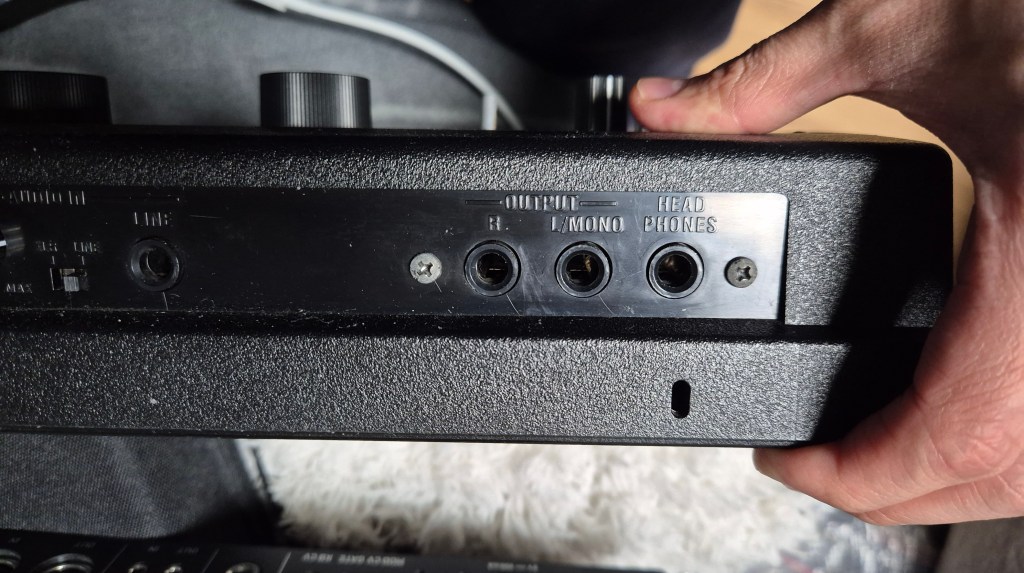
It also has an external audio input, such as a microphone or line input, which can be used for the vocoder function.

There are two kinds of outputs, unbalanced L/R and headphones, which are very convenient to use.

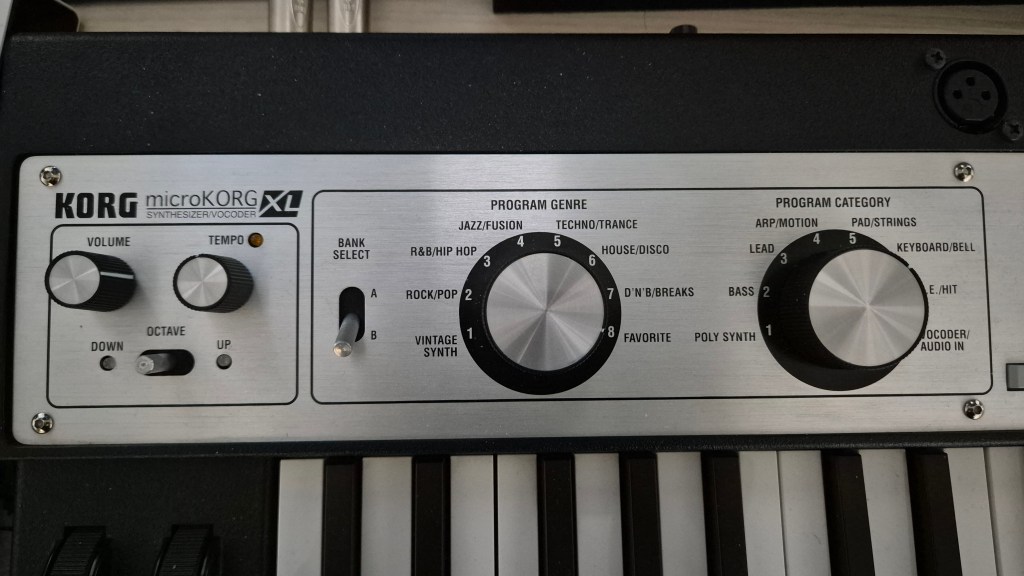
The synth has 8 categories/genres and 2 selectable banks. Therefore, a total of 8 X 8 X 2 = 128 preset programs are available.

But I’m really disappointed by the microKORG XL editor software provided by KORG. It’s no longer usable, and I cannot even install the program on my Mac system.

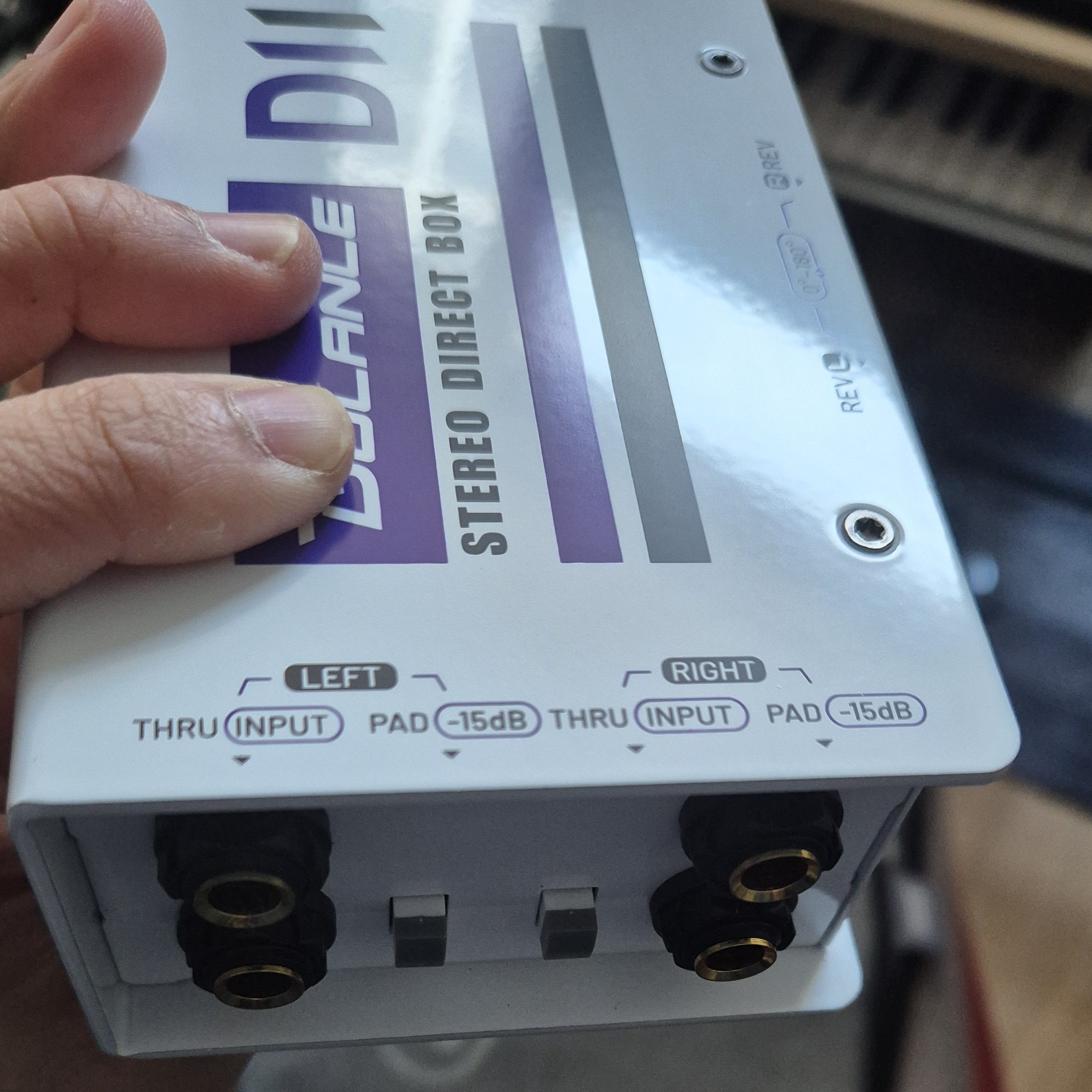
Also, I have microphone preamps but no DI box. So, I decided to purchase a stereo DI box. However, you might realize I’m not an affluent musician if you’ve been following my posts. After some web searching, I found a cheap DI box made by Bolanle (just $33!) being sold on Aliexpress.

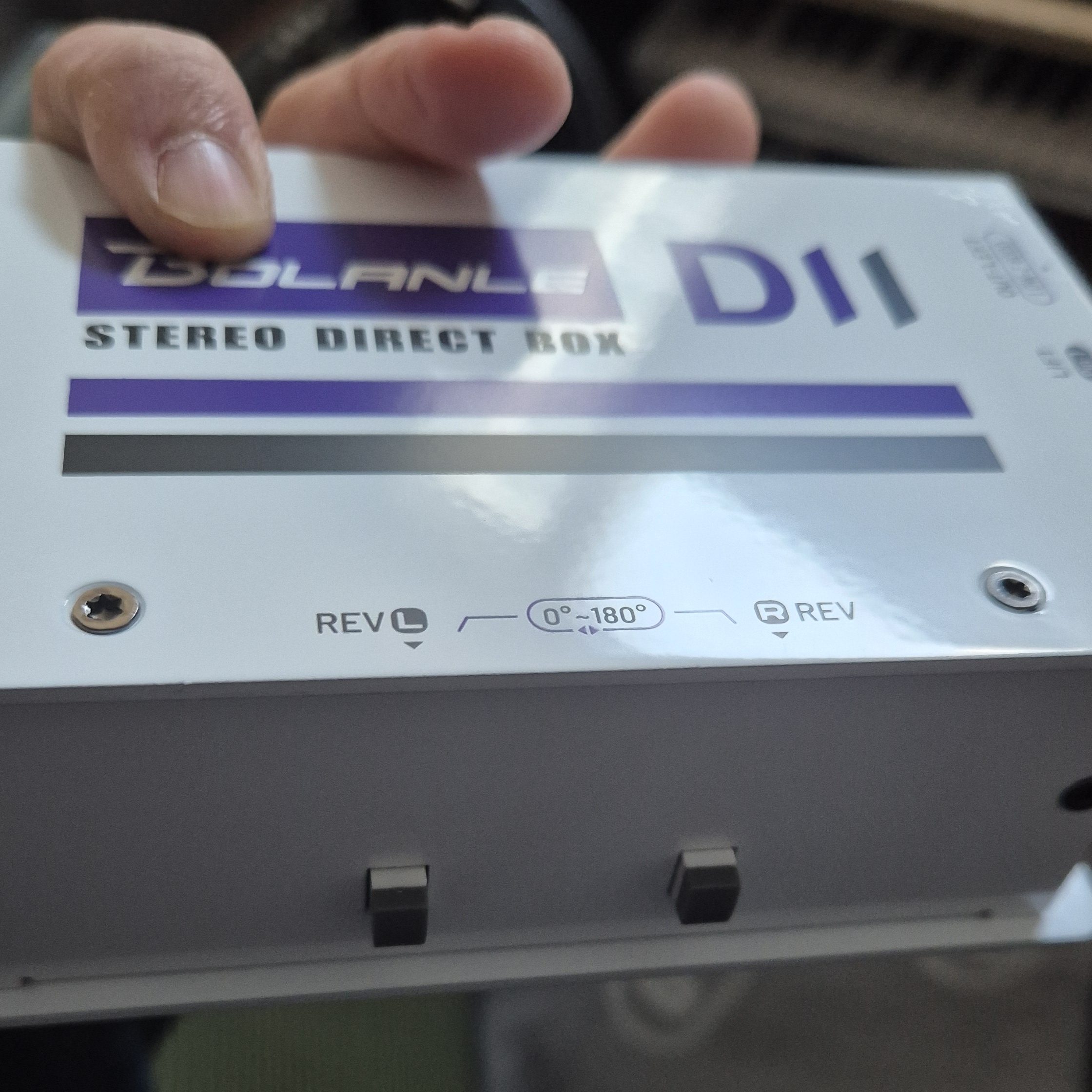
I really didn’t have high expectations for this gear because of its price, but surprisingly, the build quality is great!

I can’t say I love all of the sound presets on the microKORG XL. However, I am particularly fond of one lead sound preset and one keyboard sound preset. The vocoder function is quite valuable as well.

Now I am eager to get a full analog multi-voice synthesizer. Music making always drains my wallet!

That’s all for today. See you in the next post!

Heritage Audio Successor Hardware & Plugin Review

Hello, there! I’m Jooyoung Kim, a mixing engineer and music producer.

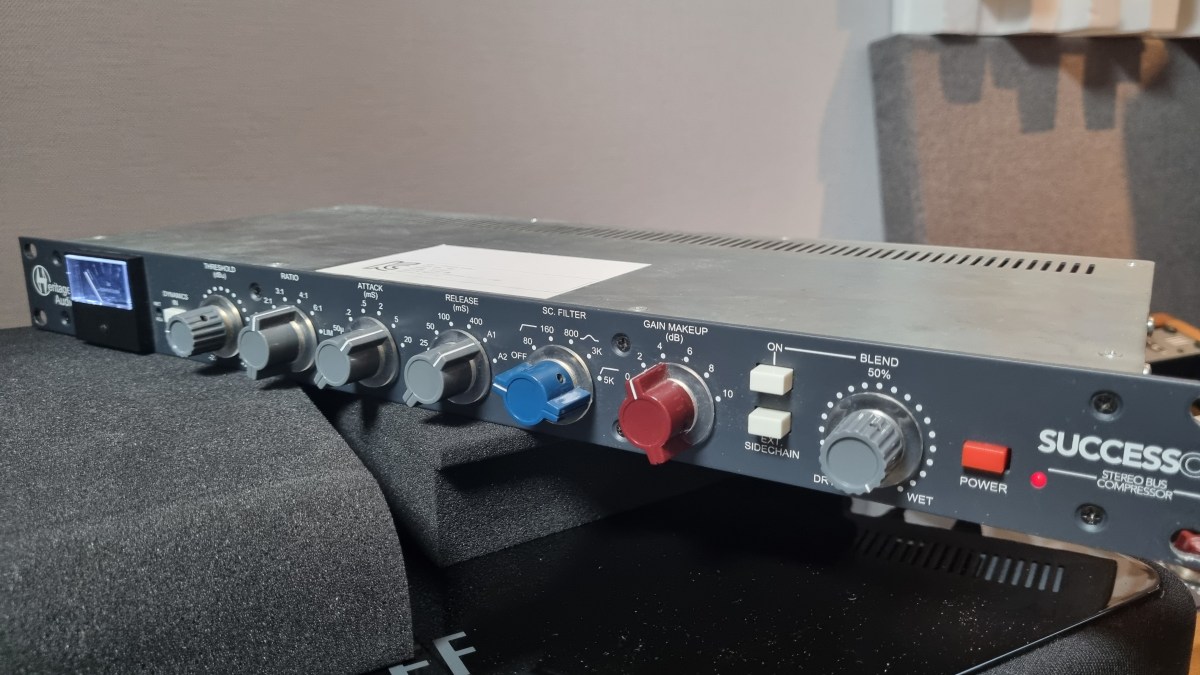
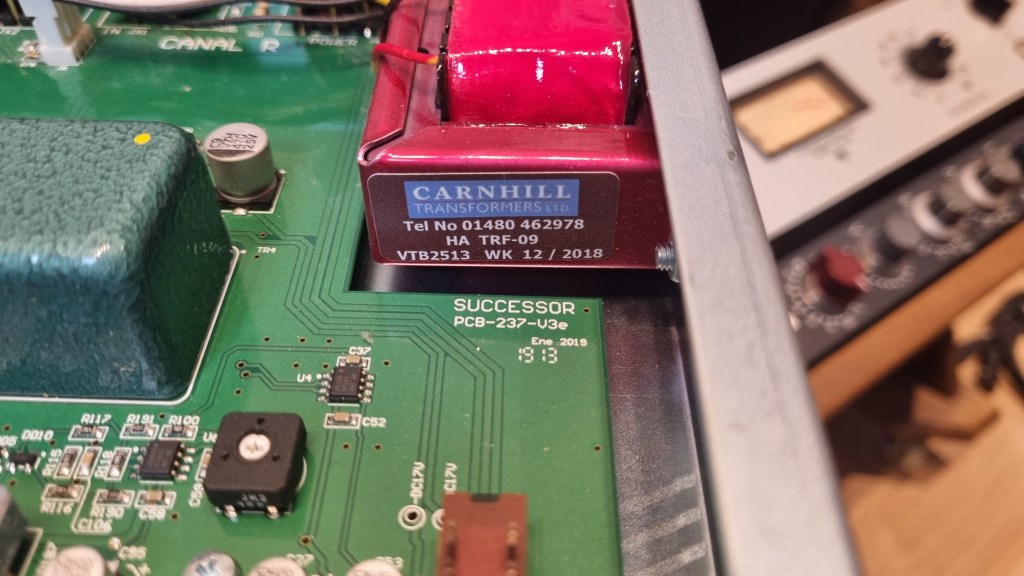
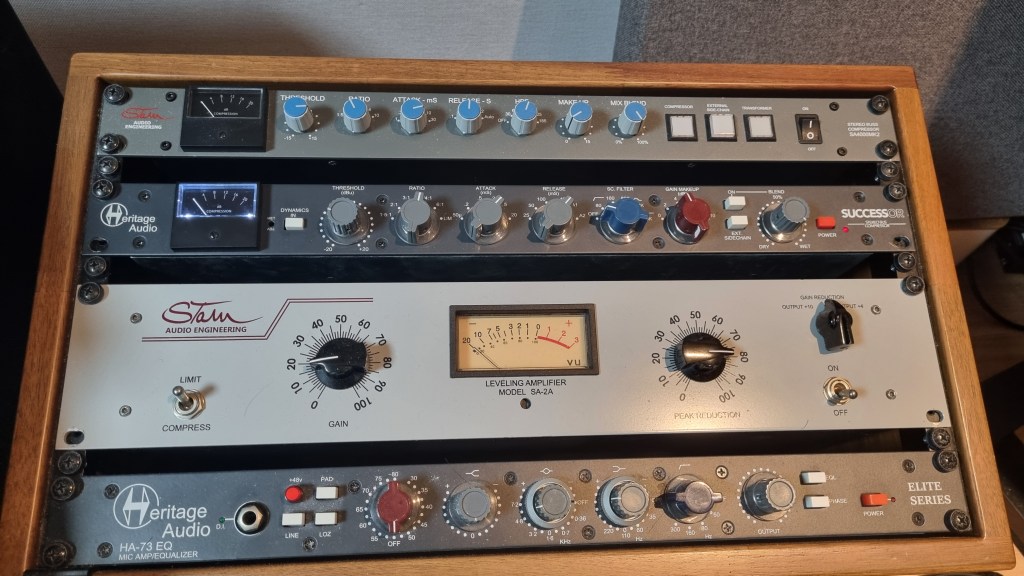
About half a year ago, I bought a Heritage Audio Successor that had some intermittent noise issues. I kept telling myself I’d write a review after getting it fixed… and, well, here I am finally getting around to it now, haha.

I didn’t originally have any burning desire to get this unit, like, “I have to own this thing!” It was just a good deal, even factoring in the repair costs, so my hand moved faster than my brain, lol.

I was initially eyeing the Behringer 369, but since this is also a diode bridge compressor, I figured why not. Plus, it’s a mastering compressor pushed by Heritage Audio, so I thought the channel balance would be decent enough, and it wouldn’t be a total gamble. So, I went for it.

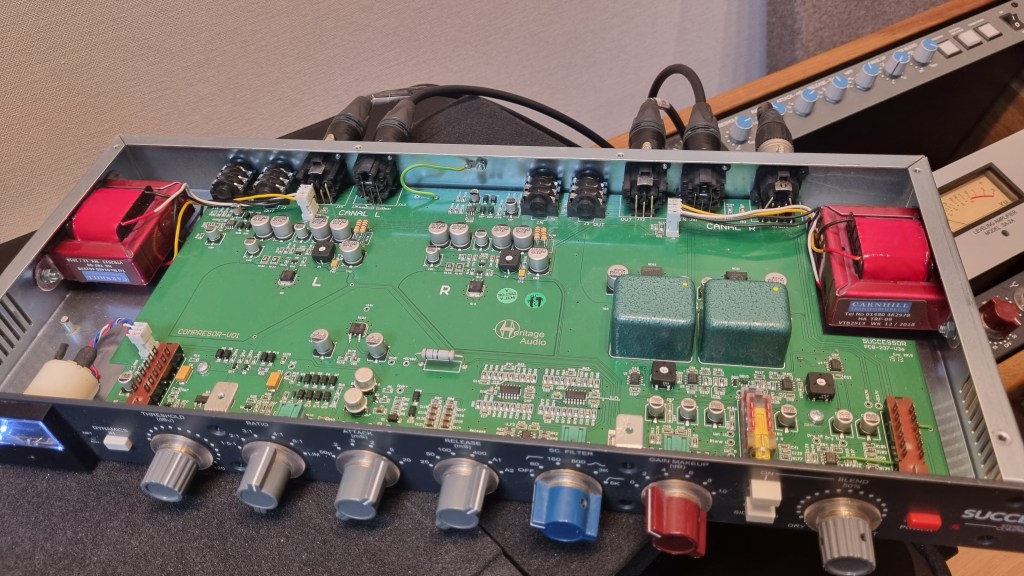
As expected, there was noise coming from the left channel, so I just dove in and opened it up without much thought. Usually, noise or low output points to a capacitor issue—something simple, right? Or so I thought…!

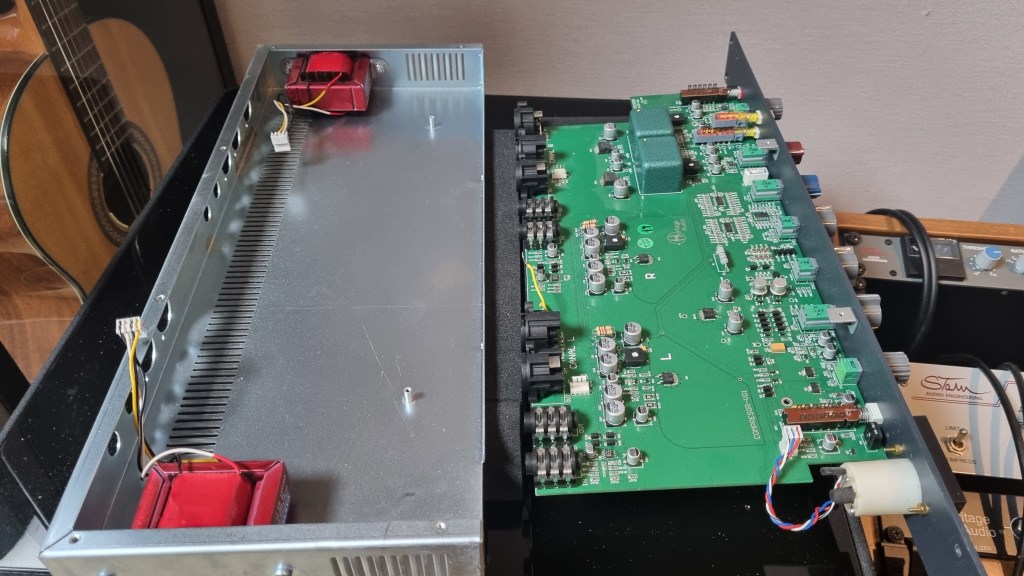
No matter how much I looked, it didn’t seem like a soldering issue or a blown capacitor. So, I detached the circuit board and swapped the left and right transformers, but the left channel was still the problem.

Testing every tiny component by buying replacements was, frankly, not humanly reasonable. So, I handed it over to the folks at MS Tech for repairs, explaining the tests I’d done and admitting I couldn’t pinpoint the issue.

A few months later, I went to pick it up. When I asked the technician, he said he wasn’t entirely sure, but it seemed like the variable resistor in the left channel was the culprit. On the outside, the components looked fine, but something inside was faulty, haha.

Yeah, I probably underestimated the repair when I bought it. But, thankfully, it’s all fixed now, so no harm done.

And here’s something cool:

Even though I bought it secondhand, I reached out to Heritage Audio’s Support Center to ask if they could provide the plugin, and they happily gave it to me! The plugin is actually pretty solid, and I find myself using it quite a bit.

Hardware Measurements

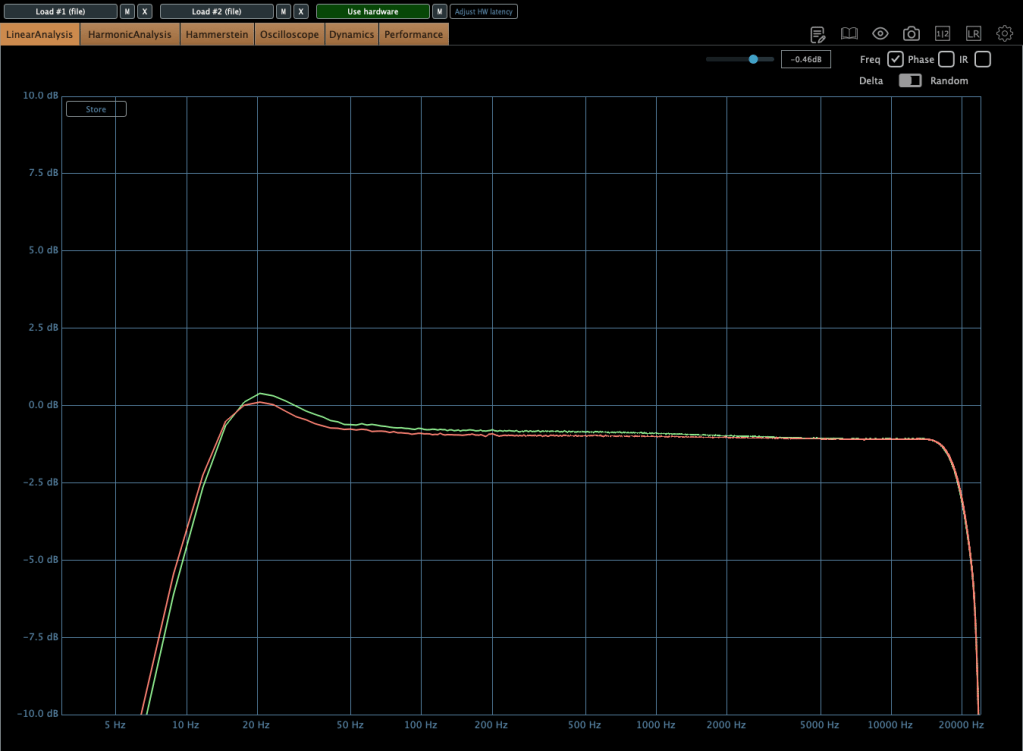
The channel balance is pretty tight, though, being analog, it’s not completely perfect. You might wonder if the repair changed anything, but even before the noise issue, the balance was about the same.

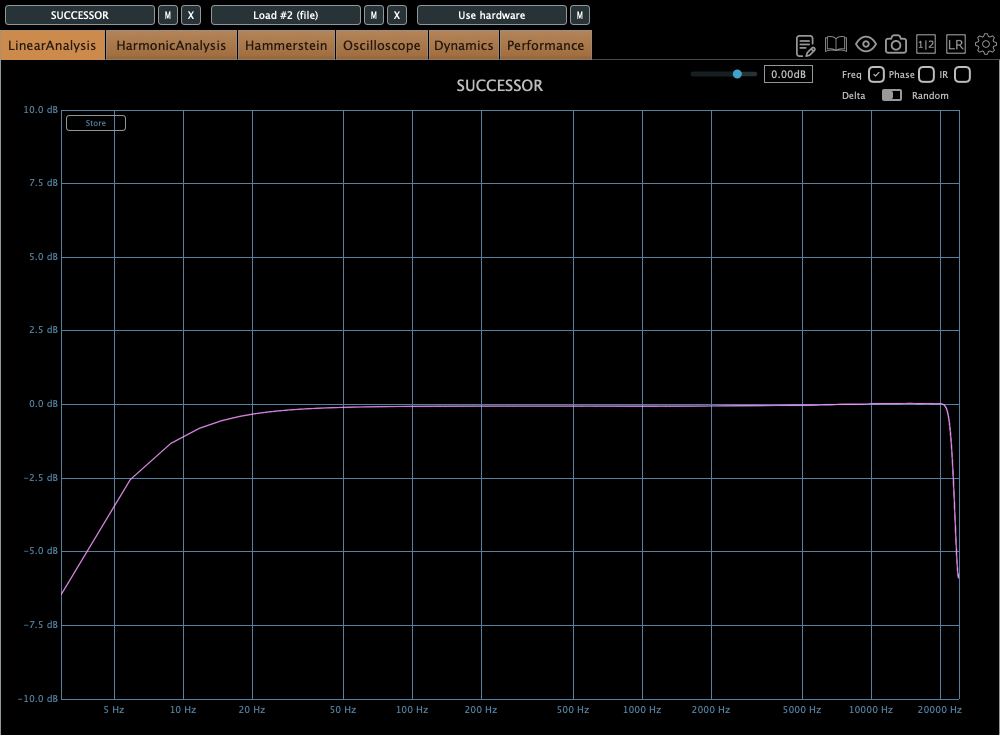
The extreme high frequencies are slightly boosted, and, like many hardware units, it looks like there’s a high cut around 20kHz. The low frequencies are boosted as well.

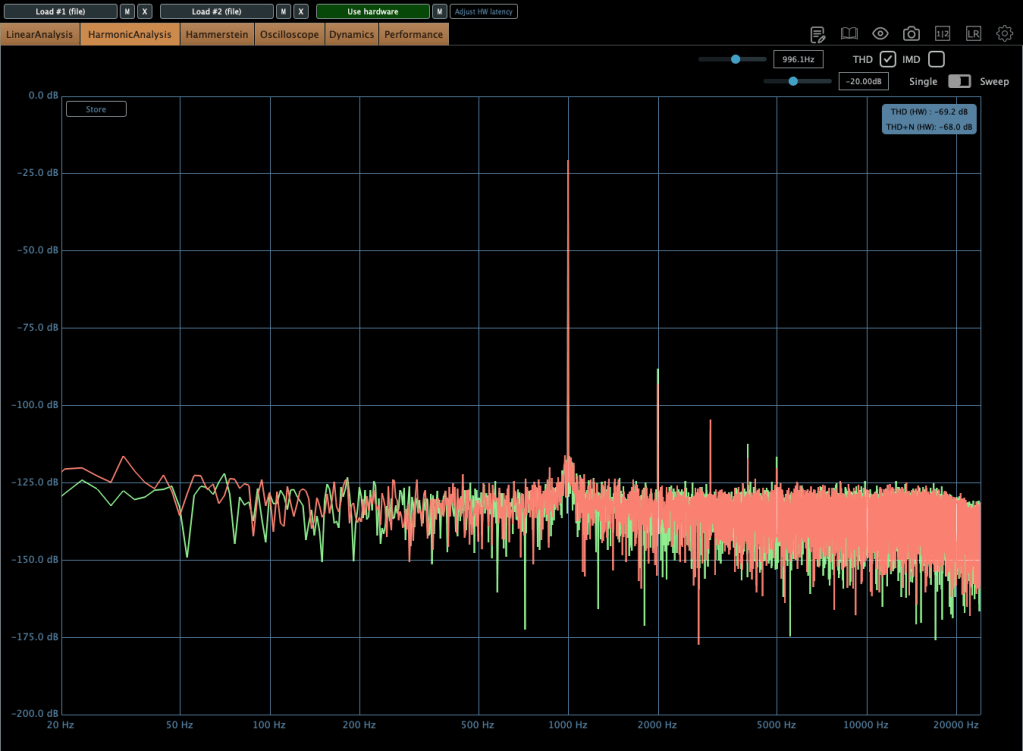
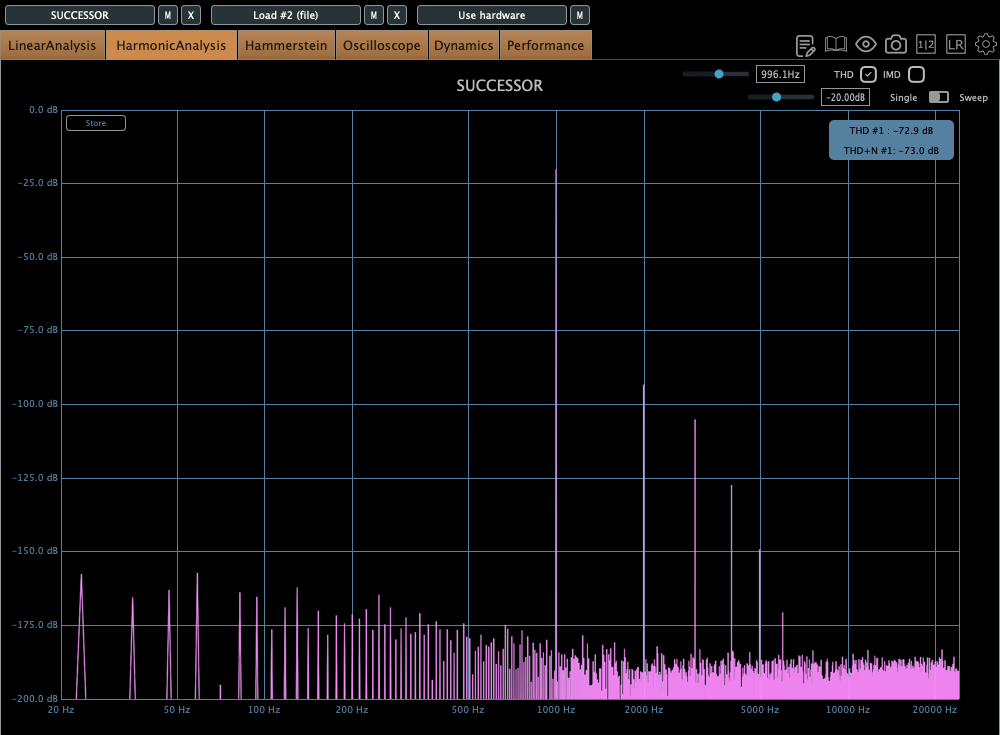
The THD looks clean, but it definitely has some character.

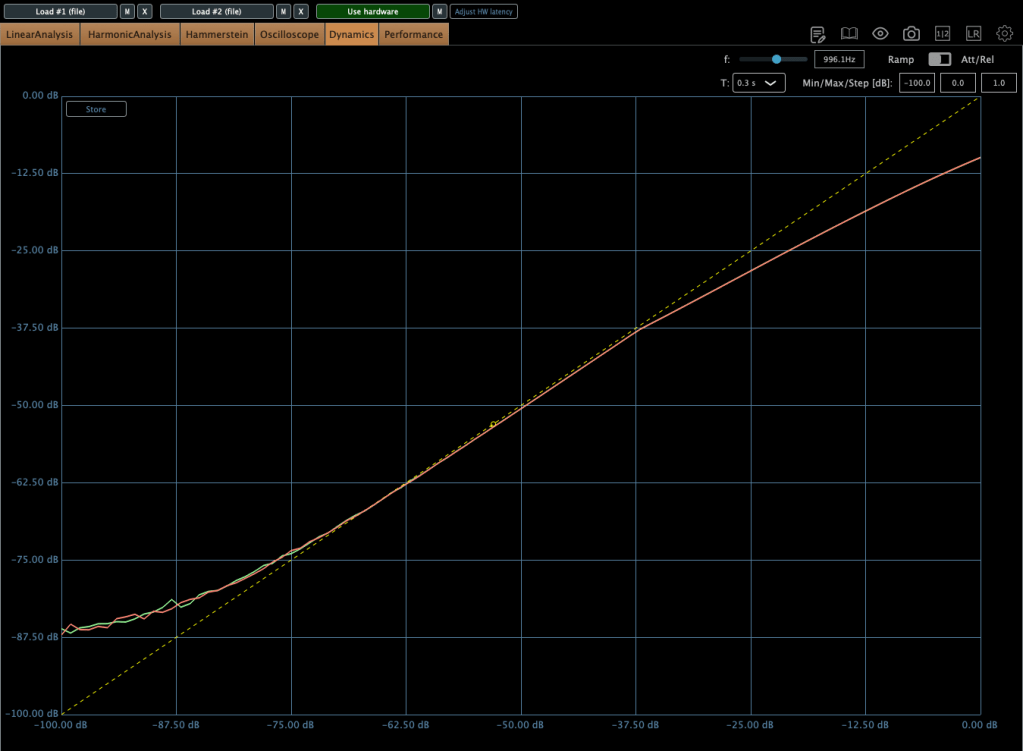
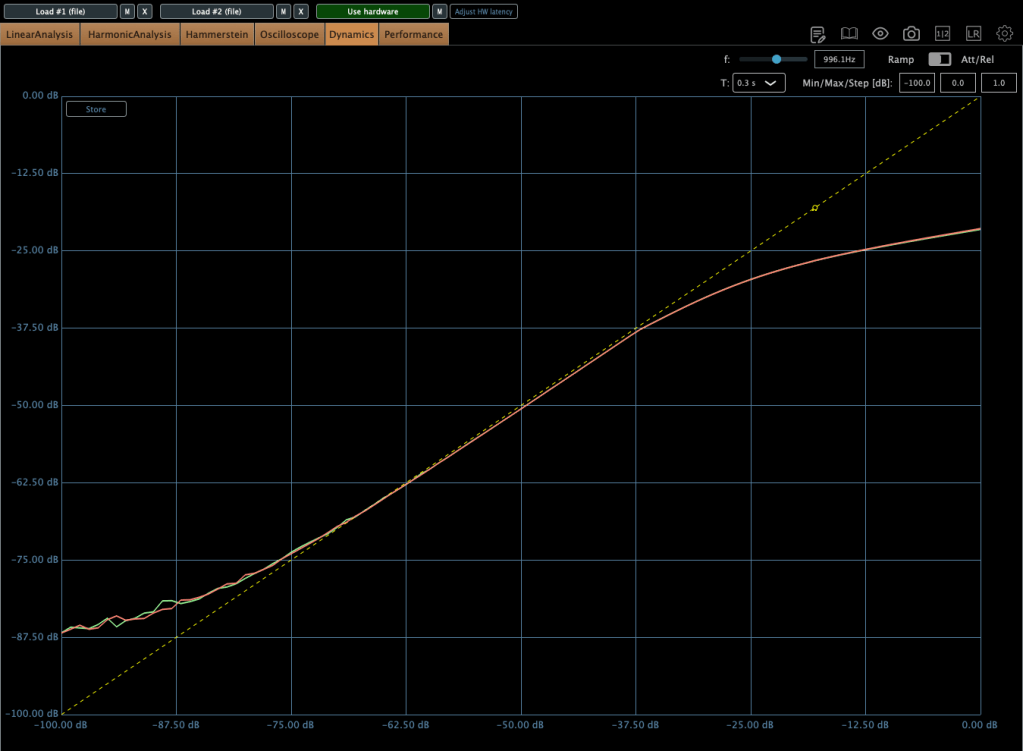
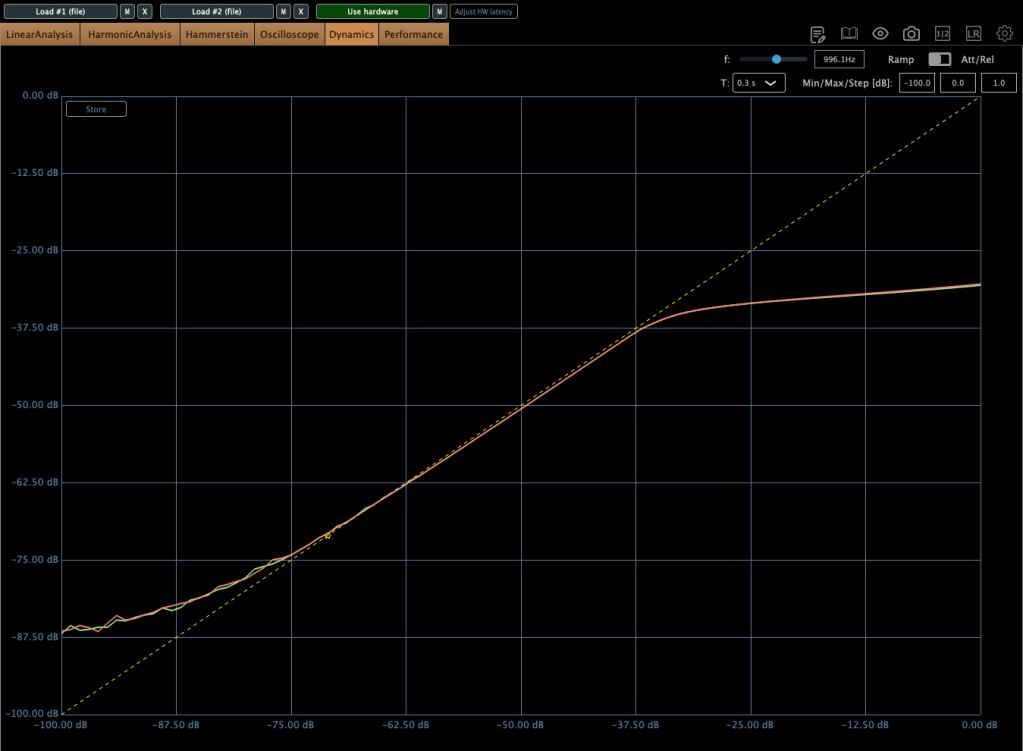
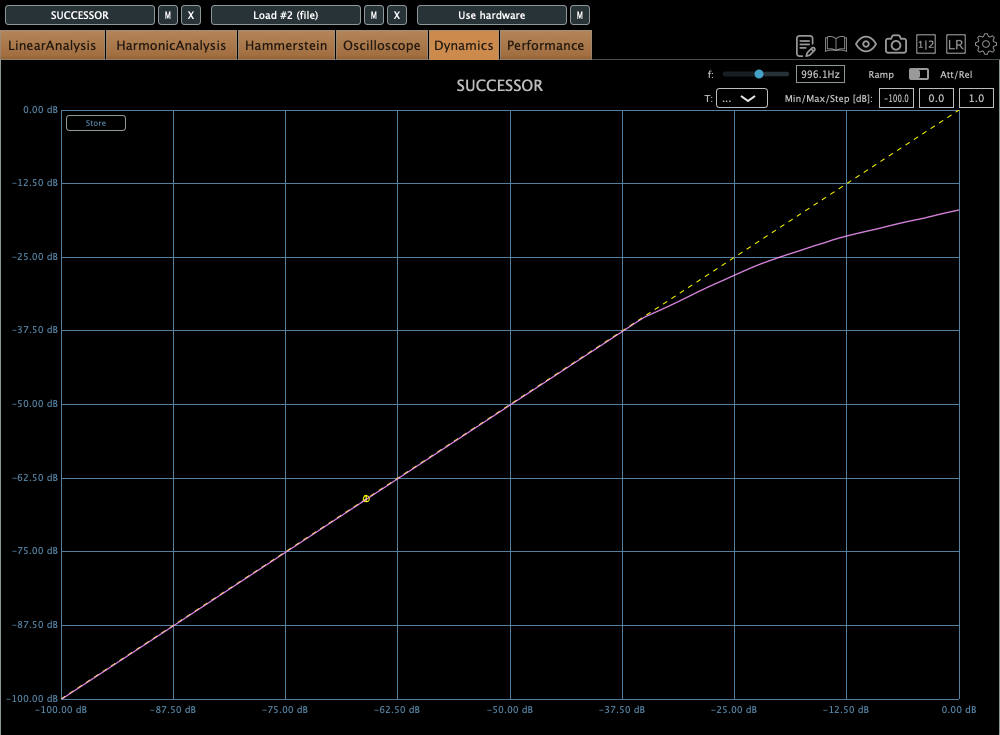
The compression curve shows a gentle knee.

Even when limiting, it’s not a completely hard knee.

This unit has a max input of +22 dBu. Since pro audio typically works at +24 dBu, it’s a bit shy of that, but my interface operates at +20 dBu, so it’s plenty for my mixes or mix bus.

The max output is +26 dBu at 600 ohms, so as long as you manage the input carefully, it should work well for mastering too.

Plugin Measurements

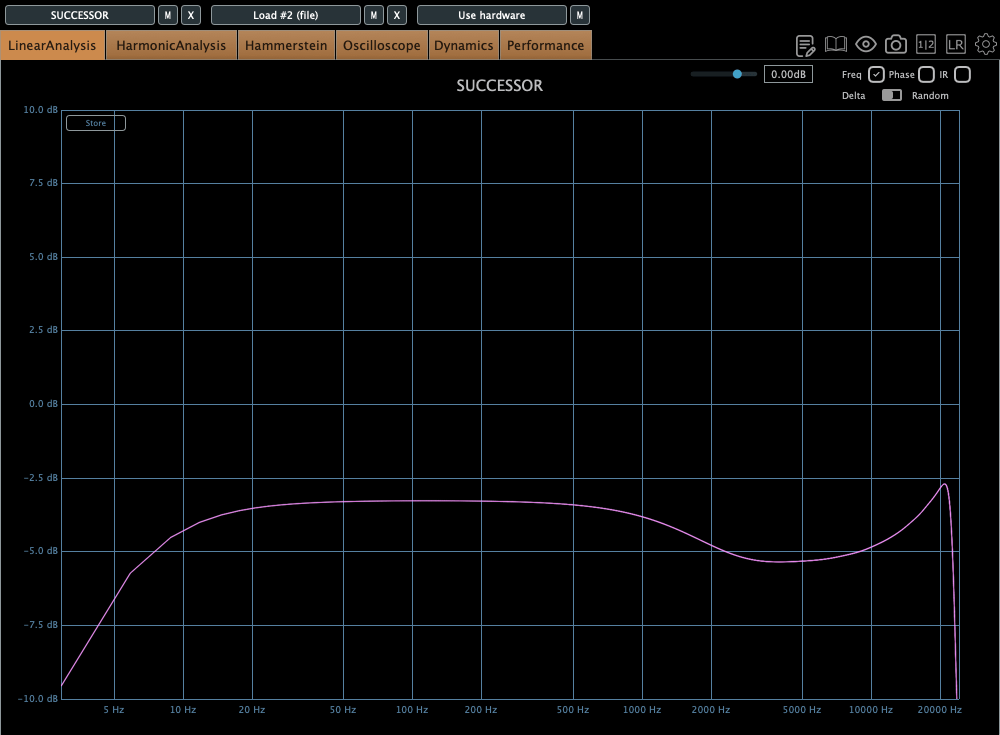
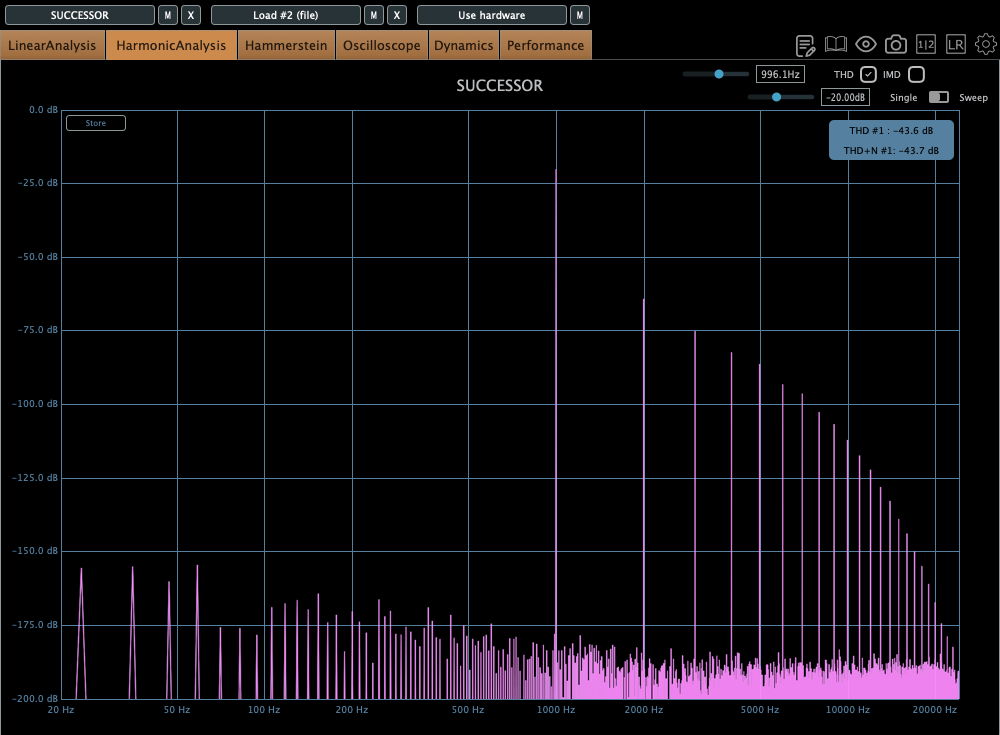
The plugin has a unique feature called “Nuke.” It pushes the input by 20 dB for some intense saturation.

The top figure shows the default Frequency Response, and the bottom figure shows it with the Nuke function enabled.

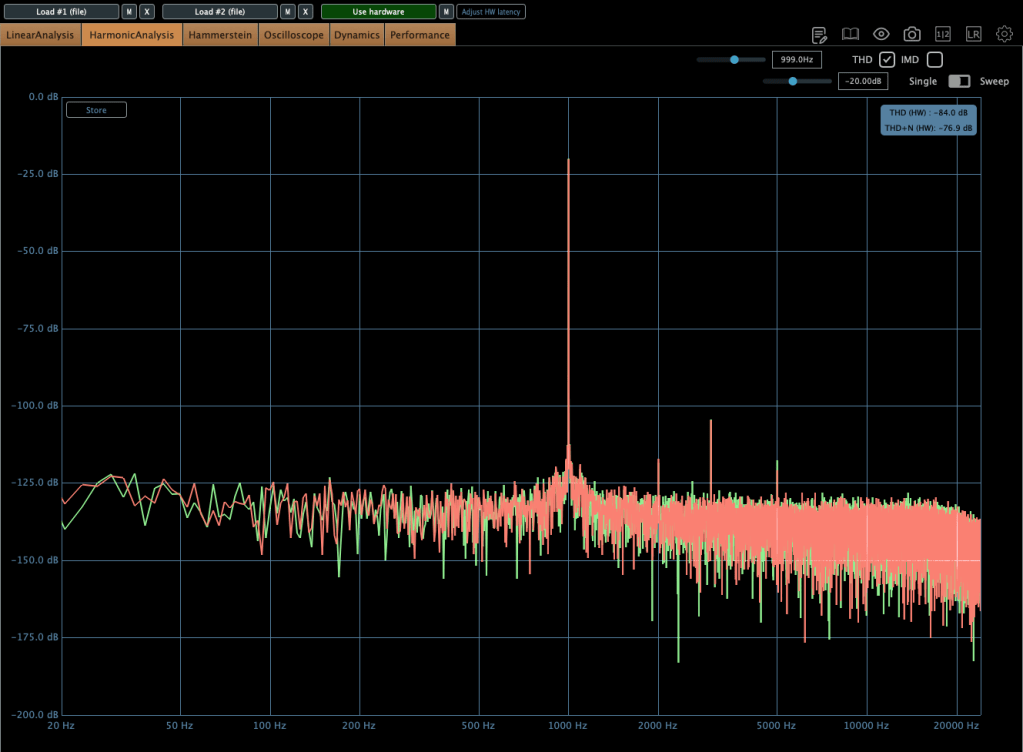
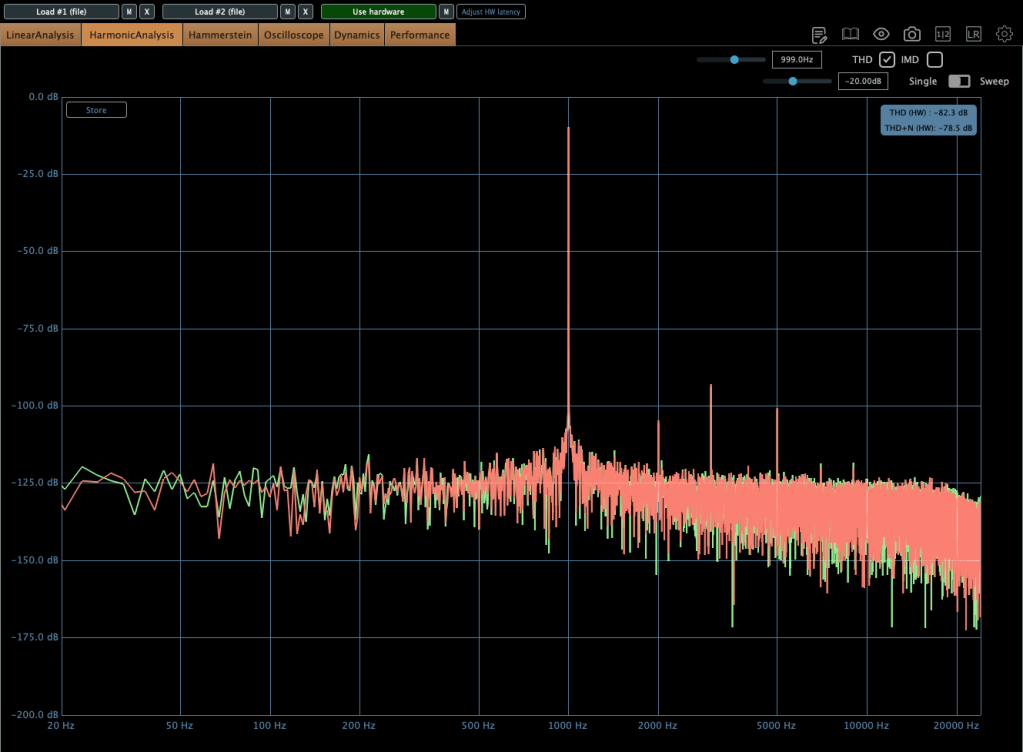
Similarly, the top figure is the default Harmonic Distortion, and the bottom figure is with Nuke activated.

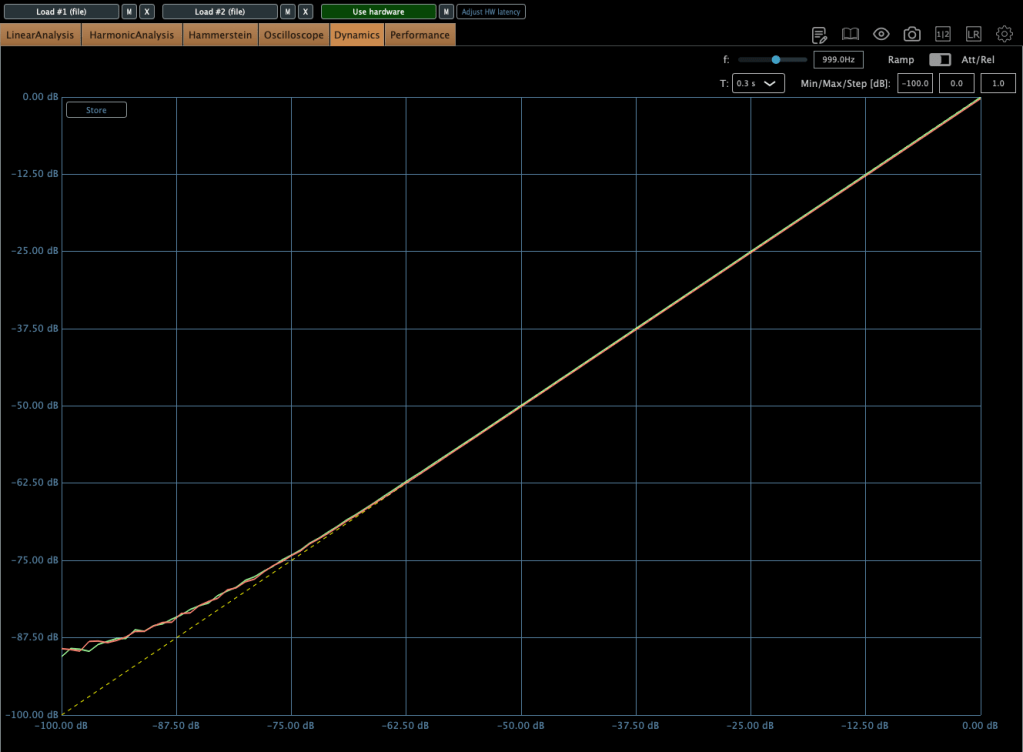
The compression curve feels less like a natural, smooth knee and more like it has a slight two-step bend somewhere.

Personal Impressions

Describing sound in words is probably the hardest thing. Everyone hears and expresses things differently, so… ugh, it’s tough.

Still, here’s what I think:

Hardware
  1. Compared to the Stam 4000 mk2, the high frequencies feel more alive, which gives it a certain quality that feels worth its price.
  2. The center feels a bit prominent (maybe because of the transformers?).
  3. The knobs feel great to turn—probably because they used high-quality variable resistors—and the Threshold and Gain have a subtle stepped feel.
  4. For its full price, it feels just about right.
Plugin
  1. The Frequency Response shows better high-end response than the hardware, but that sparkly, satisfying vibe just isn’t there in the plugin.
  2. The center feels quite prominent. In other words, you might need to tweak it with a stereo imager or something.
  3. It’s got a lot of character. So, when using it on a bus, you really need to pay attention to how it affects the balance.

Looking back, it sounds like I was pretty harsh on the plugin, but it’s actually good! Diode bridge compressor plugins aren’t exactly common (think UAD Neve 33609C or Arturia Diode 609), so it’s a solid new option to consider.

The hardware? Yeah, it’s great! I wish the highs sparkled just a bit more, but it’s plenty good as is.

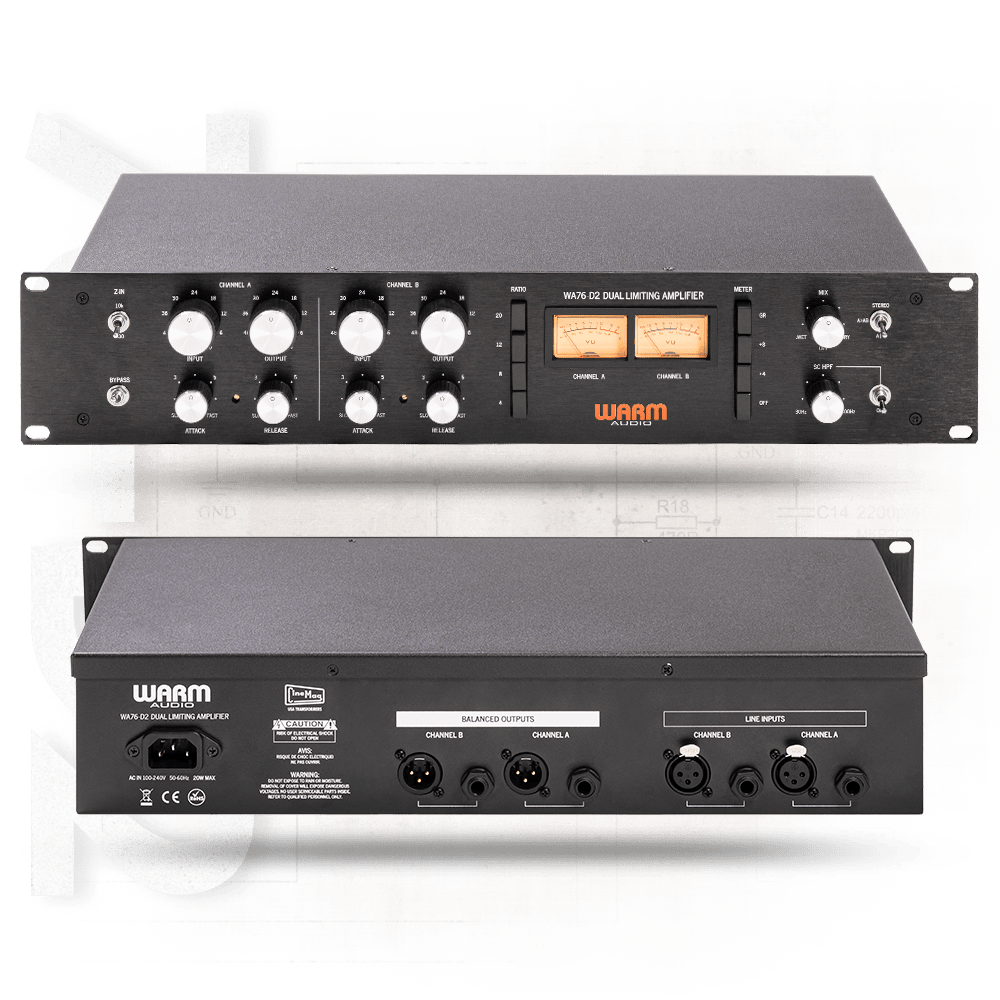
Next up, I’m eyeing the Warm Audio WA76-D2 for a FET compressor. The audio samples sound amazing, but, as always, the biggest hurdle is money… sigh. If a broken one pops up on the secondhand market, I’m jumping on it.

I sometimes wonder if my reviews lean too technical or analytical, but hey, there’s gotta be at least one person out there reviewing stuff like this, right? Haha.

That’s it for today! See you in next post 🙂

SSL X-EQ 2 and DeEss Plugin Overview + 90% Off Sale (Ends 1/29)

Hello! I’m Juyoung Kim, a mixing engineer and music producer.

It’s been a while since I shared plugin sale news, hasn’t it?
Over the holiday season and into early January, my manager was on vacation, and most major sales wrapped up at the start of the year. So, I didn’t have much to share.

One notable ongoing deal is IK Multimedia’s Total Studio 4 MAX sale.

That said, I recently came across SSL’s sale on X-EQ 2 and DeEss, and I couldn’t wait to share it with you!

Disclosure

This product was provided as an NFR (Not for Resale) through Plugin Boutique. If you make a purchase using the links in this post, I’ll earn a small commission, which helps me keep doing what I do.

Let’s dive in!


SSL X-EQ 2

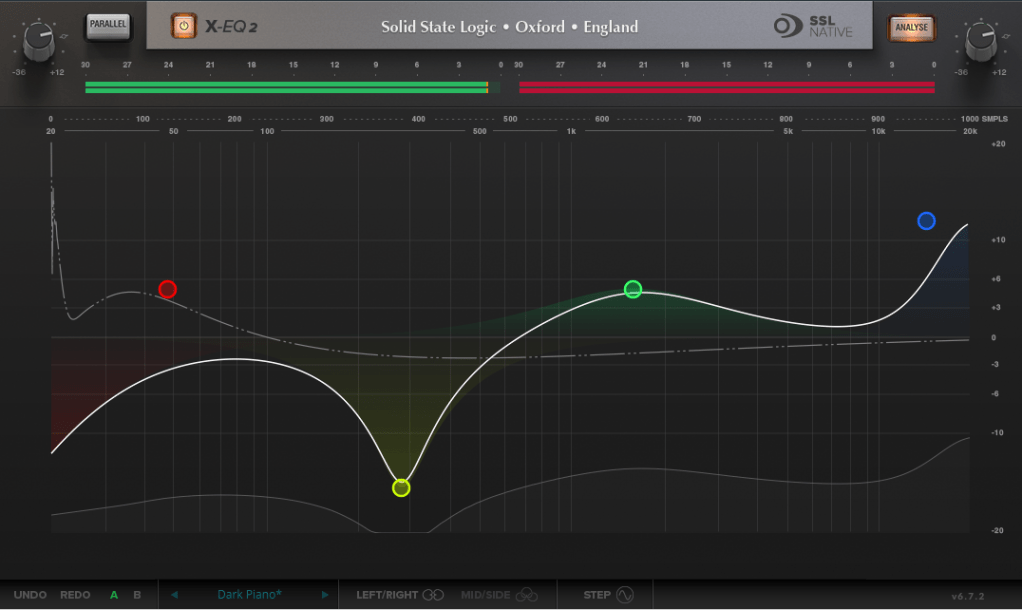
The SSL X-EQ 2 is a feature-packed EQ plugin. These days, DAW-native EQs are so powerful that standalone EQ plugins need to have a competitive edge to stand out—and X-EQ 2 delivers.

Key features include:

  • Mid/Side processing
  • Presets to remove 50Hz and 60Hz hum (ideal for handling electrical noise)

You can double-click to create points and adjust EQ type, frequency (Hz), bandwidth (Q), and gain (dB) with ease.

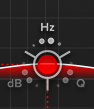
A particularly fun feature is the knob-like interface—select a parameter (Hz, dB, Q) and adjust it by dragging your mouse, mimicking the feel of turning a physical knob.

It also includes an analyzer (activated via the top-right button) and lets you choose between parallel or serial processing from the top-left menu.

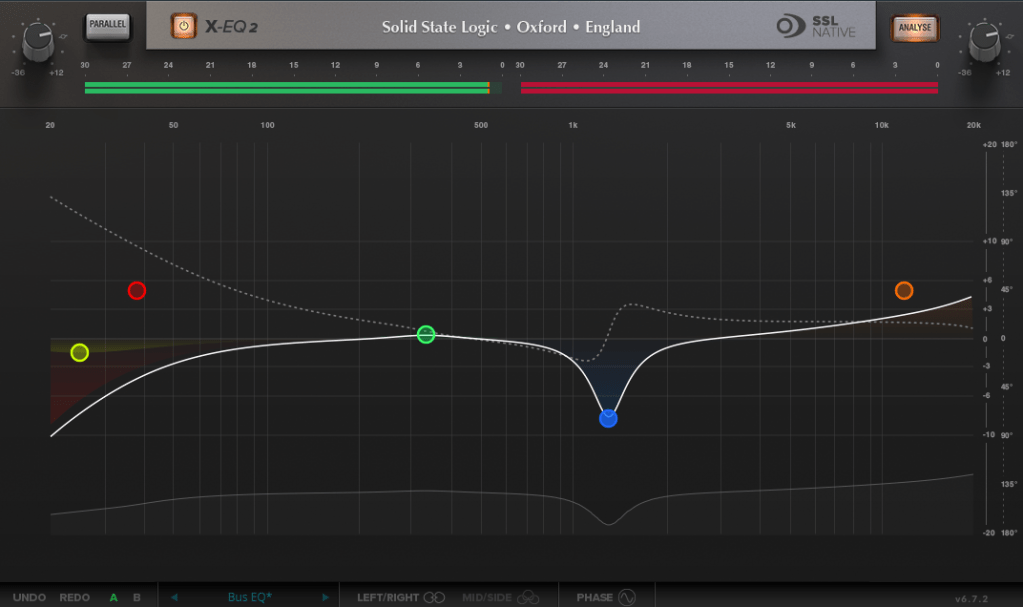
Additionally, you can activate Phase Analysis to see phase shifts (dotted lines) or enable Step Response Mode to view how signals evolve over time after passing through the EQ.

Heaviside Step Function

For those unfamiliar with Step Response:
The Step Response of a system refers to how the system reacts over time to a sudden change in input, specifically when the input shifts instantaneously from 0 to 1 (a Heaviside Step function). It demonstrates:

  1. The system’s transient behavior, showing how it initially reacts to the input change.
  2. The steady-state behavior, revealing how the system settles after the transient phase.
  3. The time it takes to stabilize, which indicates the system’s responsiveness.

In the context of EQs, a longer Step Response often correlates with ringing artifacts, where the EQ introduces unintended resonances that make the sound linger beyond its natural decay. This visualization helps engineers fine-tune the EQ to minimize these artifacts.

I love all the features, but the only downside is that the window size can’t be adjusted. But if you see the price, it could be convinced!


DeEss Plugin

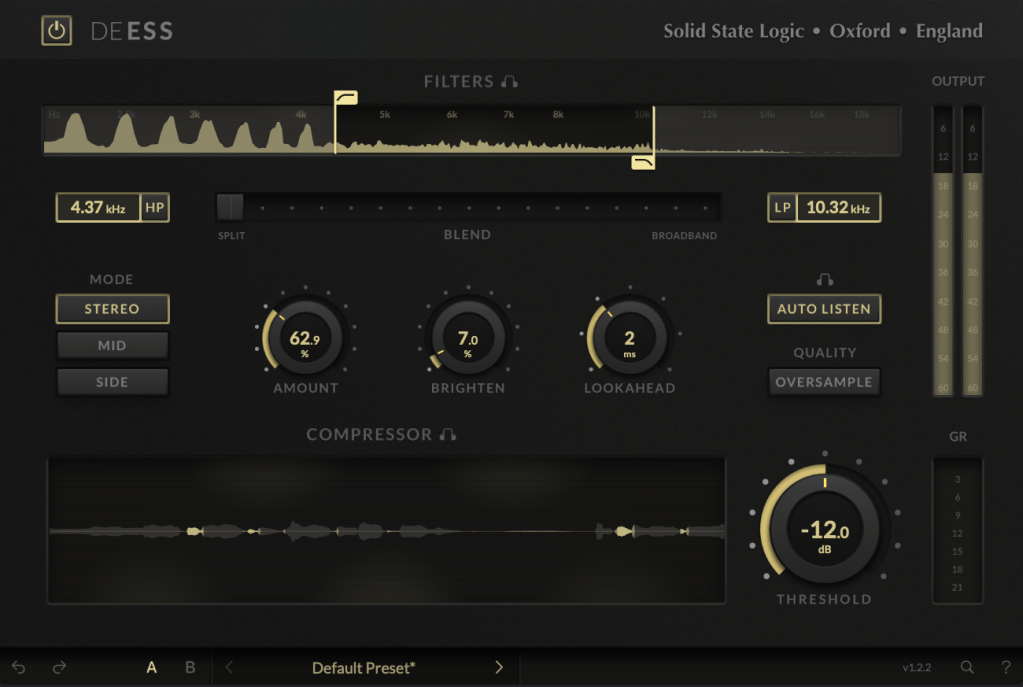
The DeEss plugin offers highly detailed sibilance control.

Key features:

  • Adjustable target range: 1kHz to 20kHz
  • Mid/Side processing
  • Compression intensity and Brighten (high-shelving EQ) controls
  • Lookahead capability for precise processing

A standout feature is the Auto Listen mode, which allows you to hear both the filtered signal and the original detection, making adjustments much easier.

This DeEss plugin is one of the most versatile I’ve come across, and it’s surprisingly lightweight unless oversampling is applied. If you don’t already have a dedicated de-esser, this is an excellent choice.


Bonus: Free Plugin Offer

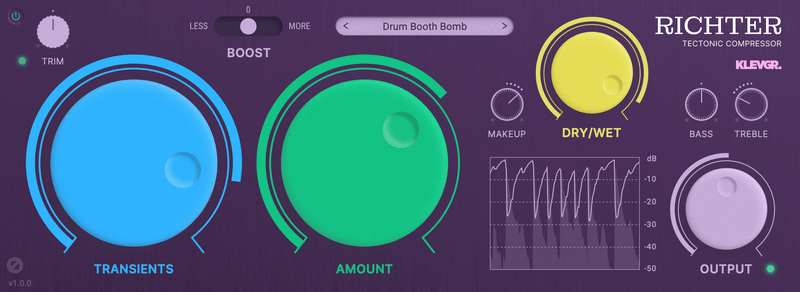
If you purchase any plugin from Plugin Boutique this month, you’ll receive Klevgrand’s Richter Compressor Plugin for free. Don’t forget to claim it when checking out!


Final Thoughts

Both the SSL X-EQ 2 and DeEss plugins are incredibly versatile and user-friendly tools for mixing and production. The 90% discount makes this deal even sweeter—don’t miss out before the sale ends on January 29!

Feel free to reach out if you have any questions. Until next time!

After Modifying My Stam Audio SA-2A

Hello! I’m Jooyoung Kim, mixing engineer & music producer.

Today, I’ll talk about what I did after the article, Record Before Modifying the Stam Audio SA-2A, and how sound changed.


First, let’s review the problems I encountered.

  1. Output gain is similar to input gain, when the GAIN knob is too low.
  2. Compression is started when PEAK REDUCTION knob is too high.
  3. It sounds so dull, like high frequency response is cut off

Otherwise, The Compress and Limit switch was positioned incorrectly. It was simply solved by wrench.


1) Potentiometer Changed..1

If you take off the cover of SA-2A’s knob, you could see a100k potentiometer at each parts. So, I thought that if I change a100k to a50k for gain knob, amount of change is more lower. Also, change a100k to a250k for peak reduction knob, compression would be change more earlier.

So I changed them first.

The green line is SA-2A hardware, the pink line is Waves’ CLA-2A.

It doesn’t seem bad at all! Otherwise, output gain is similar to input gain, when the GAIN knob is too low yet, I ordered A25K and A10K potentiometer too.


2) Vacuum Tubes Changed

I changed my 12AX7 tubes from jj electronics to mullard.

Frequency response and compression curve was not that different compared to jj electronics’. But it sounds much better than before. Harmonic distortion seems to have changed many aspects of the sound.


3) Changed Potentiometer Once Again..2

Upper image is a25k, The lower image shows the a10k potentiometer. You could see frequency response improved when the lower value of potentiometer is used! The problem isn’t solved but it sounds really good.

Red curve is UAD LA-2A Silver face, pink curve is WAVES CLA-2A, green curve is SA-2A.

Compared to UAD, it’s nice that it doesn’t add such an overwhelming saturation. And compared to Waves, I like that it doesn’t have that overly compressed feel.

I think it’s worth trying out more simple tools like this in the future. Next time, maybe an EQ or a Comp DIY kit…!

See you in next post! 🙂